> ## Documentation Index
> Fetch the complete documentation index at: https://help.teable.ai/llms.txt
> Use this file to discover all available pages before exploring further.
# Record History
> View table-level or single-record change history and track who changed data and when.
Record history is used to view data changes. You can view changes across multiple records from the table level, or open one record to view its complete change history.
## Table Record History
Table record history shows changes across records in the current table. It is useful for checking which records were modified from a global table perspective, and it can also help find accidentally deleted records.
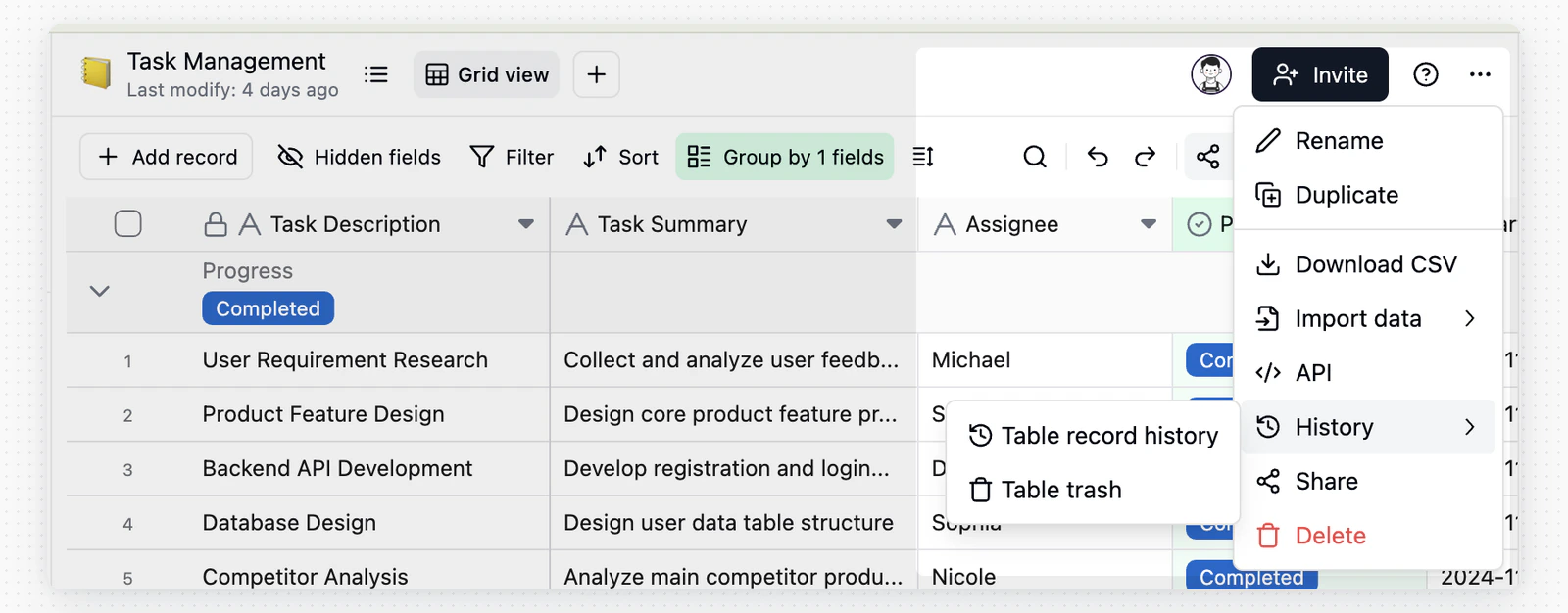 Click the **...** button in the top-right corner of the table, then choose **History** > **Table record history**.
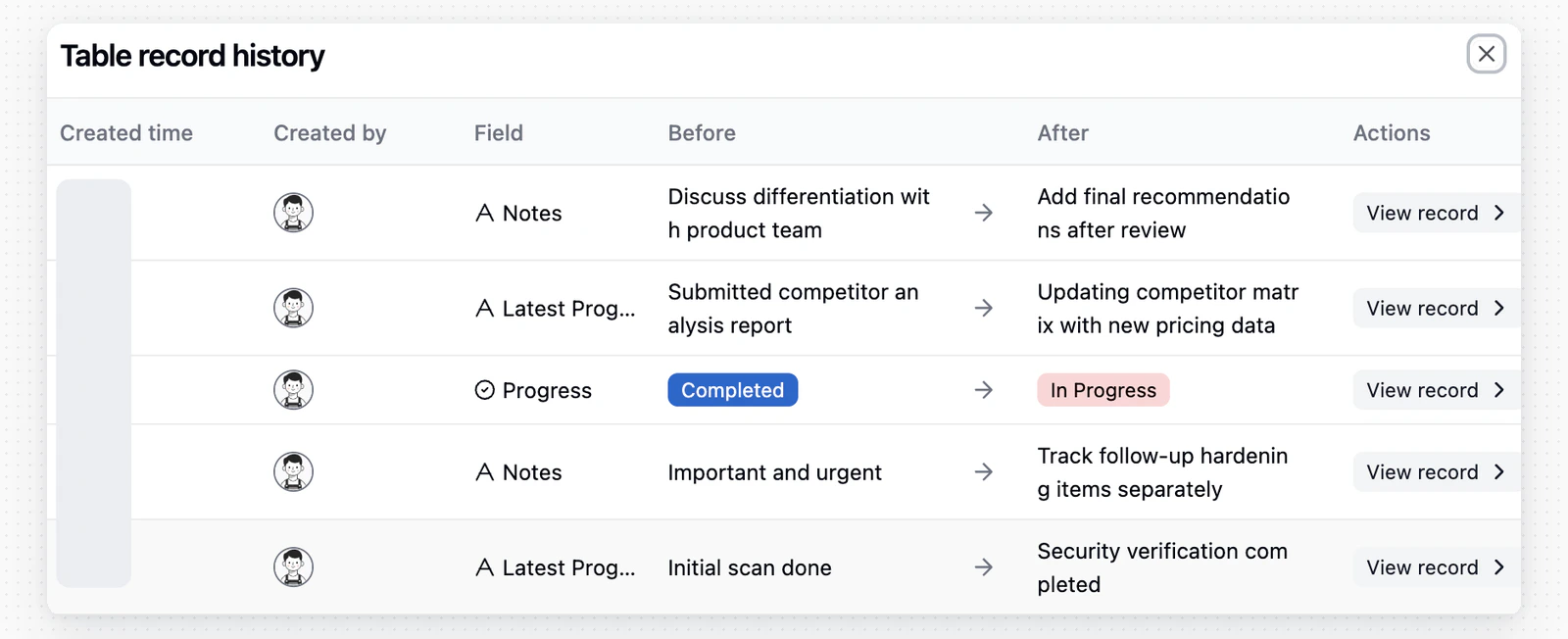 In the table history dialog, click **View Record** next to a history entry to jump to the corresponding record.
Use the filters at the top of the dialog to narrow history by field, user, and time range. After filtering, use **Clear filters** to return to the full list.
When the **Authority Matrix** is not enabled, users with table editing permission can view table record history. When it is enabled, only administrators can view it.
## Individual Record History
Individual record history only shows changes for the current record. It is useful for checking when a field in one record was changed and what changed before and after the update.
In the table history dialog, click **View Record** next to a history entry to jump to the corresponding record.
Use the filters at the top of the dialog to narrow history by field, user, and time range. After filtering, use **Clear filters** to return to the full list.
When the **Authority Matrix** is not enabled, users with table editing permission can view table record history. When it is enabled, only administrators can view it.
## Individual Record History
Individual record history only shows changes for the current record. It is useful for checking when a field in one record was changed and what changed before and after the update.
 Open the record detail card, then click the record history icon in the top-right corner.
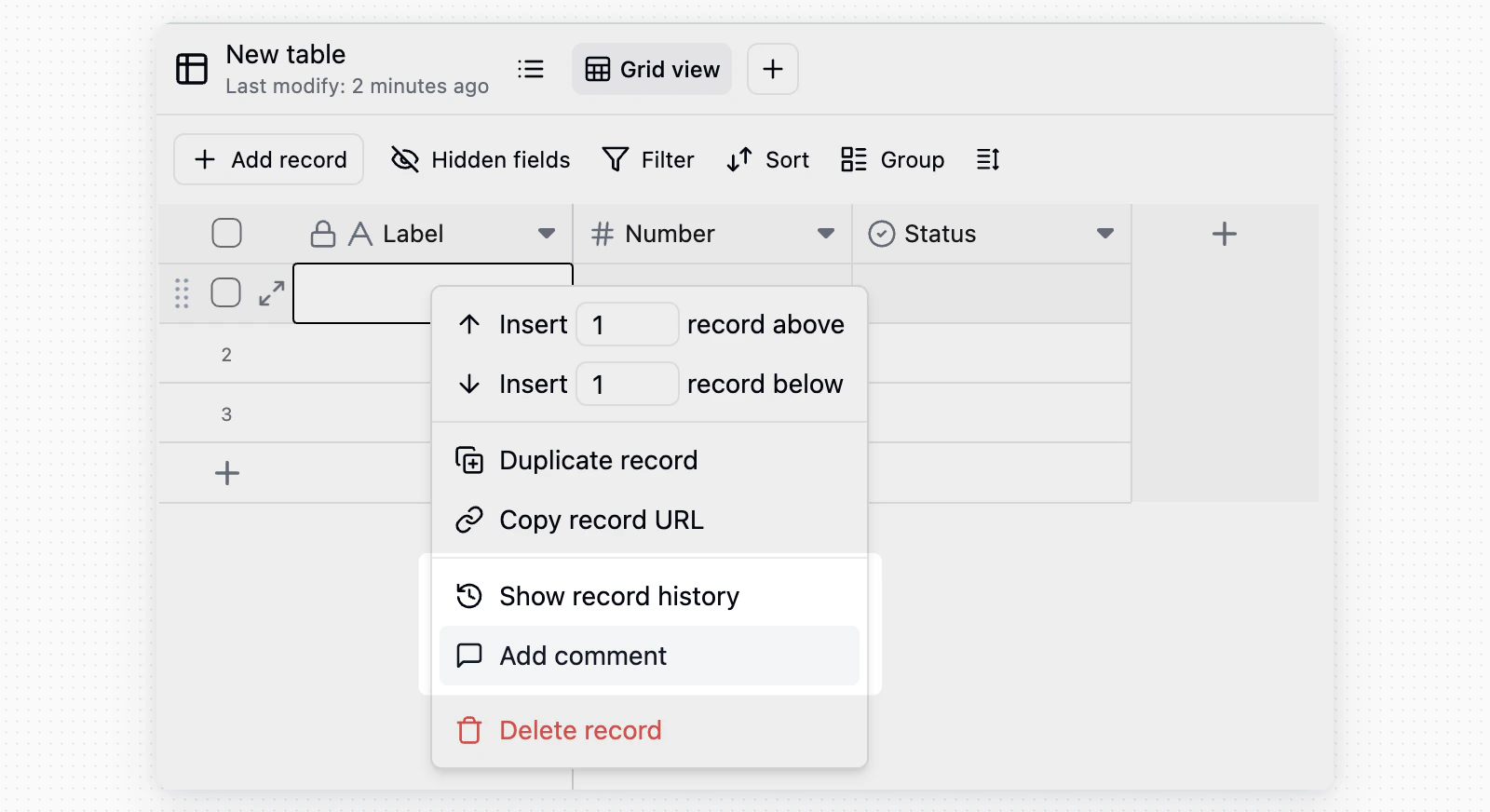 You can also right-click a record in the table view and select **Show record history**.
In individual record history, you can use the same filters to focus on a field, modifier, or time range for that record.
Users only need editing permission for a specific record to view that record's history.
## Notes
* Record history stores changes at the cell level.
* Bulk import, bulk paste, and bulk update operations can generate many history entries.
* Button field actions appear as **Clicked button** entries.
* If you cannot see the history entry point, first confirm whether you have editing permission for the corresponding record or table.
You can also right-click a record in the table view and select **Show record history**.
In individual record history, you can use the same filters to focus on a field, modifier, or time range for that record.
Users only need editing permission for a specific record to view that record's history.
## Notes
* Record history stores changes at the cell level.
* Bulk import, bulk paste, and bulk update operations can generate many history entries.
* Button field actions appear as **Clicked button** entries.
* If you cannot see the history entry point, first confirm whether you have editing permission for the corresponding record or table.