> ## Documentation Index
> Fetch the complete documentation index at: https://help.teable.ai/llms.txt
> Use this file to discover all available pages before exploring further.
# Base Invitation
> Manage permissions at the base level — invite members to a specific base without granting access to the entire space, enabling more granular and secure data collaboration.
## What is a Base Collaborator?
A base collaborator is a member invited to a specific base only. Unlike space collaborators, they can only access the bases they've been invited to and cannot see other bases in the space.
## Adding Base Collaborators
Enter any base and click the `Invite` button in the top-right corner. Two methods are supported:
* **Invite by email**: Enter the recipient's email address, set the base permission level (e.g. "Creator"), and click **Send Invitation**.
* **Invite by link**: Switch to the "Invite via Link" tab to generate a dedicated invitation link. Copy and share the link — recipients can join by clicking it.
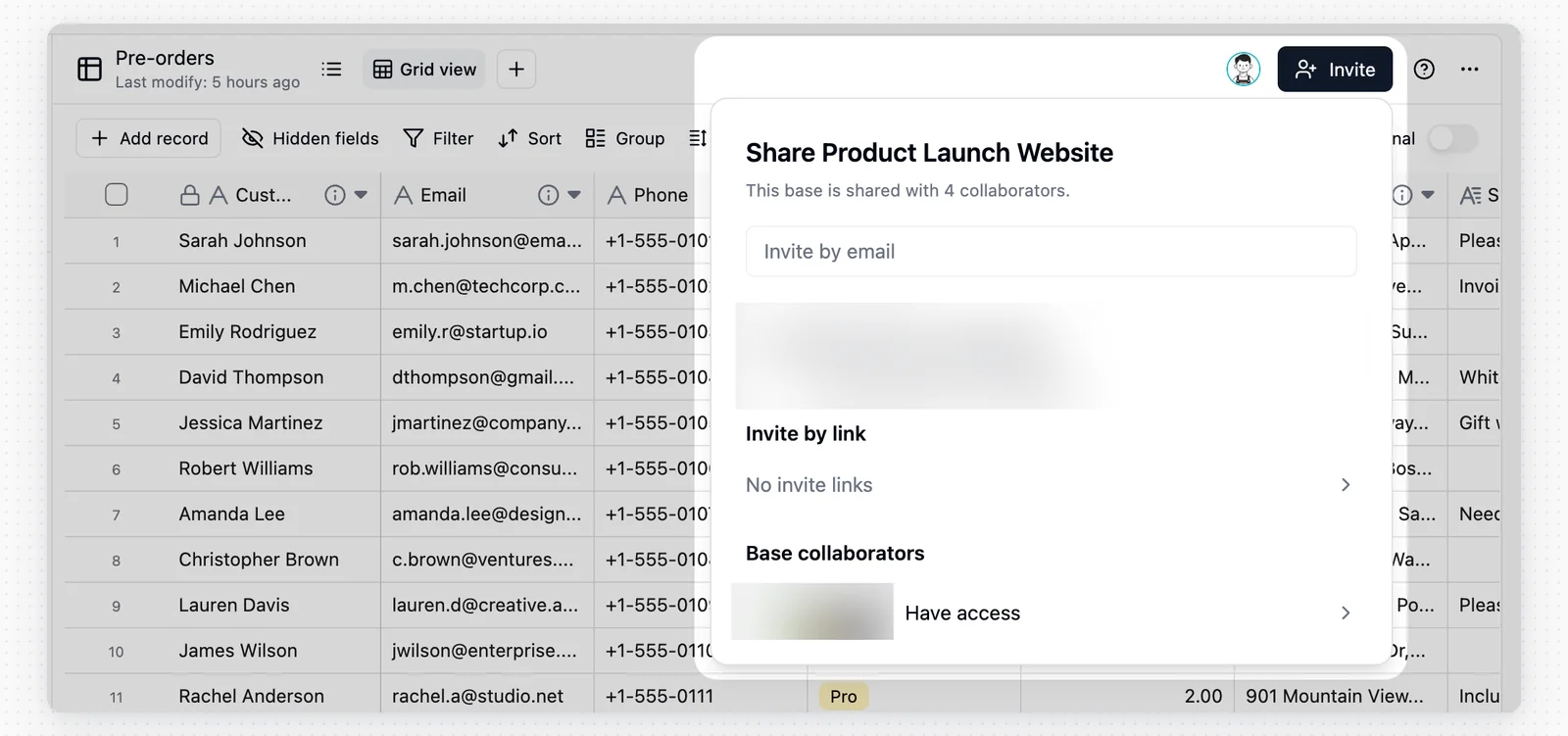 In the invitation panel, you can view all users who currently have access to the base:
* **Base collaborators**: Members invited directly to this base only.
* **Space collaborators**: Shown with a "Space" badge next to their name, indicating they are space-level members who automatically inherit access to this base.
In the invitation panel, you can view all users who currently have access to the base:
* **Base collaborators**: Members invited directly to this base only.
* **Space collaborators**: Shown with a "Space" badge next to their name, indicating they are space-level members who automatically inherit access to this base.
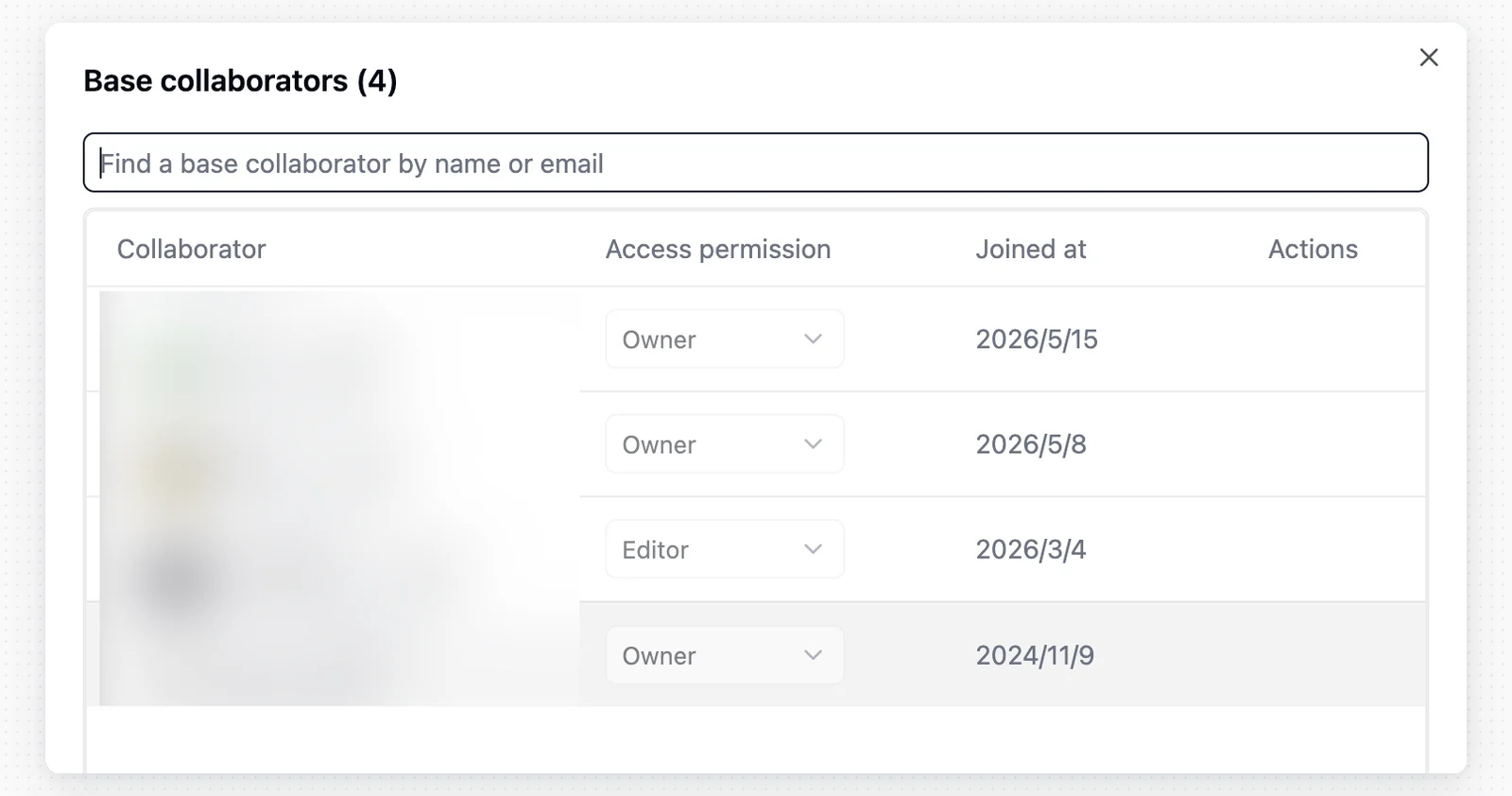 The base offers four permission roles to support different levels of collaboration. For a detailed permission comparison, see [Permission Details](/en/basic/space/space-permission).
For finer-grained control at the table, field, or record level, use the [Authority Matrix](/en/basic/authority-matrix) feature.
| Role | Description |
| --------- | ---------------------------------------------------------------------------------------------------- |
| Creator | Can perform creation actions, modify table structure, edit automations, and enable authority matrix. |
| Editor | Can modify data. |
| Commenter | Can comment on records but cannot modify data. |
| Viewer | Can view but cannot comment. |
## Use Cases
Base invitation is designed for external collaborators. For example, a freelance designer hired to organize an asset library can be invited to that base alone with **Editor** permission, without seeing any other bases in the space.
## Notes
* **Permission inheritance**: A space Manager automatically has full access to all bases in that space and cannot be downgraded at the base level.
* **Link security**: Anyone who obtains an invitation link can attempt to join the base. If a link is leaked, you can revoke it by clicking the X next to it in the invitation panel.
When the [Authority Matrix](/en/basic/authority-matrix) and [Permission Details](/en/basic/space/space-permission) coexist, only **Manager** users are exempt from Authority Matrix restrictions — all other users are subject to it.
The base offers four permission roles to support different levels of collaboration. For a detailed permission comparison, see [Permission Details](/en/basic/space/space-permission).
For finer-grained control at the table, field, or record level, use the [Authority Matrix](/en/basic/authority-matrix) feature.
| Role | Description |
| --------- | ---------------------------------------------------------------------------------------------------- |
| Creator | Can perform creation actions, modify table structure, edit automations, and enable authority matrix. |
| Editor | Can modify data. |
| Commenter | Can comment on records but cannot modify data. |
| Viewer | Can view but cannot comment. |
## Use Cases
Base invitation is designed for external collaborators. For example, a freelance designer hired to organize an asset library can be invited to that base alone with **Editor** permission, without seeing any other bases in the space.
## Notes
* **Permission inheritance**: A space Manager automatically has full access to all bases in that space and cannot be downgraded at the base level.
* **Link security**: Anyone who obtains an invitation link can attempt to join the base. If a link is leaked, you can revoke it by clicking the X next to it in the invitation panel.
When the [Authority Matrix](/en/basic/authority-matrix) and [Permission Details](/en/basic/space/space-permission) coexist, only **Manager** users are exempt from Authority Matrix restrictions — all other users are subject to it.