> ## Documentation Index
> Fetch the complete documentation index at: https://help.teable.ai/llms.txt
> Use this file to discover all available pages before exploring further.
# Overview
> Create, import, share, and manage tables in a base.
Each base can contain multiple tables for storing and managing related data. Teable tables are equivalent to database tables — understanding [how they differ from spreadsheets](/en/compare/teable-vs-excel) will help you get the most out of Teable.
## Create and Manage Tables
### Adding Tables
In a base, click the `+` button in the directory and choose to:
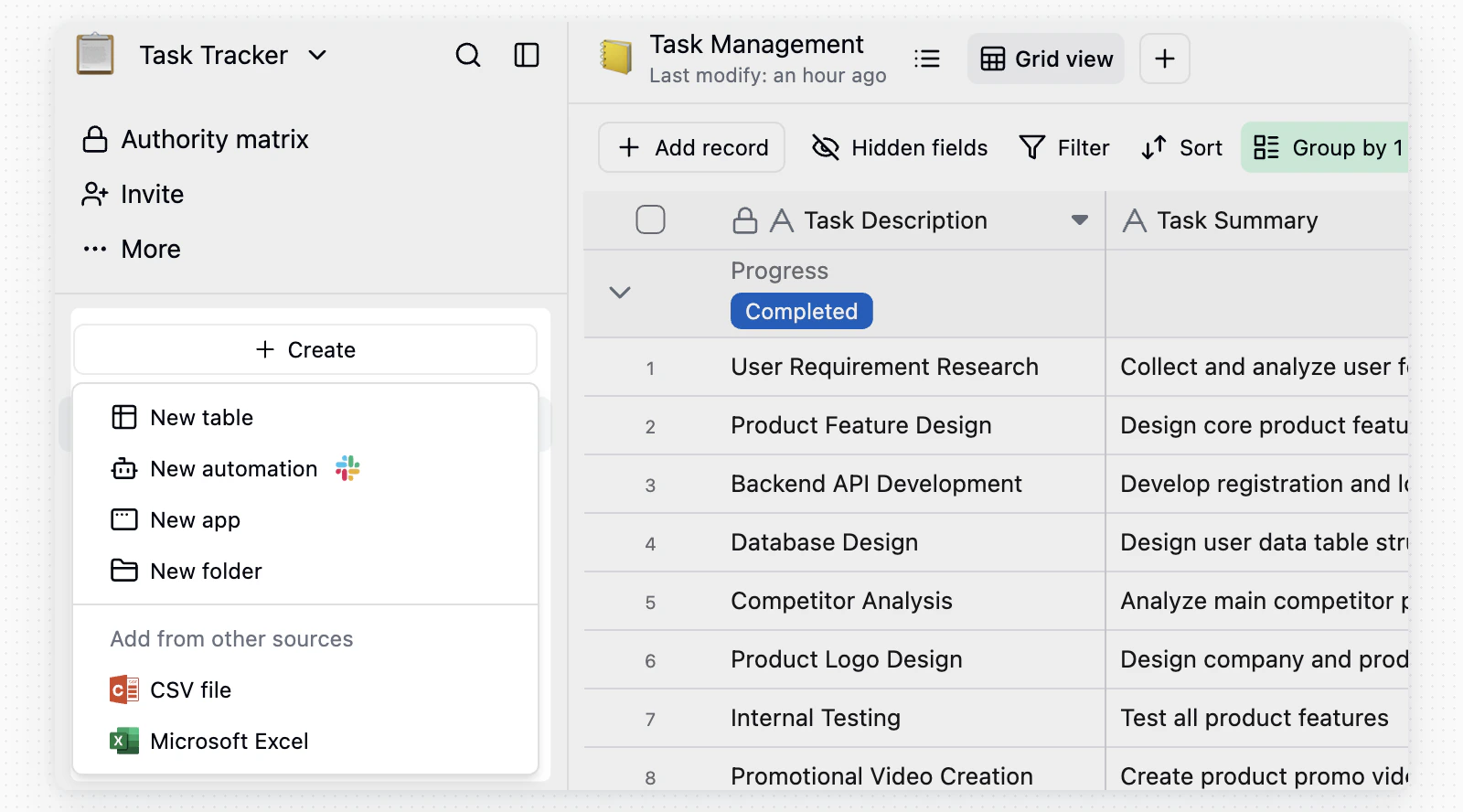 1. Create a new blank table
2. Import from a CSV file
3. Import from an Excel file
4. Import from Airtable, if Airtable integration is configured
See the [Import section](/en/basic/table/import) for details.
### Renaming & Deleting
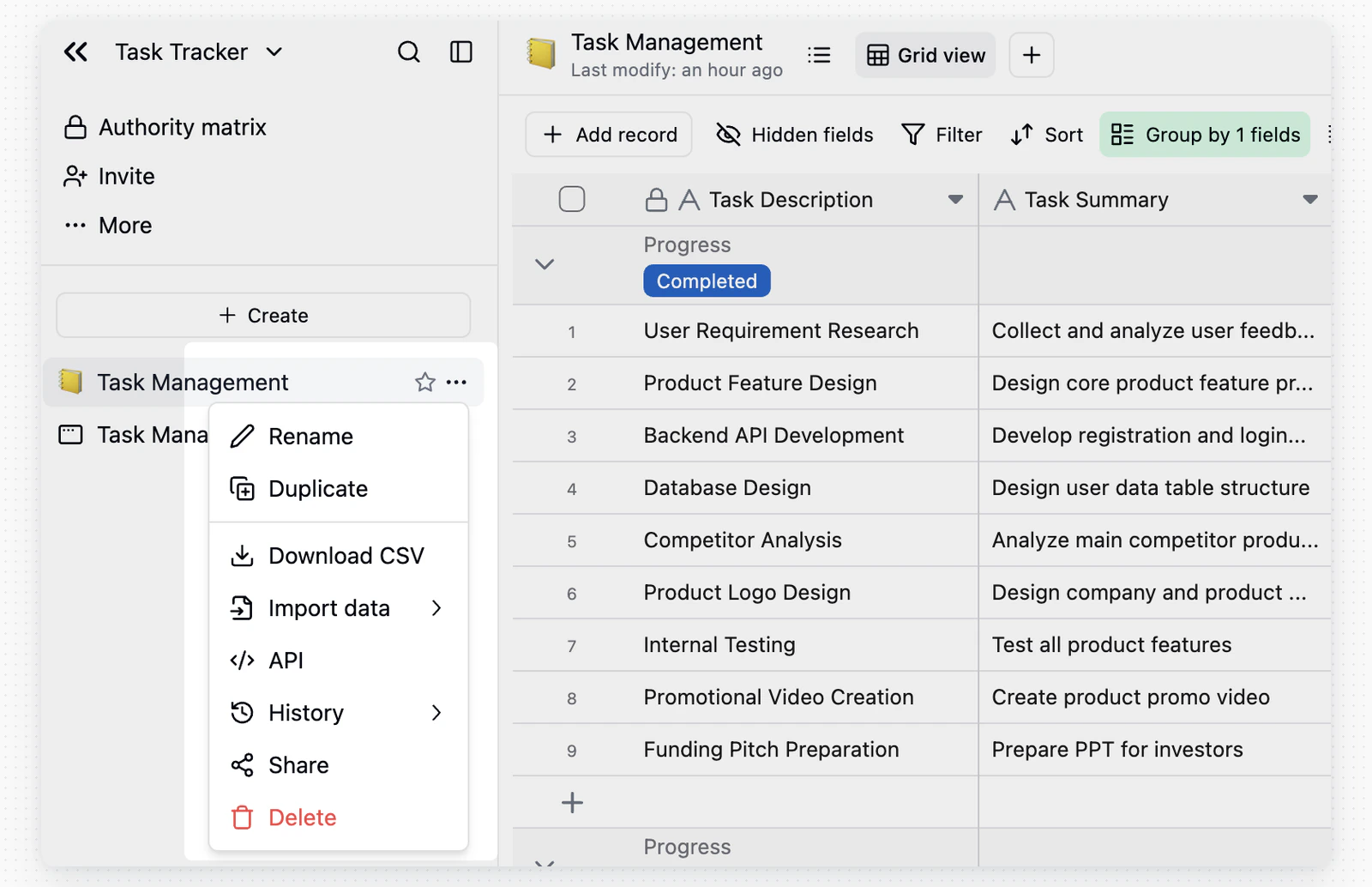
* **Rename**: Double-click the table name in the directory, edit it, then click anywhere outside to save.
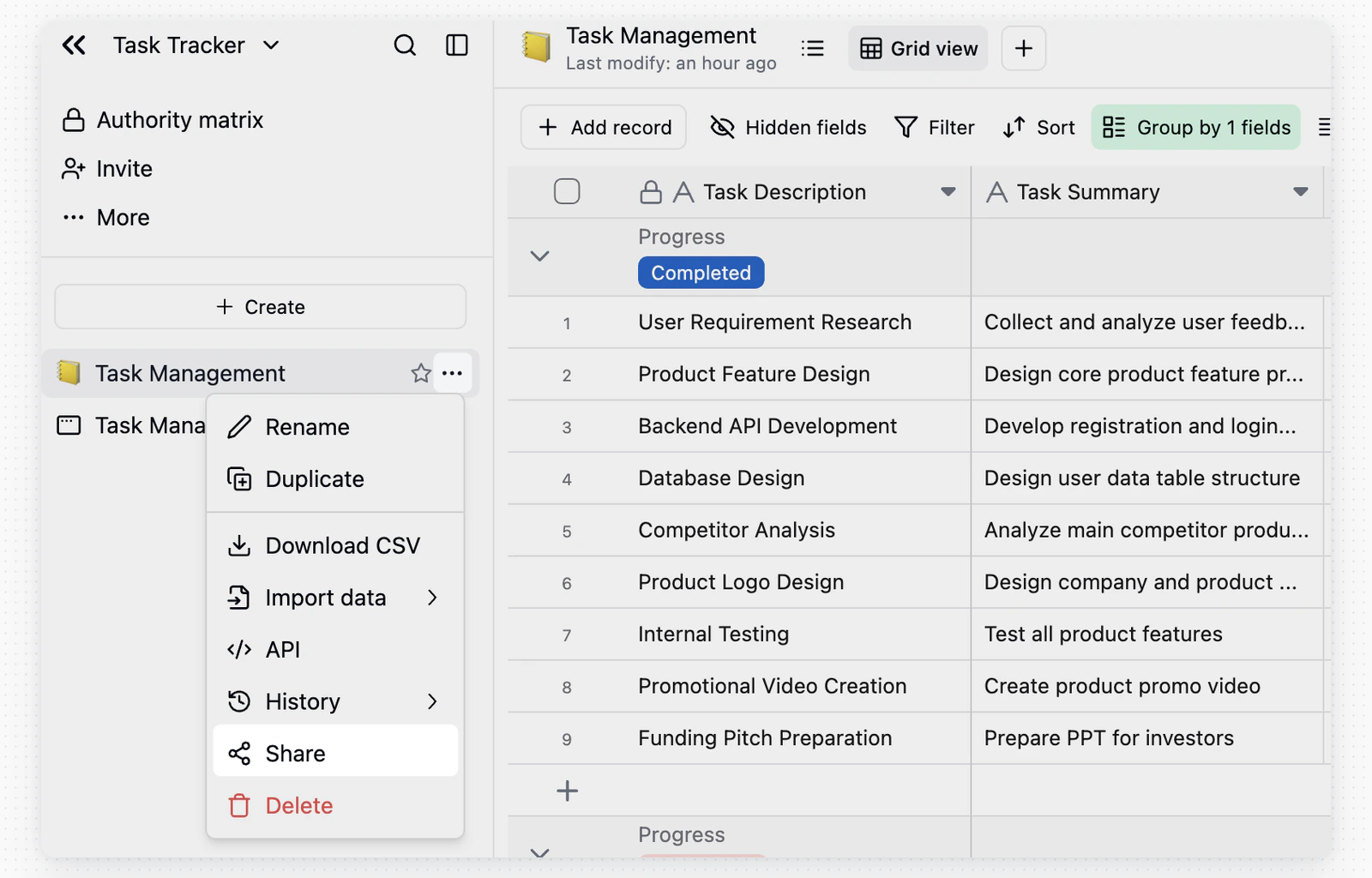
* **Delete**: Hover over the table in the directory, click `...`, then select **Delete**.
1. Create a new blank table
2. Import from a CSV file
3. Import from an Excel file
4. Import from Airtable, if Airtable integration is configured
See the [Import section](/en/basic/table/import) for details.
### Renaming & Deleting
* **Rename**: Double-click the table name in the directory, edit it, then click anywhere outside to save.
* **Delete**: Hover over the table in the directory, click `...`, then select **Delete**.
 ### Trash
Click the trash icon in the upper left of the base to manage deleted tables.
### Trash
Click the trash icon in the upper left of the base to manage deleted tables.
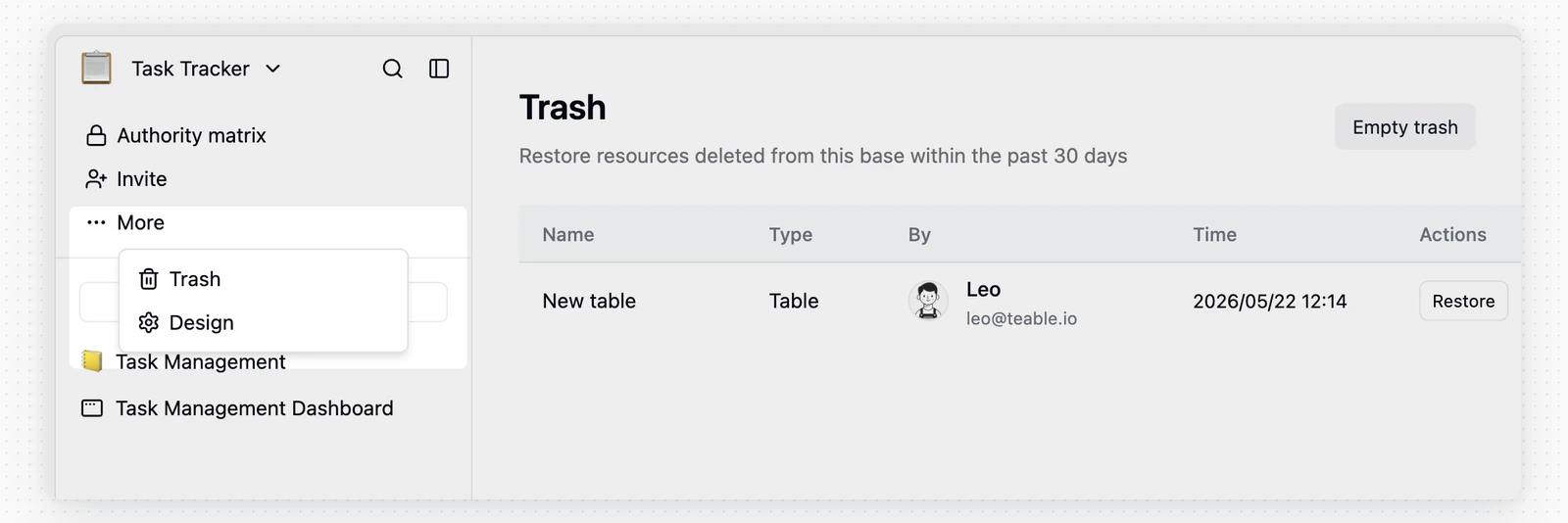 * **Restore**: Bring the table back to the base with all data intact
* **Empty trash**: Permanently delete all trashed tables
## Design Tables
Click **Design** in the table menu to view the table's basic properties:
* **Restore**: Bring the table back to the base with all data intact
* **Empty trash**: Permanently delete all trashed tables
## Design Tables
Click **Design** in the table menu to view the table's basic properties:
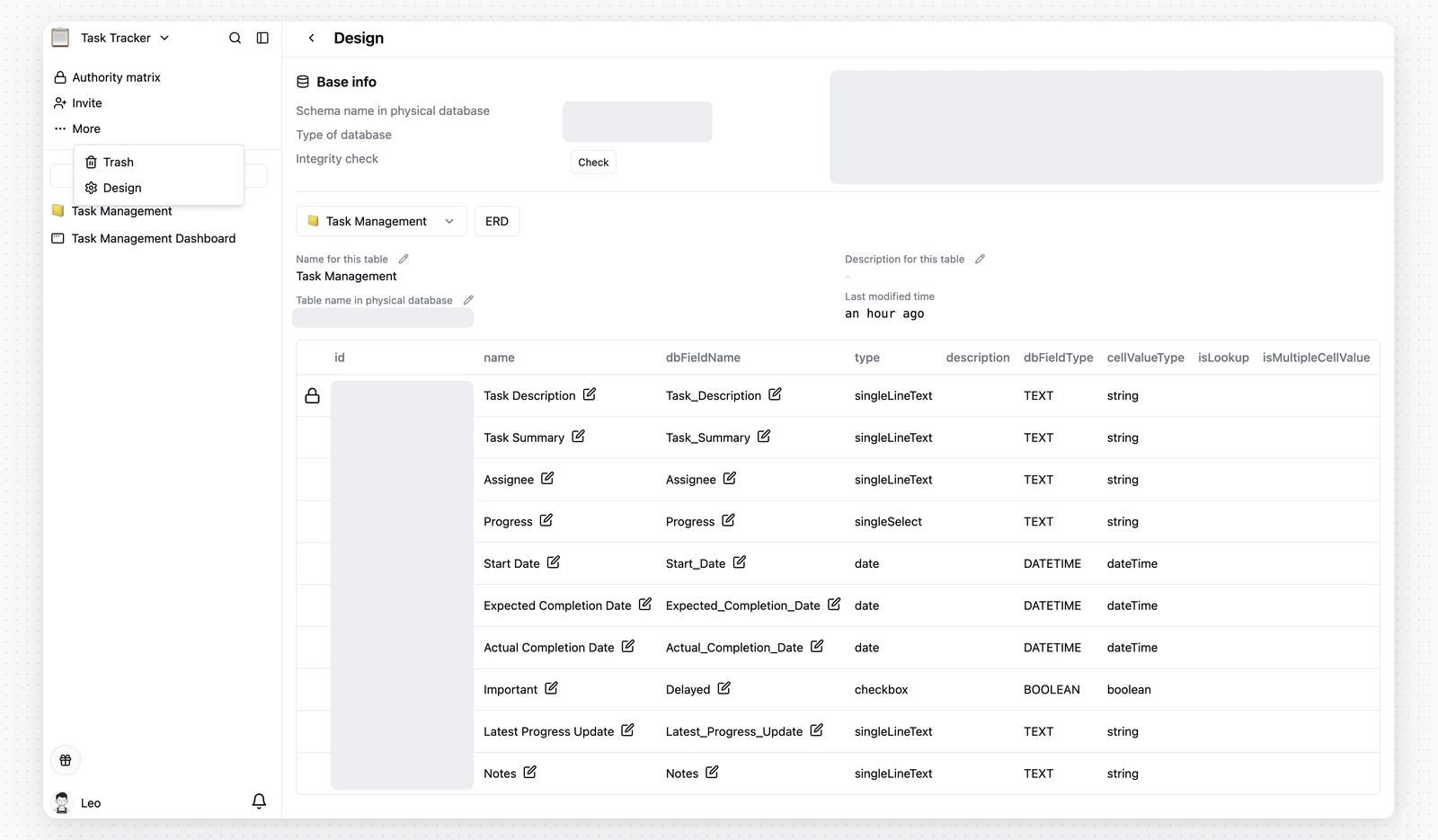 **Table Information**
Schema, physical table name, description, and last modified time
**Field Properties**
| Property | Description |
| :---------------------- | :---------------------------------------------------------------------------------- |
| **id** | Field ID |
| **name** | Field name |
| **dbFieldName** | Field name in the physical database |
| **type** | Field type |
| **description** | Field description |
| **graph** | View current field dependencies |
| **cellValueType** | Current field value type |
| **isLookup** | Whether it's a field looked up from a linked table |
| **isMultipleCellValue** | Whether it's an [array value field](/en/basic/field/common/is-multiple-value) |
| **isComputed** | Whether it's a computed field (record values of computed fields cannot be modified) |
| **isPending** | Whether it's in calculation |
| **hasError** | Whether there are calculation errors |
| **notNull** | Whether non-null validation is enabled |
| **unique** | Whether unique value validation is enabled |
## Share and Access Tables
### Share a Table
In a table, click **Share** in the upper-right corner, switch to **Share table**, and turn on **Share to web** to generate a share link.
**Table Information**
Schema, physical table name, description, and last modified time
**Field Properties**
| Property | Description |
| :---------------------- | :---------------------------------------------------------------------------------- |
| **id** | Field ID |
| **name** | Field name |
| **dbFieldName** | Field name in the physical database |
| **type** | Field type |
| **description** | Field description |
| **graph** | View current field dependencies |
| **cellValueType** | Current field value type |
| **isLookup** | Whether it's a field looked up from a linked table |
| **isMultipleCellValue** | Whether it's an [array value field](/en/basic/field/common/is-multiple-value) |
| **isComputed** | Whether it's a computed field (record values of computed fields cannot be modified) |
| **isPending** | Whether it's in calculation |
| **hasError** | Whether there are calculation errors |
| **notNull** | Whether non-null validation is enabled |
| **unique** | Whether unique value validation is enabled |
## Share and Access Tables
### Share a Table
In a table, click **Share** in the upper-right corner, switch to **Share table**, and turn on **Share to web** to generate a share link.
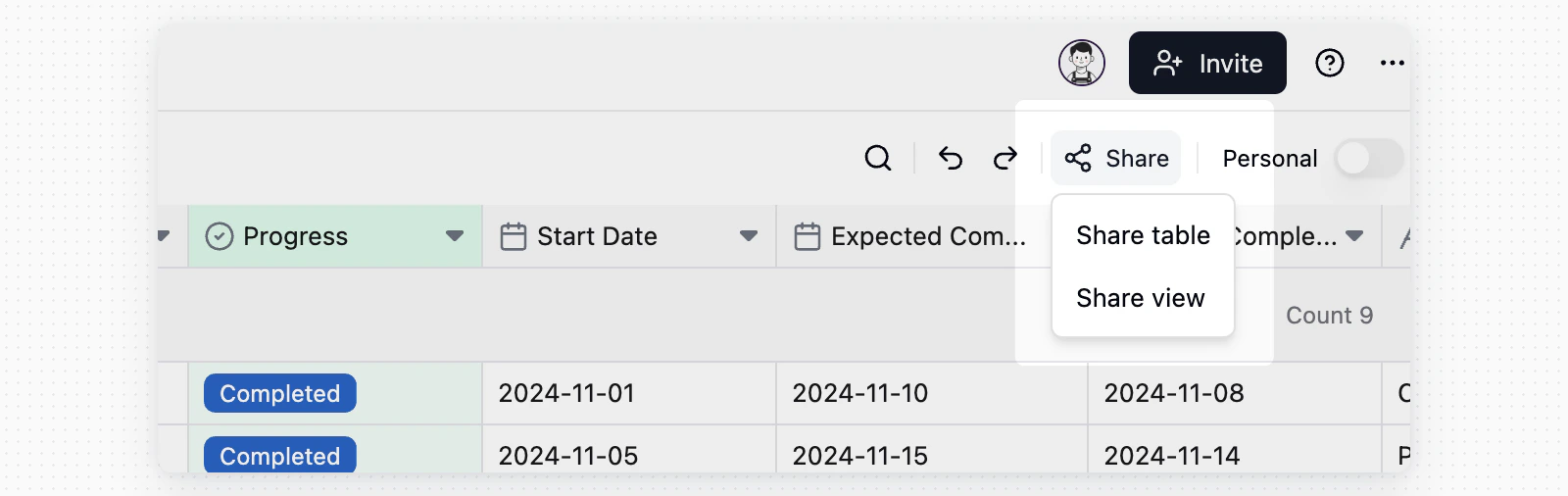 After table sharing is enabled, the **Share** button appears in a gray shared state in every view in that table. This state comes from table sharing; it does not mean each view has been shared separately.
Link permissions:
After table sharing is enabled, the **Share** button appears in a gray shared state in every view in that table. This state comes from table sharing; it does not mean each view has been shared separately.
Link permissions:
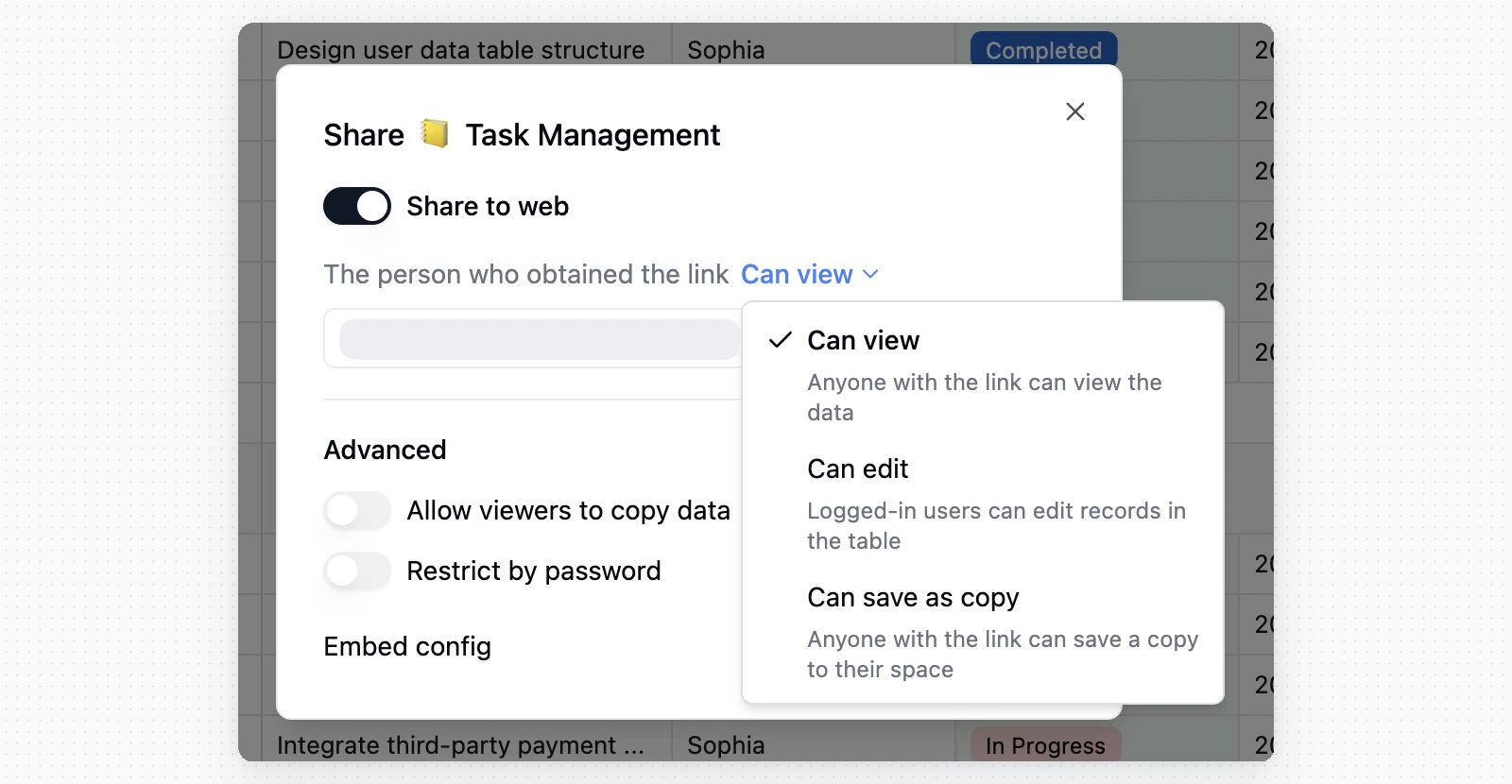 * **Can view**: Anyone with the link can view table data
* **Can edit**: Logged-in users can edit records in the shared table
* **Can save as copy**: Anyone with the link can save a copy to their space
You can also configure **Allow viewers to copy data**, **Restrict by password**, regenerate or delete the link, and copy the embed config.
To share only the current view, switch to **Share view**. For details, see [View toolbar](/en/basic/view/toolbar).
### Ways to Access Tables
Tables default to a [Grid view](/en/basic/view/grid) and are also accessible via the [API](/en/api-doc/overview). You can create additional views — such as Kanban — to suit different workflow needs.
## Search and Downloads
### Global Search
* **Can view**: Anyone with the link can view table data
* **Can edit**: Logged-in users can edit records in the shared table
* **Can save as copy**: Anyone with the link can save a copy to their space
You can also configure **Allow viewers to copy data**, **Restrict by password**, regenerate or delete the link, and copy the embed config.
To share only the current view, switch to **Share view**. For details, see [View toolbar](/en/basic/view/toolbar).
### Ways to Access Tables
Tables default to a [Grid view](/en/basic/view/grid) and are also accessible via the [API](/en/api-doc/overview). You can create additional views — such as Kanban — to suit different workflow needs.
## Search and Downloads
### Global Search
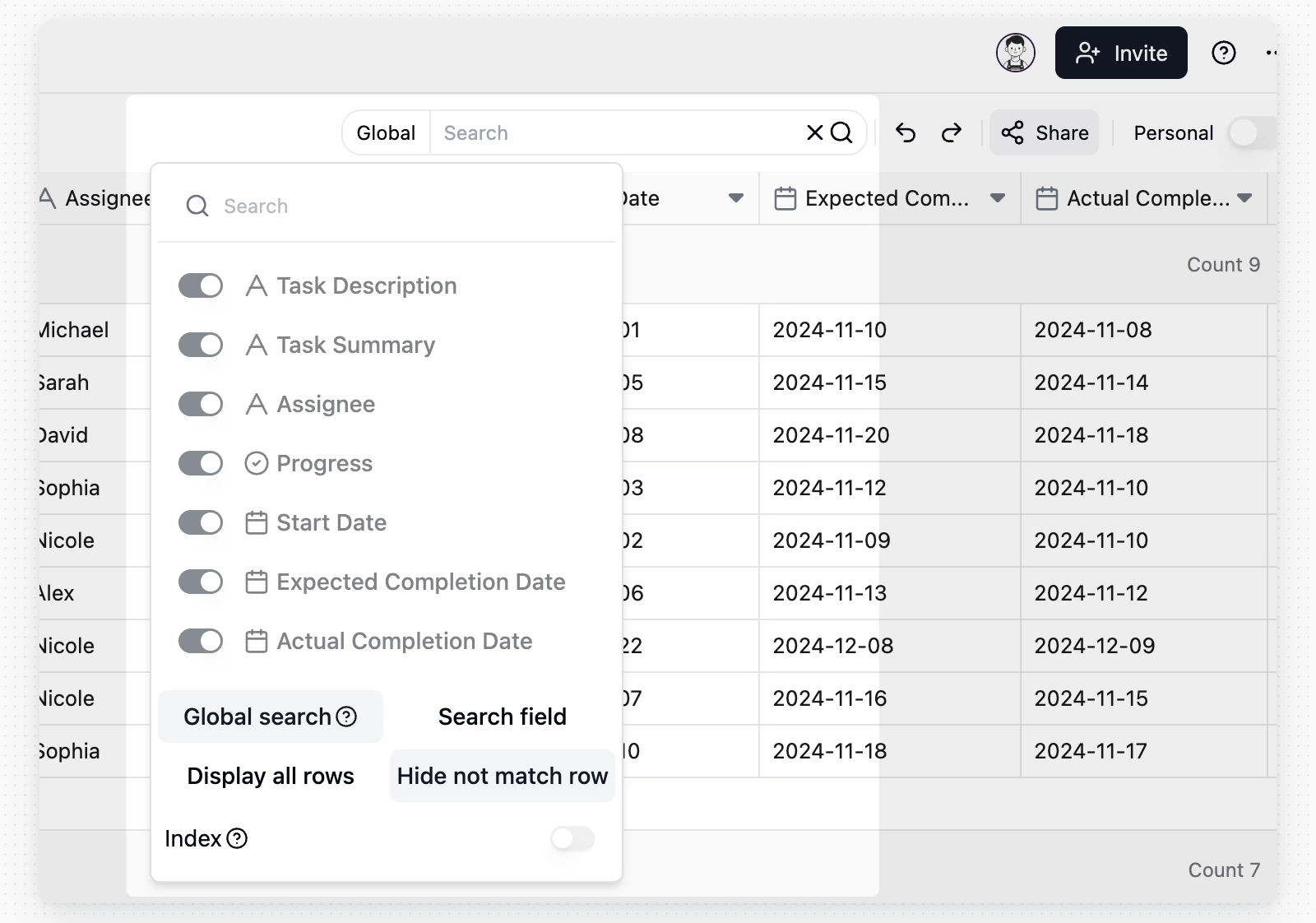 * **Date fields can be searched** in addition to text fields — search a date value to find matching records
* When hiding non-matching rows, the visible result set narrows to matching records only
### Attachment Downloads
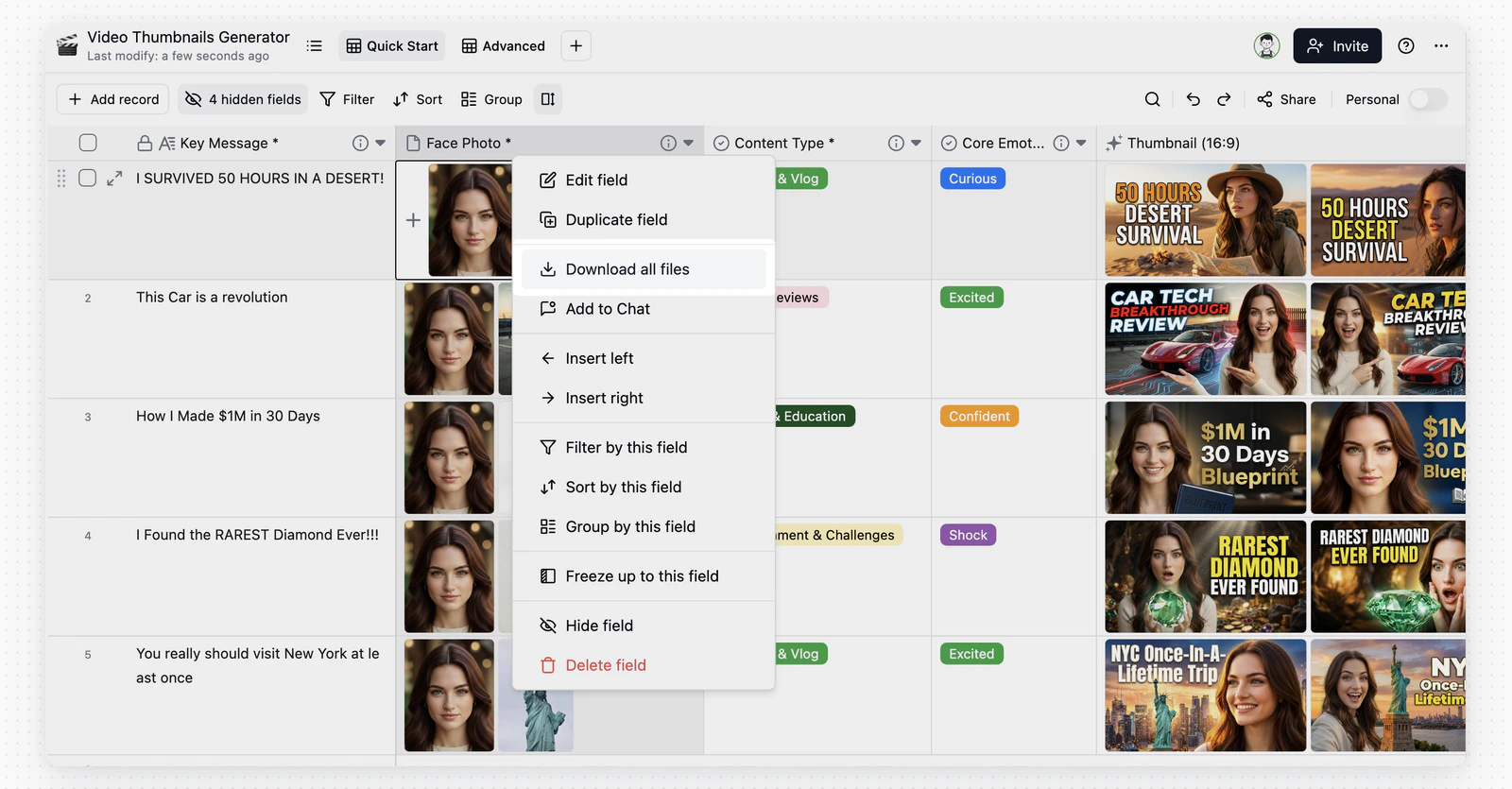
Bulk attachment downloads respect the current search results and include only attachments from matching records.
* **Date fields can be searched** in addition to text fields — search a date value to find matching records
* When hiding non-matching rows, the visible result set narrows to matching records only
### Attachment Downloads
Bulk attachment downloads respect the current search results and include only attachments from matching records.
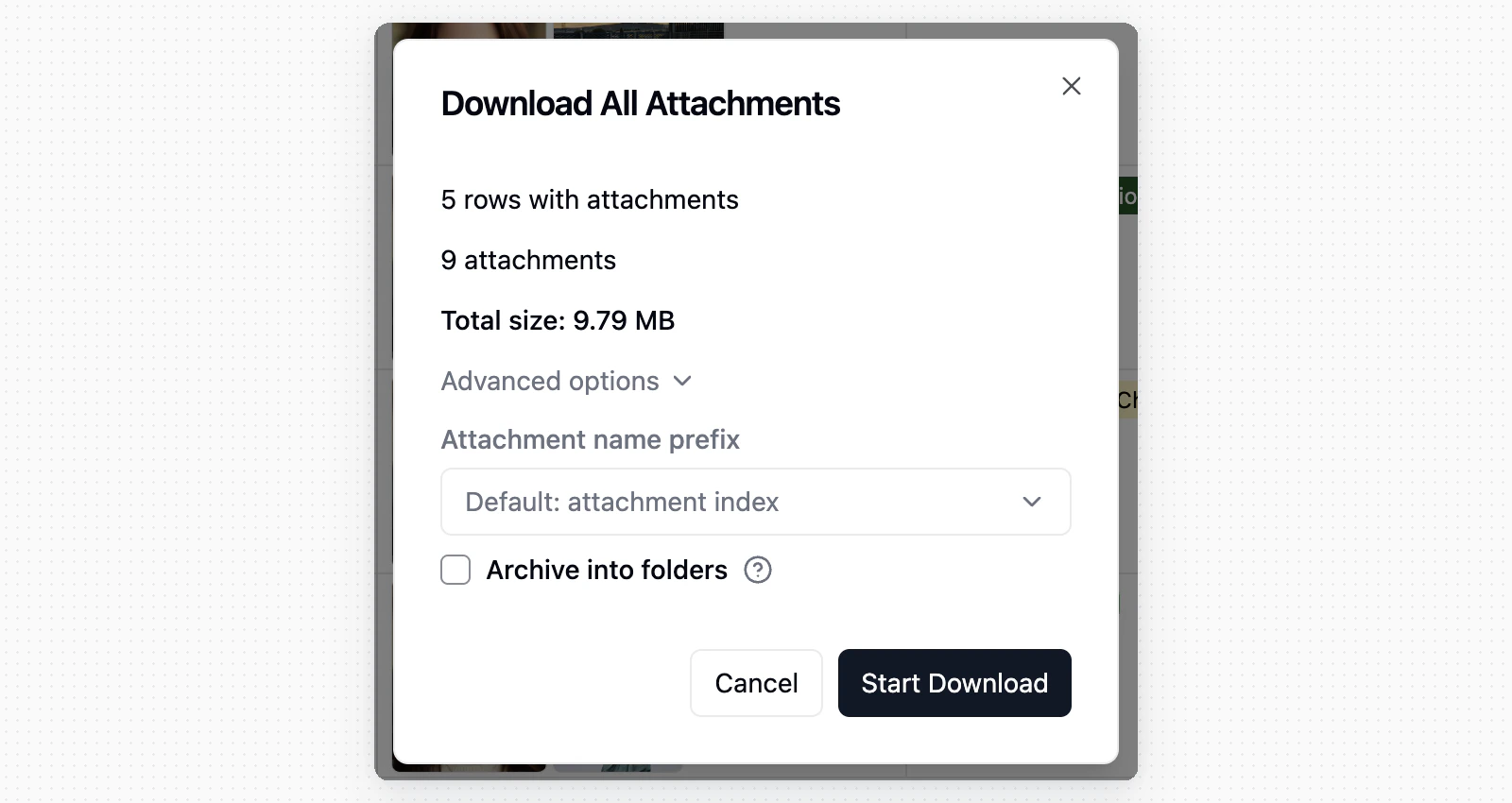
 In the bulk download dialog, use **Attachment name prefix** to name ZIP files by default index, a chosen field, or **No prefix** to keep original filenames; duplicates get an auto-appended suffix.
 ## FAQ
Teable is stricter than Excel — each column has a fixed data type, and a Number column only stores numbers. This constraint ensures data integrity and is the foundation for advanced filtering and automation. See [Teable vs Excel](/en/compare/teable-vs-excel) for details.
Check whether the table is referenced by **linked fields** in other tables. Deleting the source table may cause data display issues in linked tables.
## FAQ
Teable is stricter than Excel — each column has a fixed data type, and a Number column only stores numbers. This constraint ensures data integrity and is the foundation for advanced filtering and automation. See [Teable vs Excel](/en/compare/teable-vs-excel) for details.
Check whether the table is referenced by **linked fields** in other tables. Deleting the source table may cause data display issues in linked tables.