> ## Documentation Index
> Fetch the complete documentation index at: https://help.teable.ai/llms.txt
> Use this file to discover all available pages before exploring further.
# Export
> Export an entire table or the data currently shown in a view as a CSV file.
Teable supports exporting an entire table or only the data currently shown in a view. Exported files use CSV format.
Export the entire table when you need the full raw data. Export a specific view when you only need the data currently shown in that view.
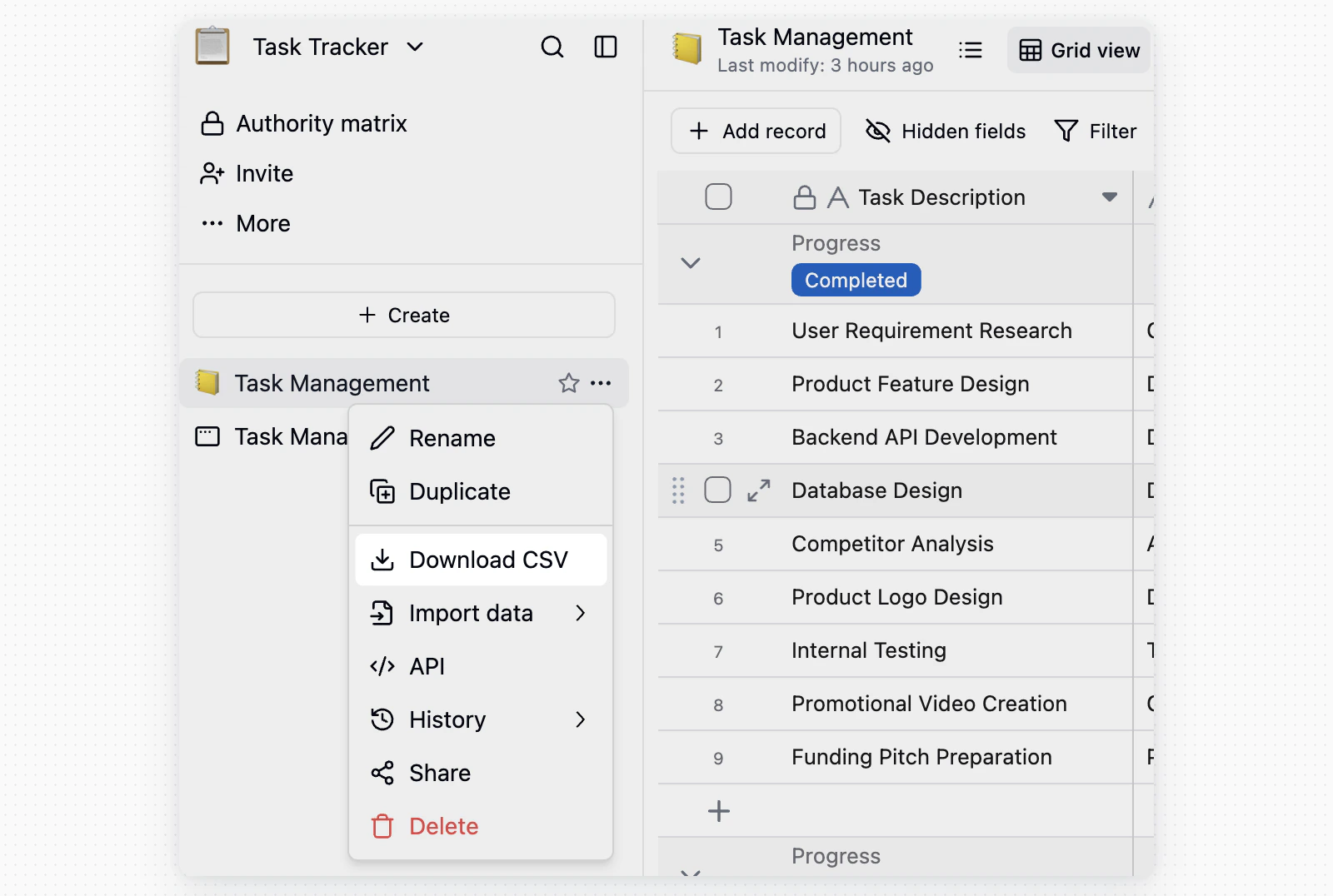
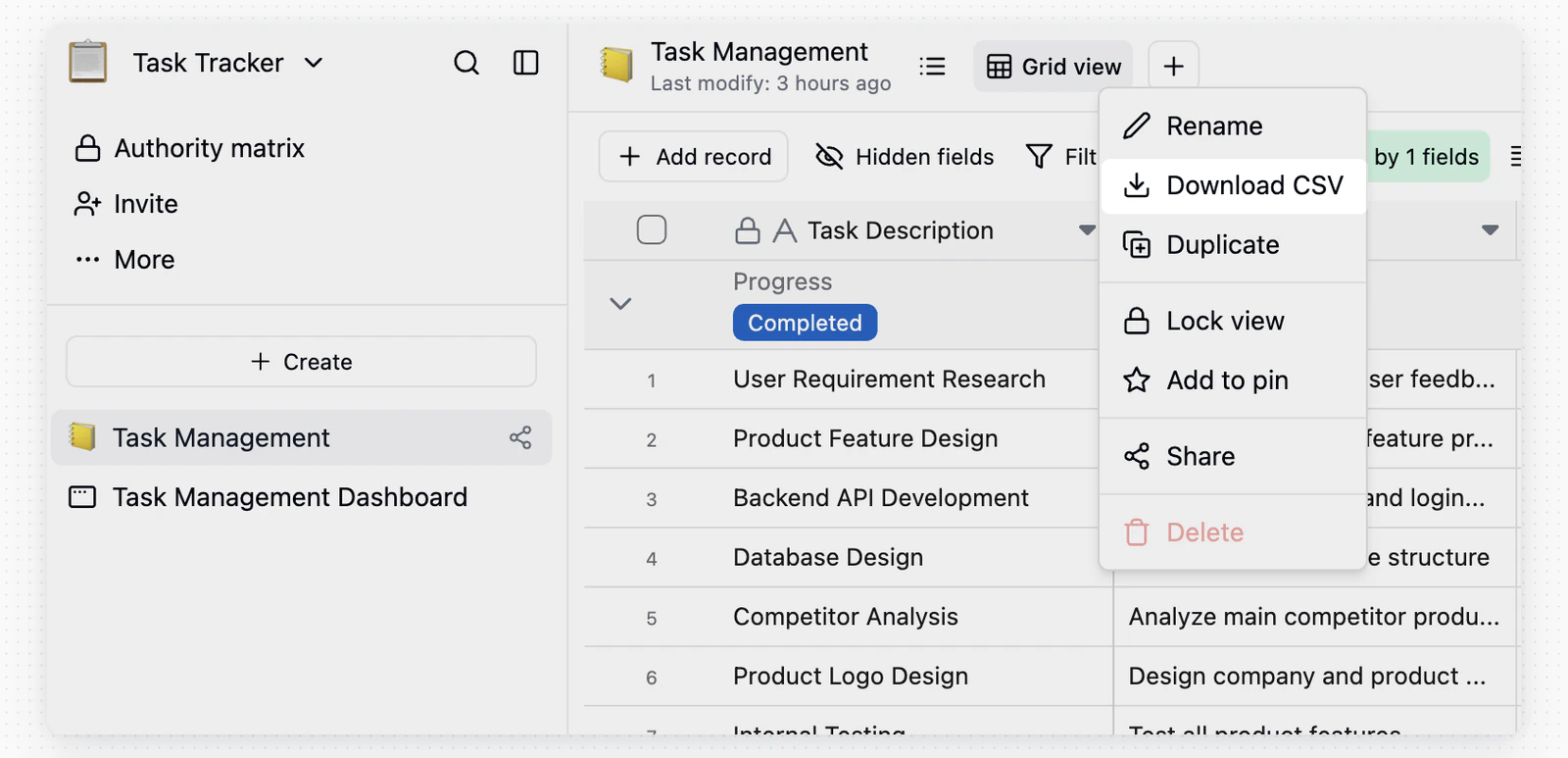
To export an entire table, open the target table menu in the left directory. To export a view, switch to the target view and open the view menu.
Select **Download CSV**. Teable generates the file according to the selected export scope.
## Export Flow
To export an entire table, hover over the target table name in the left directory, click the `...` button on the right, then select **Download CSV**.
 To export a specific view, switch to the target view, confirm the filters, sorting, and hidden-field settings, then click the `...` menu next to the view name and select **Download CSV**.
 ## Notes
* **Entire table export**: Includes the raw table data, including hidden fields and records.
* **View export**: Exports only the data currently shown in the view. Use it for filtered, sorted, or hidden-field results.
## Notes
* **Entire table export**: Includes the raw table data, including hidden fields and records.
* **View export**: Exports only the data currently shown in the view. Use it for filtered, sorted, or hidden-field results.