> ## Documentation Index
> Fetch the complete documentation index at: https://help.teable.ai/llms.txt
> Use this file to discover all available pages before exploring further.
# Changelog 2024
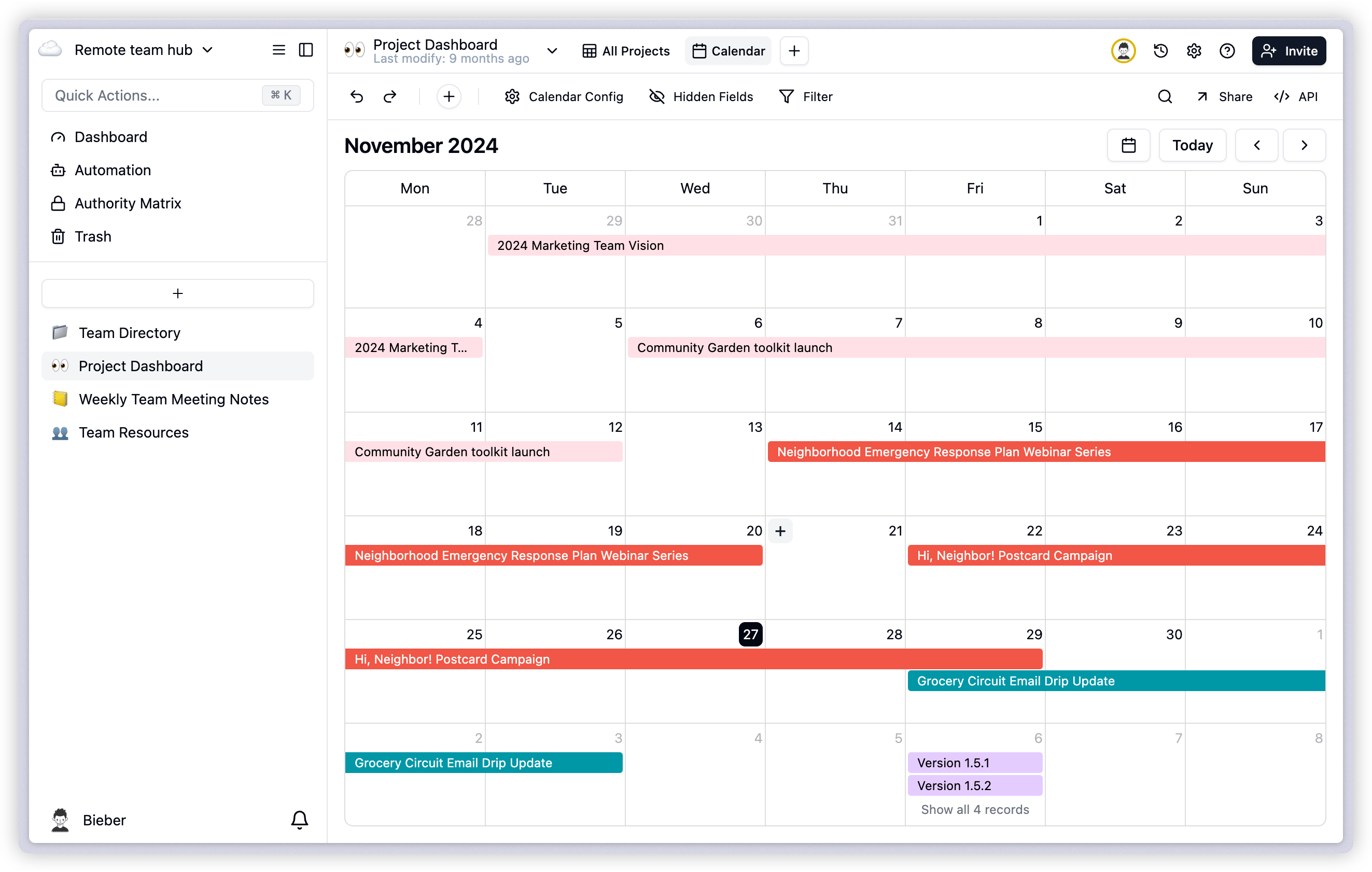
## 1. New Calendar View
We've launched a new calendar view feature that allows you to manage and view schedules more intuitively.
### How to Add Calendar View
1. Navigate to the view bar
2. Click the "+" icon on the right
3. Select "Calendar View" from the options
4. The calendar view will be added to your view list
 ## 2. Global Search and Keyword Highlighting
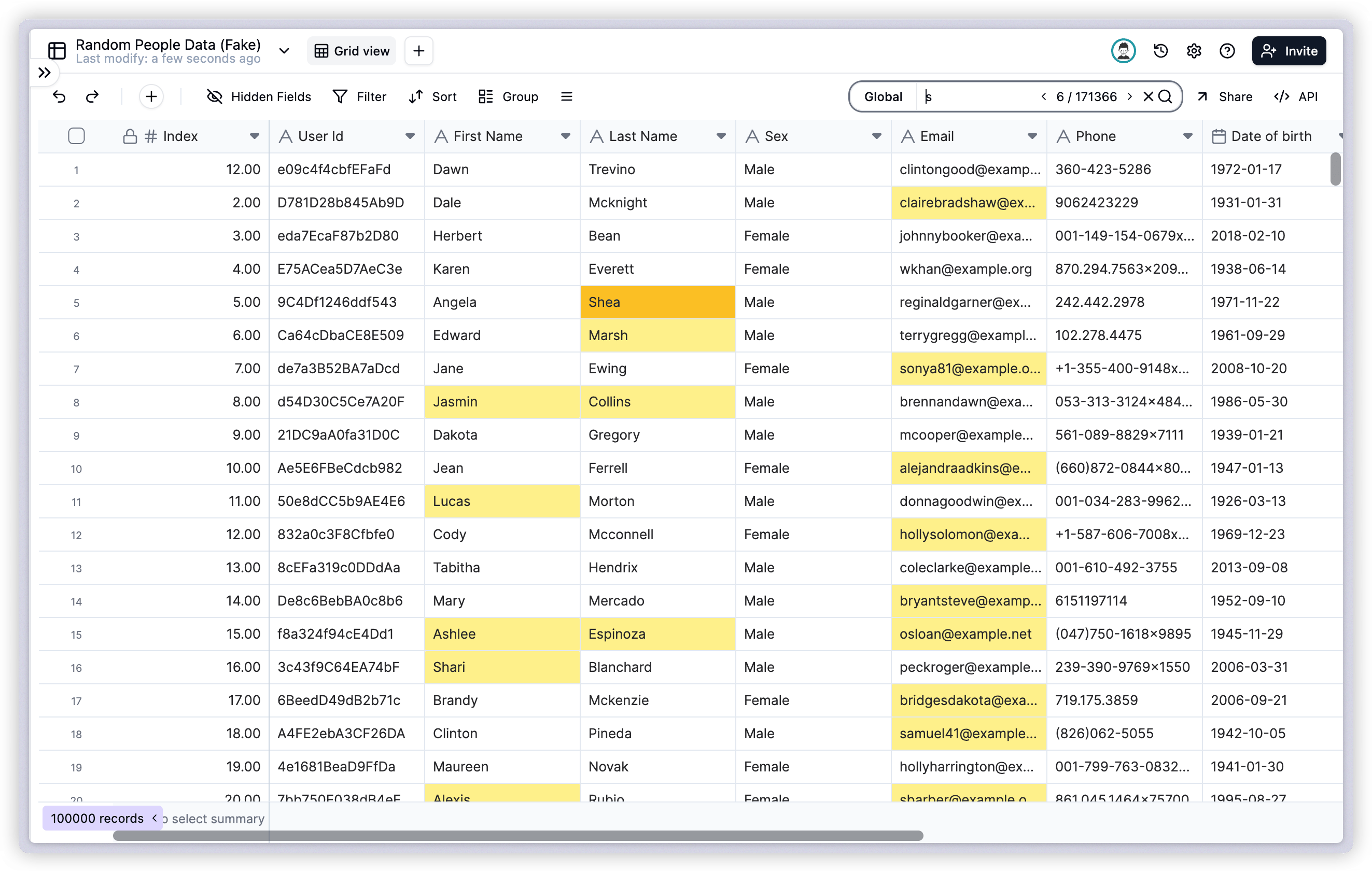
Search functionality has been greatly improved. You can now perform global searches across fields and optionally filter out non-matching rows.
* Support for global search across multiple fields
* Highlighted search result keywords
* Flexible search result filtering options
## 2. Global Search and Keyword Highlighting
Search functionality has been greatly improved. You can now perform global searches across fields and optionally filter out non-matching rows.
* Support for global search across multiple fields
* Highlighted search result keywords
* Flexible search result filtering options
 ## 3. Lookup and Rollup Field Optimization
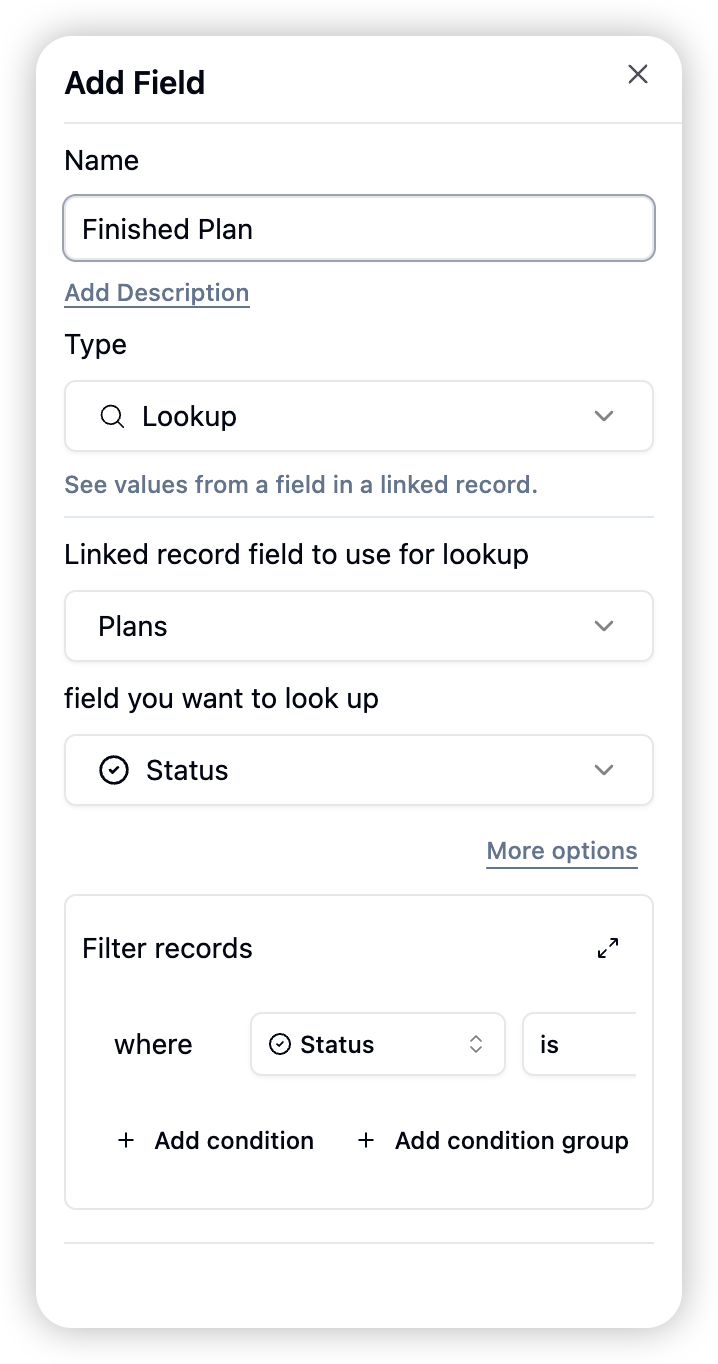
* Support for precise record filtering
* Enhanced rollup calculation capabilities
* Extended data analysis and processing capabilities
## 3. Lookup and Rollup Field Optimization
* Support for precise record filtering
* Enhanced rollup calculation capabilities
* Extended data analysis and processing capabilities
 ## 4. Form Enhancement
### Login Verification
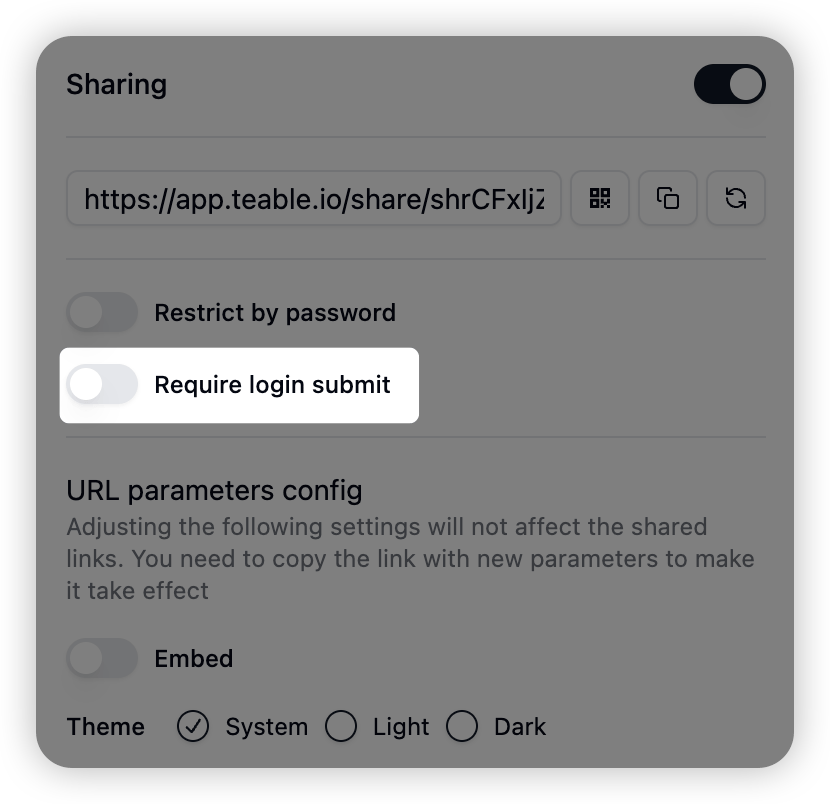
* New form login requirement option
* Automatic submission tracking with creator information visible in the creator field
## 4. Form Enhancement
### Login Verification
* New form login requirement option
* Automatic submission tracking with creator information visible in the creator field
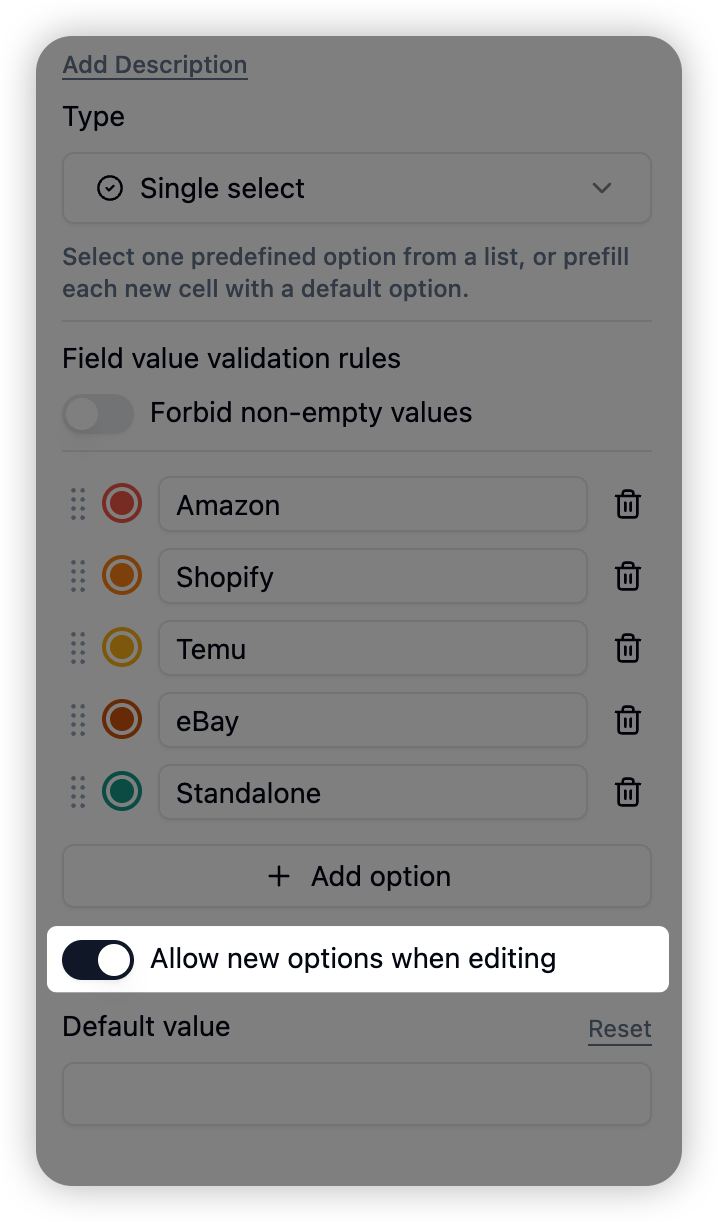
 ## 5. Single/Multiple Select Field Settings
Users can now disable the option to add new choices when editing single or multiple select fields to prevent accidental additions.
* Option to restrict new choice additions
* Prevention of accidental invalid choice entries
## 5. Single/Multiple Select Field Settings
Users can now disable the option to add new choices when editing single or multiple select fields to prevent accidental additions.
* Option to restrict new choice additions
* Prevention of accidental invalid choice entries
 ## 6. Performance Optimization and Other Improvements
### Data Processing Speed
Copying loaded data requires no network requests, resulting in 10x faster performance.
### Enhanced User Information Display
Support for displaying anonymous users and automation bot identifiers in creator and last modified by fields.
* Anonymous user identifier display
* Automation bot user identifier display
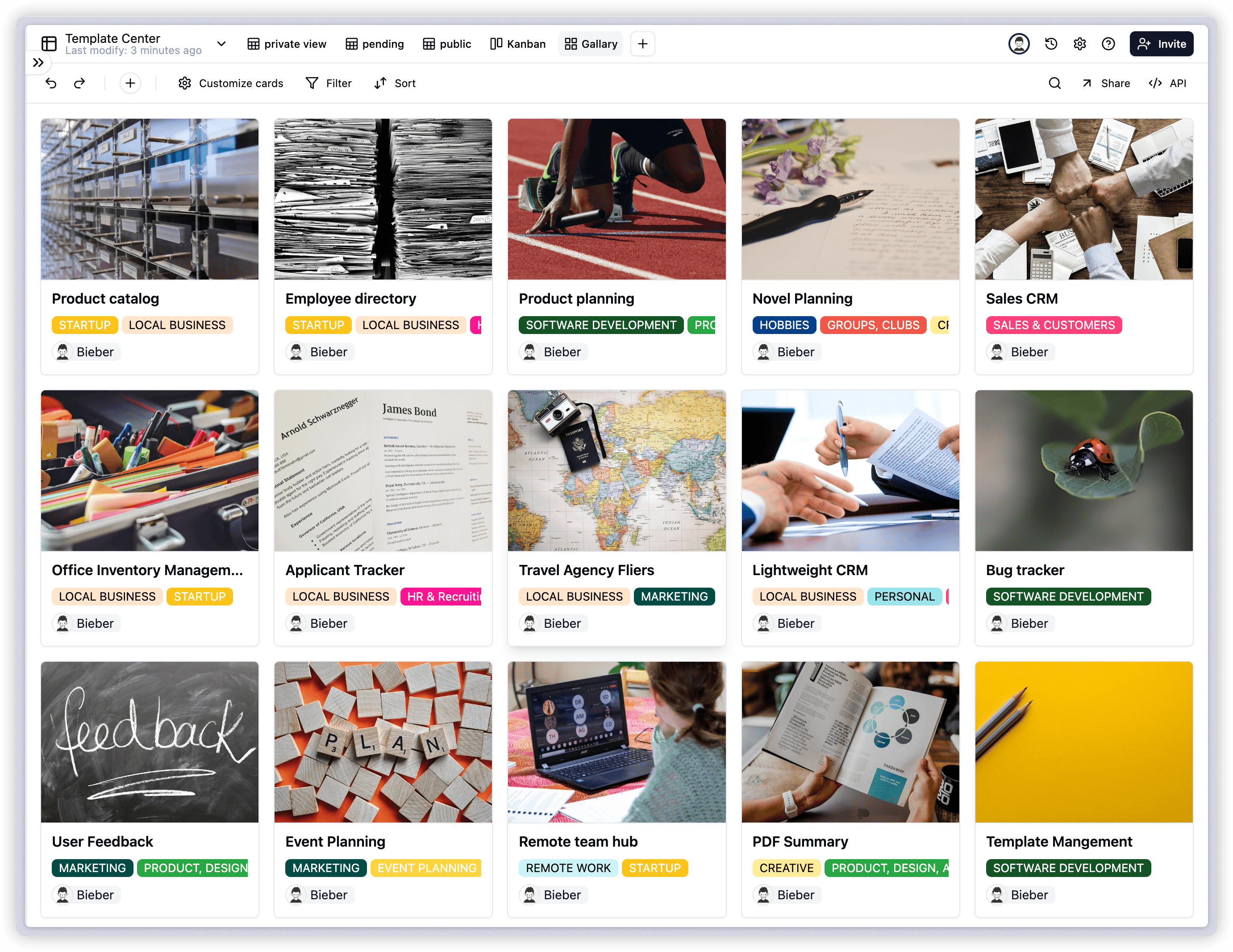
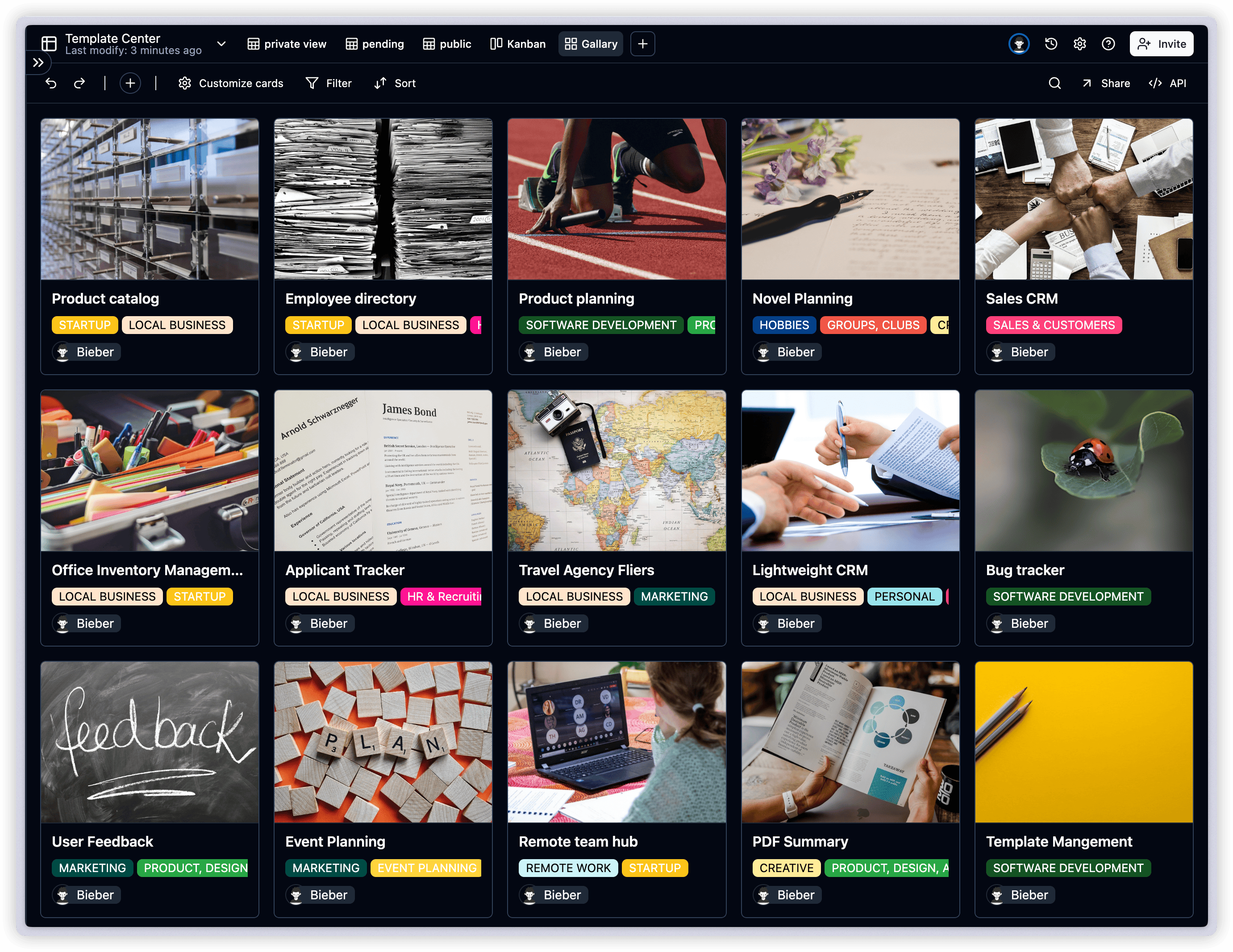
## 1. New Gallery View
We're excited to announce the new Gallery View feature in Teable, offering a more intuitive and visually appealing way to display your data.
### How to Add Gallery View
1. Click the "+" icon in the view bar
2. Select "Gallery View" from the options
## 6. Performance Optimization and Other Improvements
### Data Processing Speed
Copying loaded data requires no network requests, resulting in 10x faster performance.
### Enhanced User Information Display
Support for displaying anonymous users and automation bot identifiers in creator and last modified by fields.
* Anonymous user identifier display
* Automation bot user identifier display
## 1. New Gallery View
We're excited to announce the new Gallery View feature in Teable, offering a more intuitive and visually appealing way to display your data.
### How to Add Gallery View
1. Click the "+" icon in the view bar
2. Select "Gallery View" from the options
 ## 2. Enhanced Attachment Preview
We've optimized the attachment preview functionality to support more file types, improving your workflow efficiency.
### Supported File Types
* PDF files
* Word documents
* Excel spreadsheets
### How to Use Attachment Preview
1. Locate the file you want to preview in the attachment field
2. Click directly on the file
3. The preview will open automatically without downloading
**Note**: Preview is intended for quick content review; download the original file for editing.
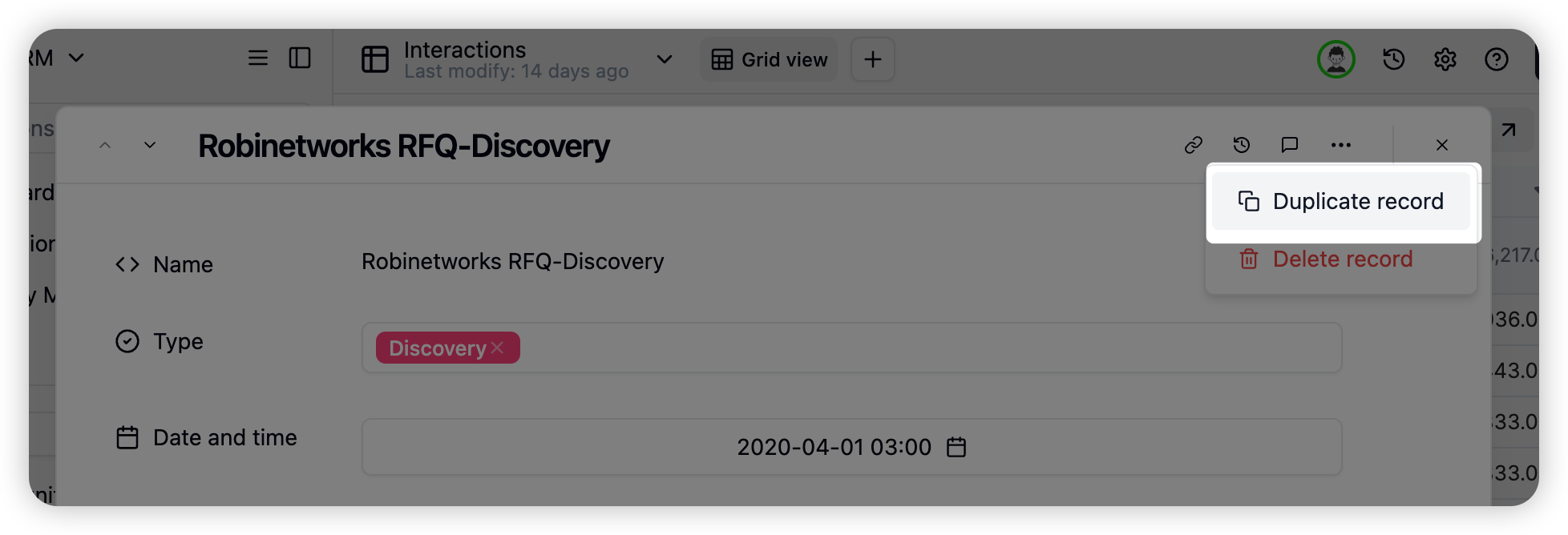
## 3. Record Duplication Optimization
We've simplified the record duplication process with multiple shortcuts.
### Method 1: Using Right-click Menu
1. Right-click on the record you want to duplicate
2. Select "Duplicate Record" from the popup menu
### Method 2: Through Edit Form
1. Open the edit form of the record you want to duplicate
2. Click the "More" button in the form
3. Select "Duplicate Record" from the dropdown menu
## 2. Enhanced Attachment Preview
We've optimized the attachment preview functionality to support more file types, improving your workflow efficiency.
### Supported File Types
* PDF files
* Word documents
* Excel spreadsheets
### How to Use Attachment Preview
1. Locate the file you want to preview in the attachment field
2. Click directly on the file
3. The preview will open automatically without downloading
**Note**: Preview is intended for quick content review; download the original file for editing.
## 3. Record Duplication Optimization
We've simplified the record duplication process with multiple shortcuts.
### Method 1: Using Right-click Menu
1. Right-click on the record you want to duplicate
2. Select "Duplicate Record" from the popup menu
### Method 2: Through Edit Form
1. Open the edit form of the record you want to duplicate
2. Click the "More" button in the form
3. Select "Duplicate Record" from the dropdown menu
 **Tip**: The record duplication feature helps you quickly create similar records, significantly improving data entry efficiency.
***
We hope these new features and optimizations enhance your experience. If you have any questions or feedback, please don't hesitate to contact our support team. We'll continue working to provide you with better products and services.
## 1. Dashboard
**Tip**: The record duplication feature helps you quickly create similar records, significantly improving data entry efficiency.
***
We hope these new features and optimizations enhance your experience. If you have any questions or feedback, please don't hesitate to contact our support team. We'll continue working to provide you with better products and services.
## 1. Dashboard
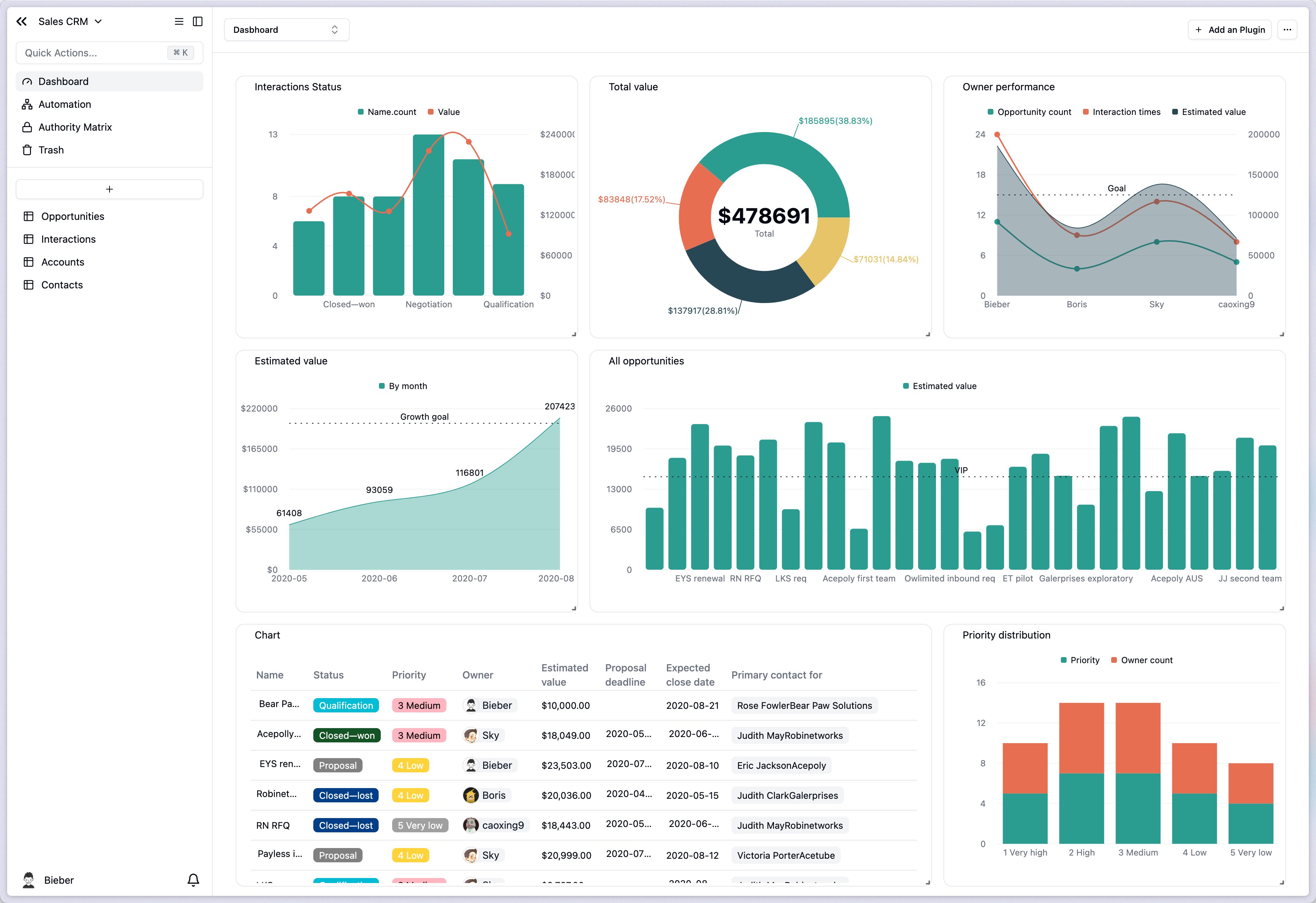
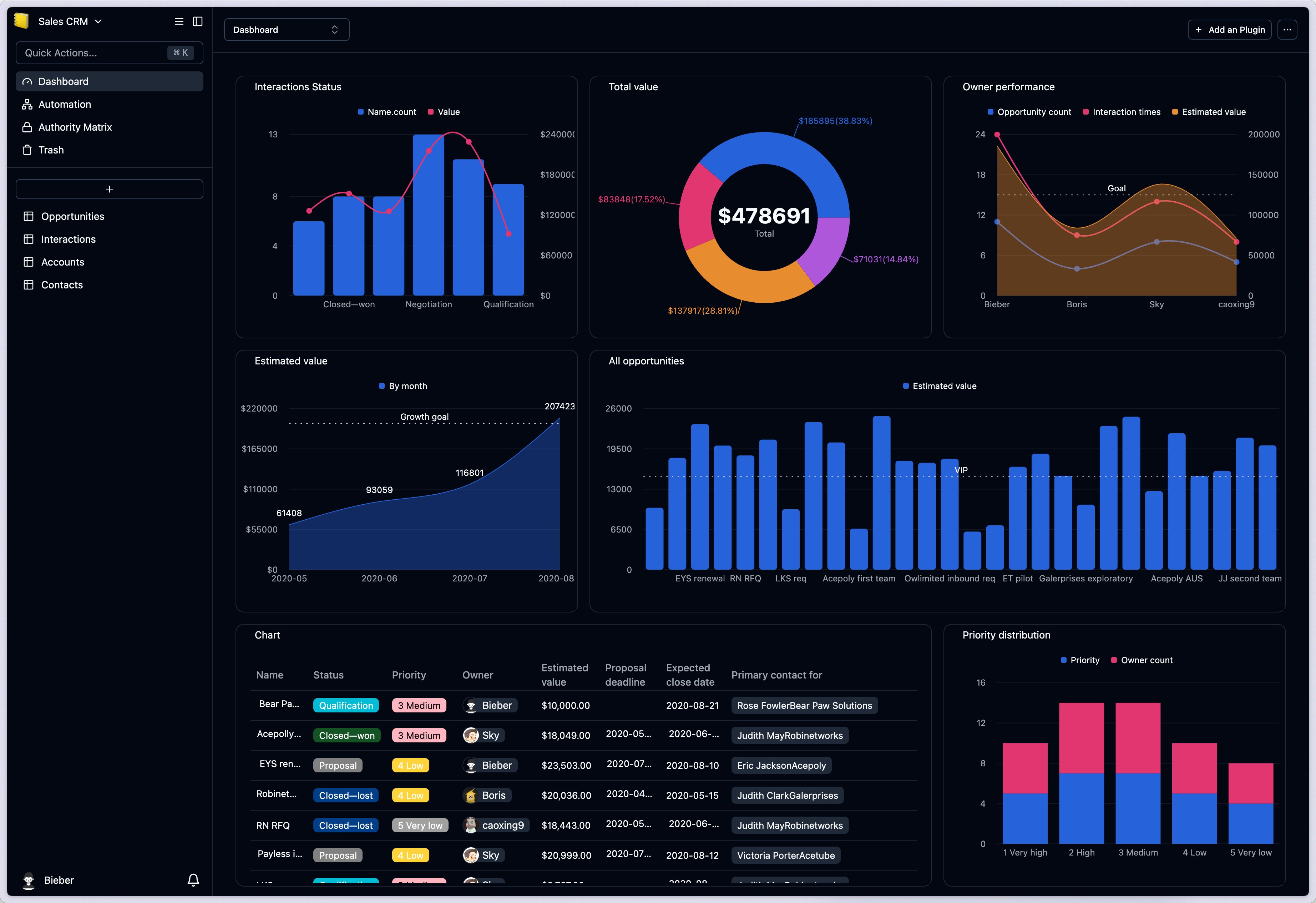 ### 1.1 Comprehensive Chart Types
* Support for Bar/Line/Pie/Area/Table charts
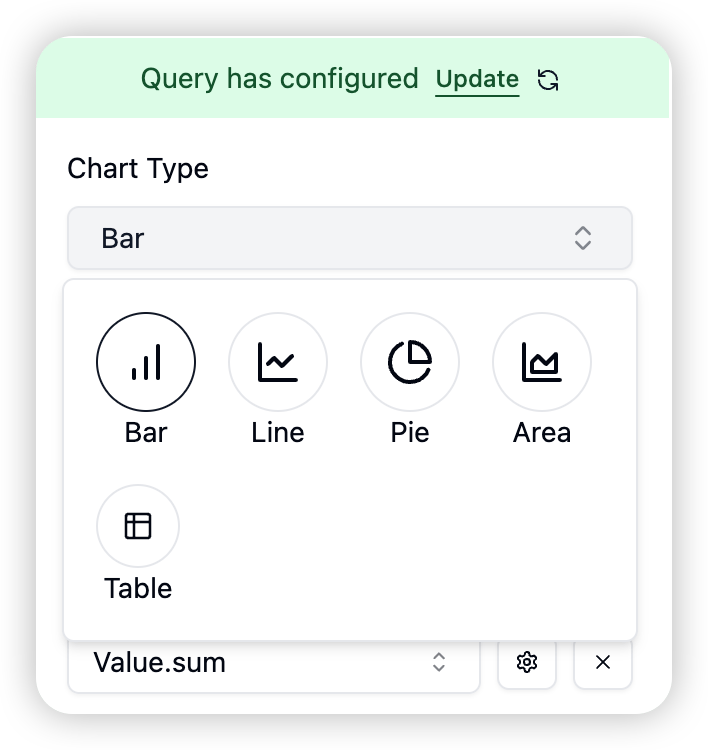
### 1.1 Comprehensive Chart Types
* Support for Bar/Line/Pie/Area/Table charts
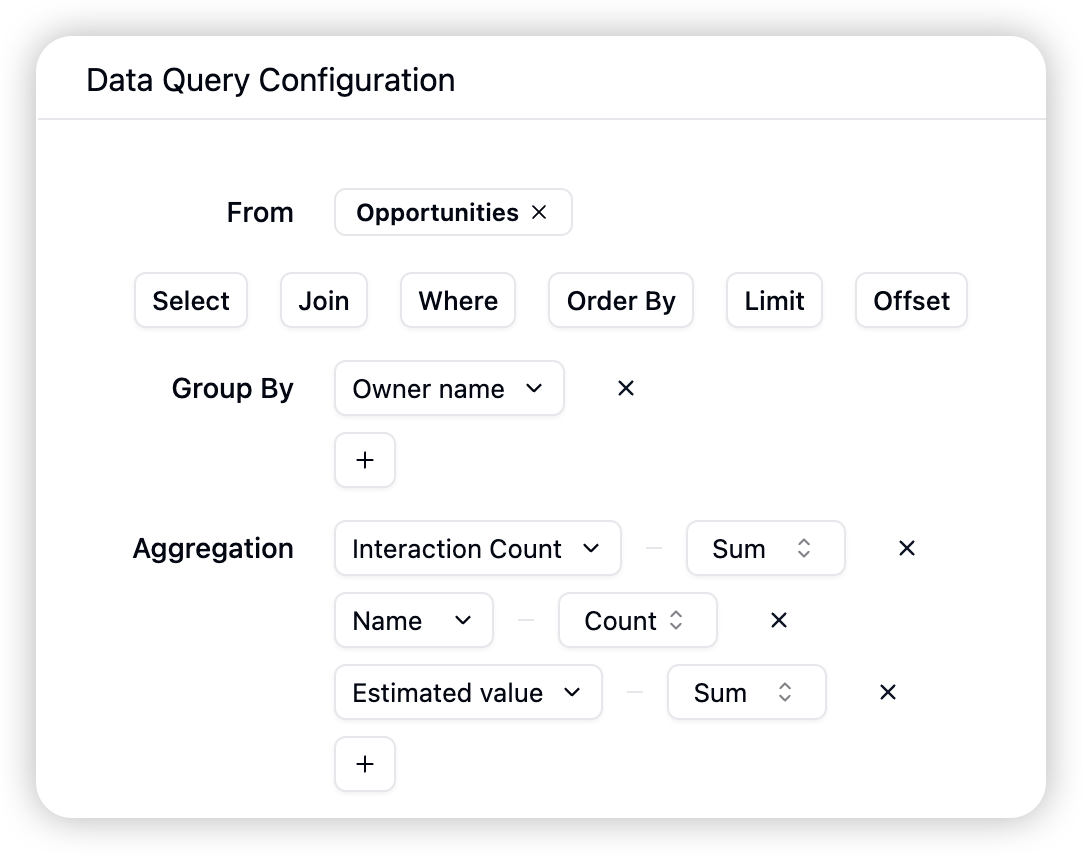
 ### 1.2 Flexible Data Queries
* Support for selection/filtering/joining/sorting/grouping/aggregation query configurations
### 1.2 Flexible Data Queries
* Support for selection/filtering/joining/sorting/grouping/aggregation query configurations
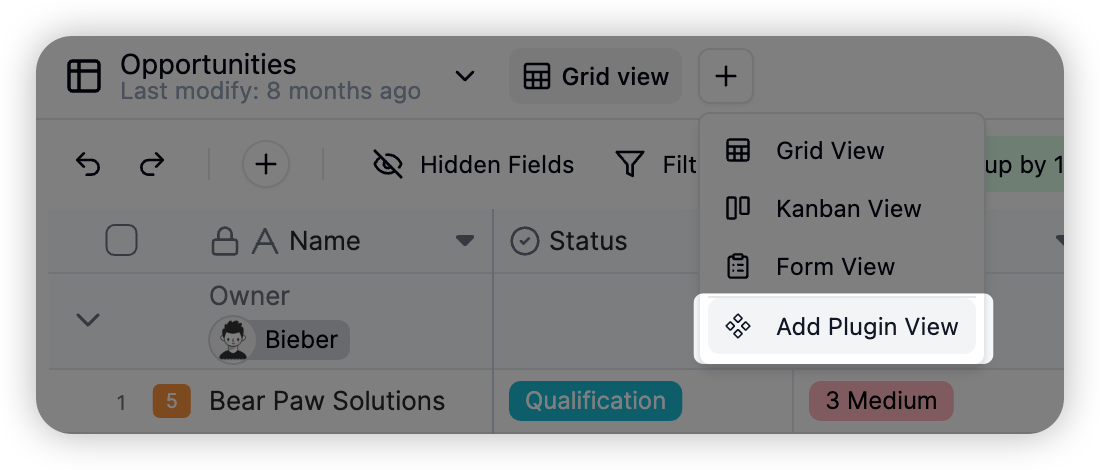
 ## 2. Plugin View - Sheet Form
 ## 3. [Record Comments](https://help.teable.ai/basic/record/comment#key-features)
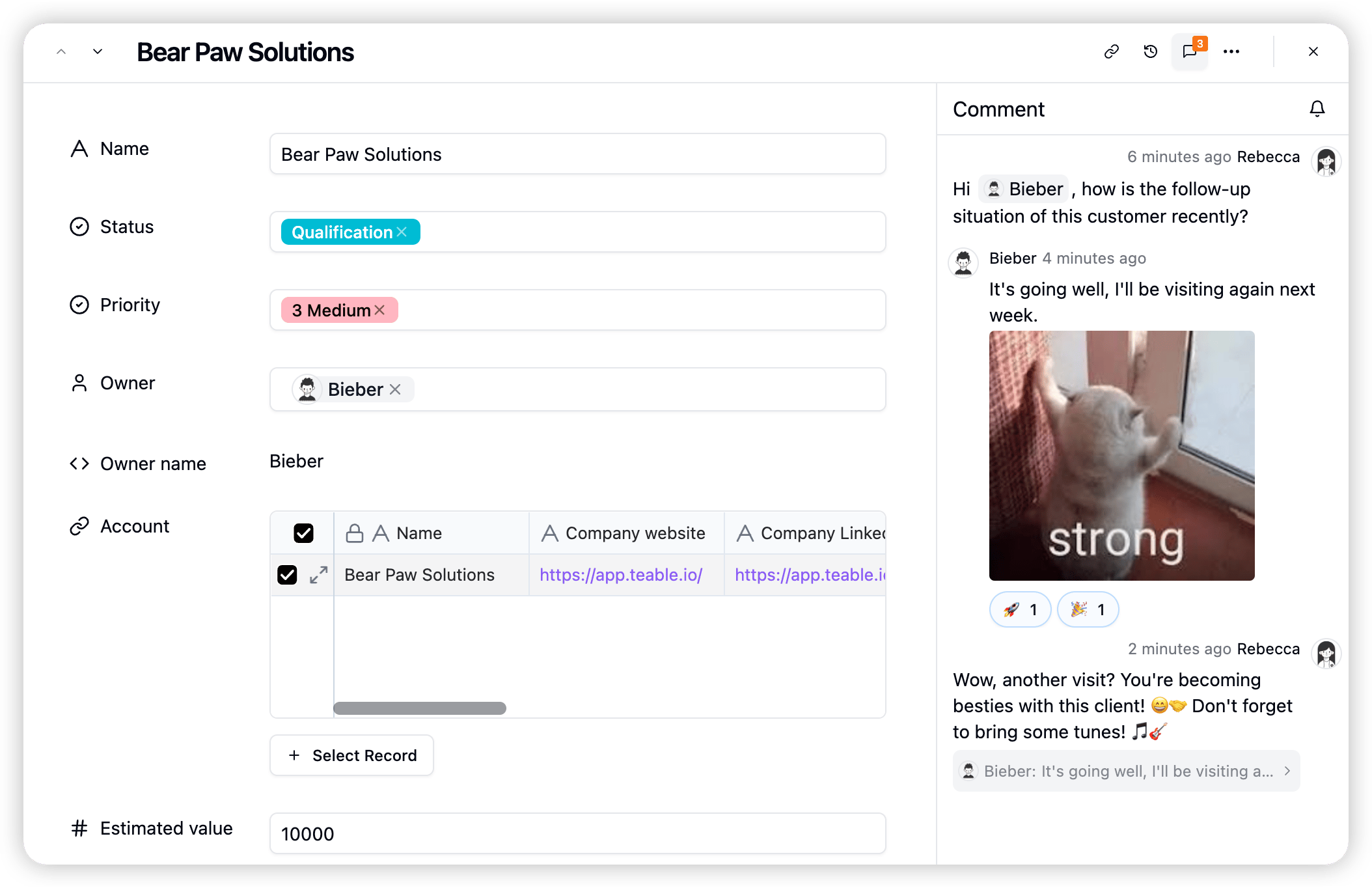 * Real-time conversations
* @mention support
* Rich text editing
* Image and link support
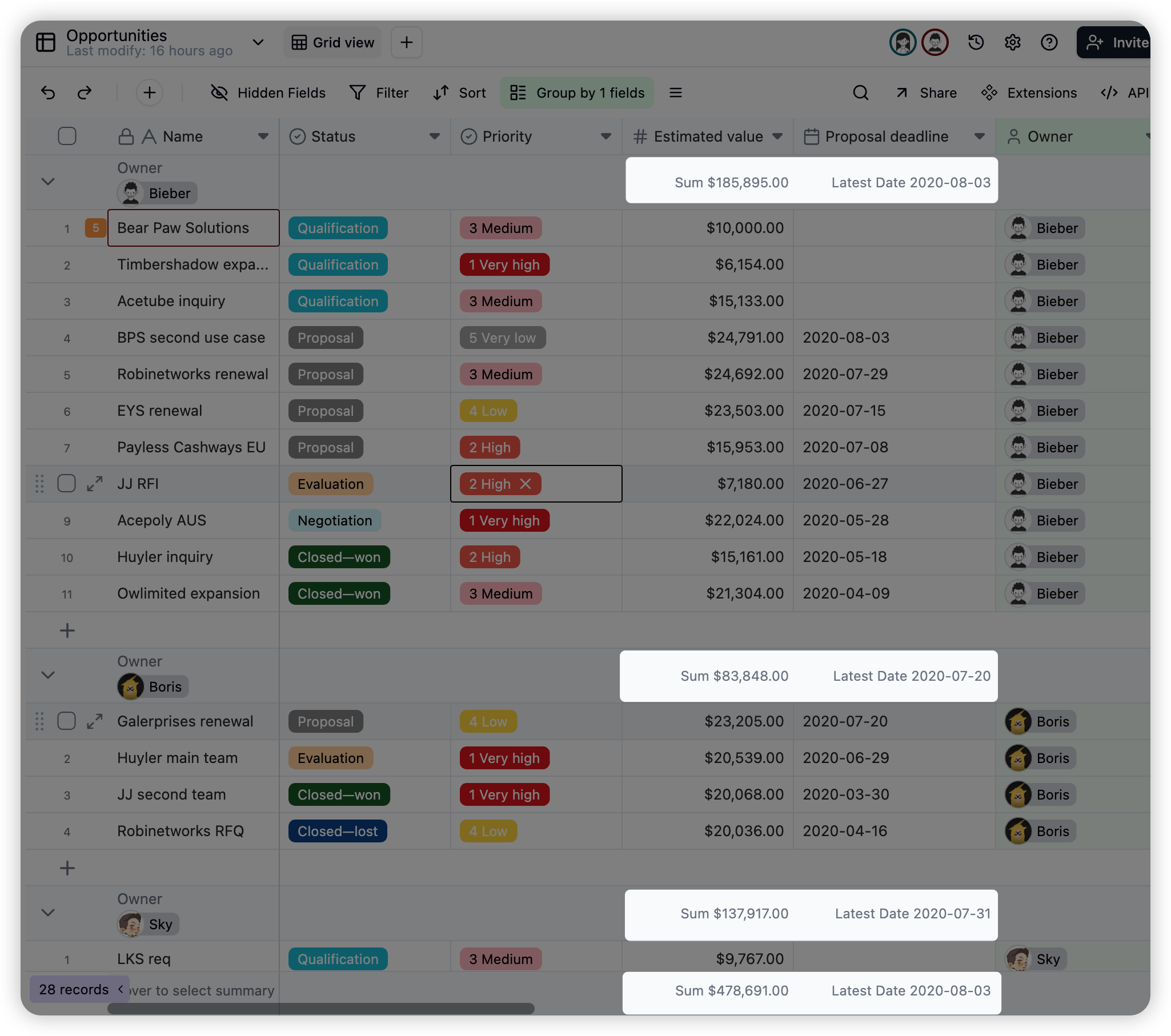
## 4. Group Statistics
* Statistics for each group
* Real-time conversations
* @mention support
* Rich text editing
* Image and link support
## 4. Group Statistics
* Statistics for each group
 ## 5. Linked Fields
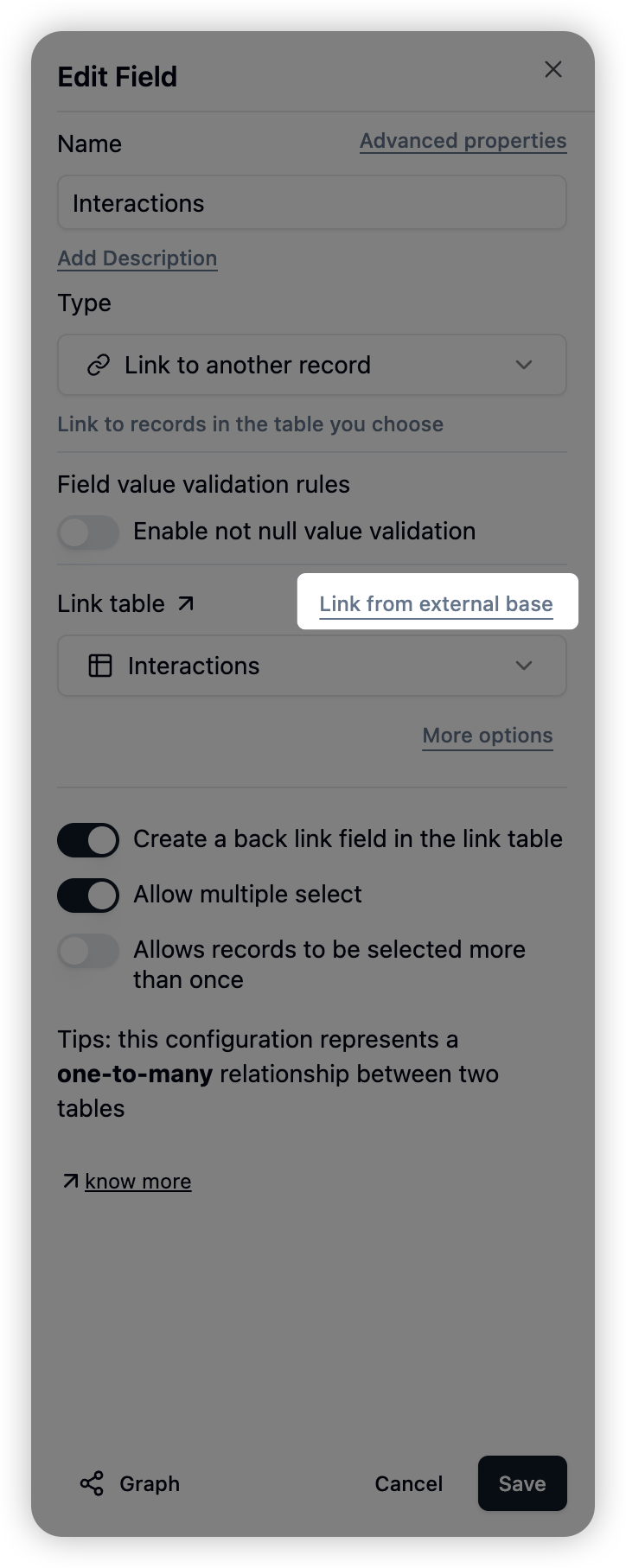
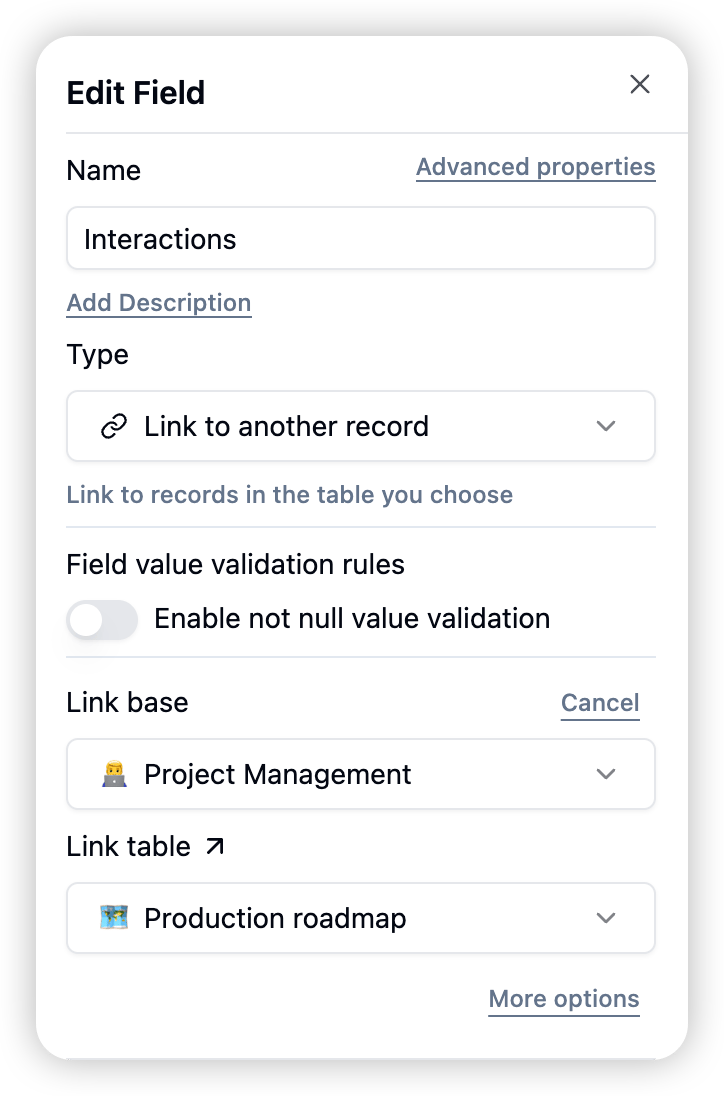
### 5.1 Cross-base Field Linking
* Now you can freely link with any base!
* Edit field
* Link from other bases
* Select base and table
* Example: Link from **Project Management** base to Product Task Management
## 5. Linked Fields
### 5.1 Cross-base Field Linking
* Now you can freely link with any base!
* Edit field
* Link from other bases
* Select base and table
* Example: Link from **Project Management** base to Product Task Management
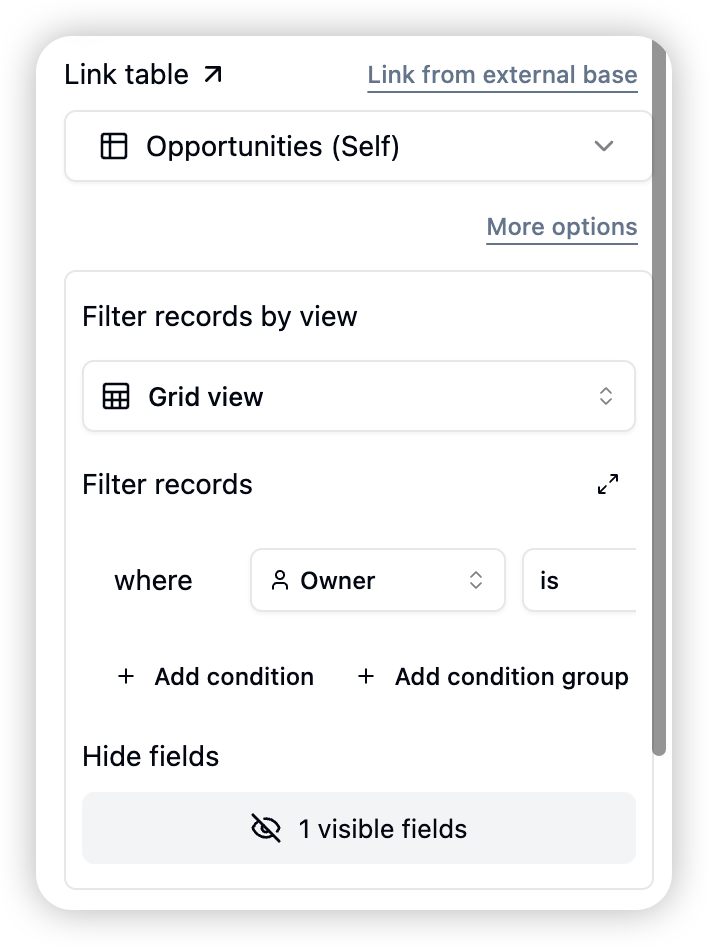
 ### 5.2 Filter Records from Views
* Comprehensive permission control prevents accidental data exposure through links! Control which view to link records from; control which filtered records can be linked; control which fields are visible in the linking selection list.
* Edit field
* More configurations
* Select view/configure filter conditions
### 5.2 Filter Records from Views
* Comprehensive permission control prevents accidental data exposure through links! Control which view to link records from; control which filtered records can be linked; control which fields are visible in the linking selection list.
* Edit field
* More configurations
* Select view/configure filter conditions
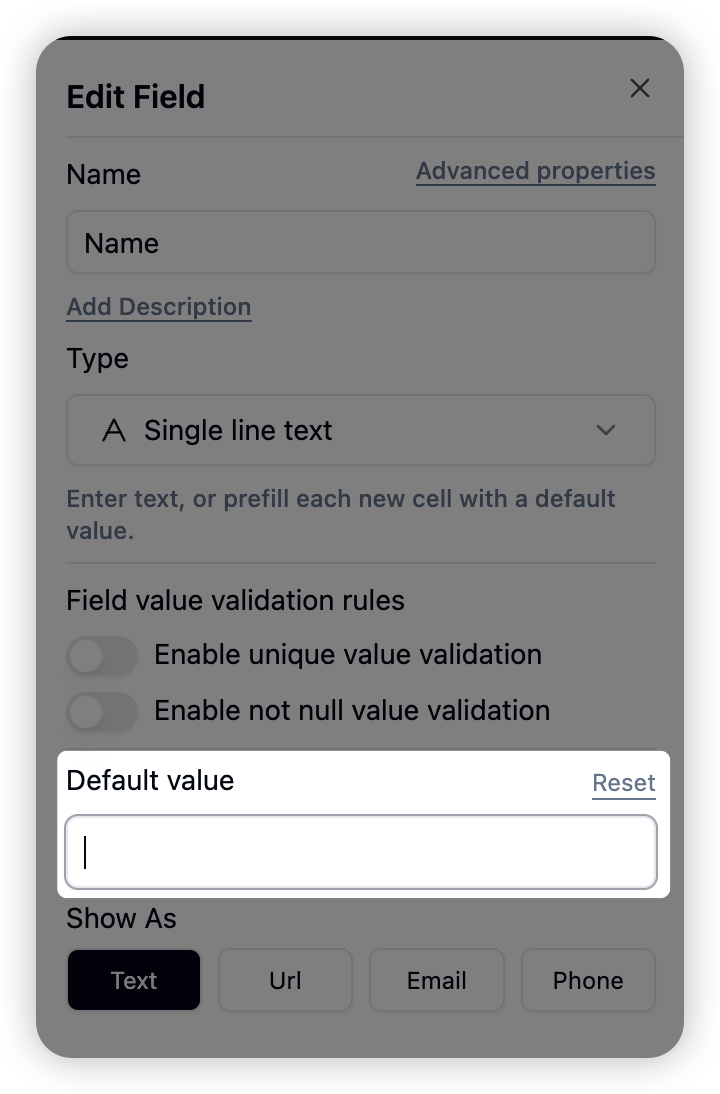
 ## 6. Field Default Values
* Default values can be set for most field types
## 6. Field Default Values
* Default values can be set for most field types
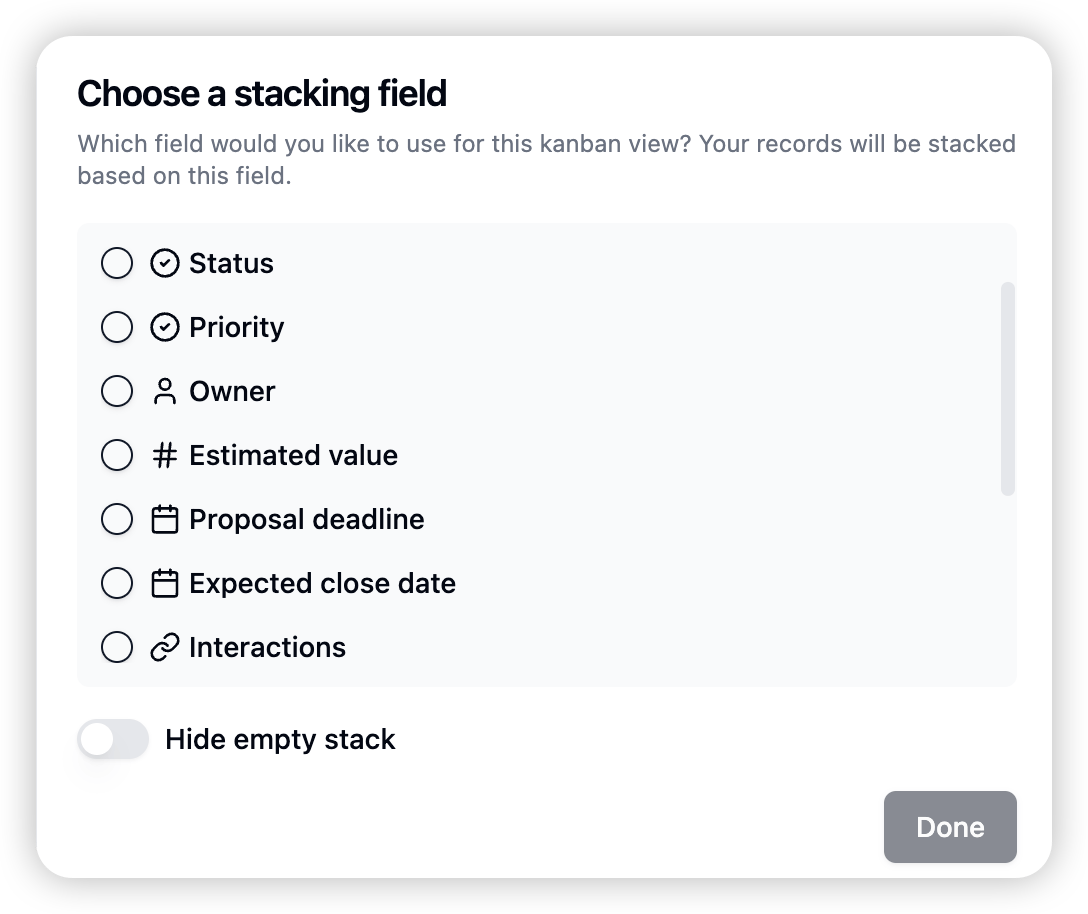
 ## 7. Kanban View Supports All Field Types for Grouping
 ## 8. Experience Improvements
* Attachment field image preview speed greatly improved
* Formula date time result now matches timezone
* Formula can correctly handle escape characters, such as "\n"
* Directly paste attachments in cells with selected attachment column
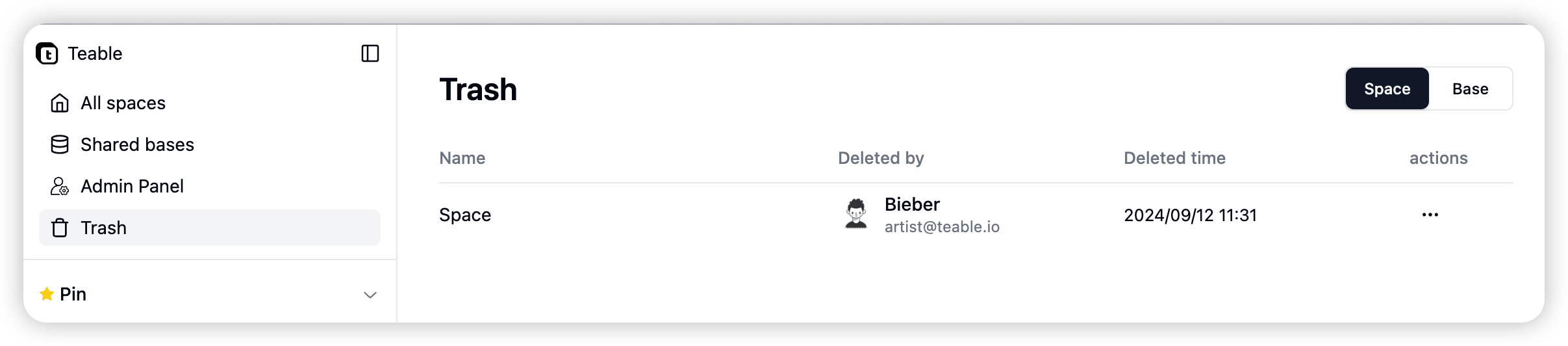
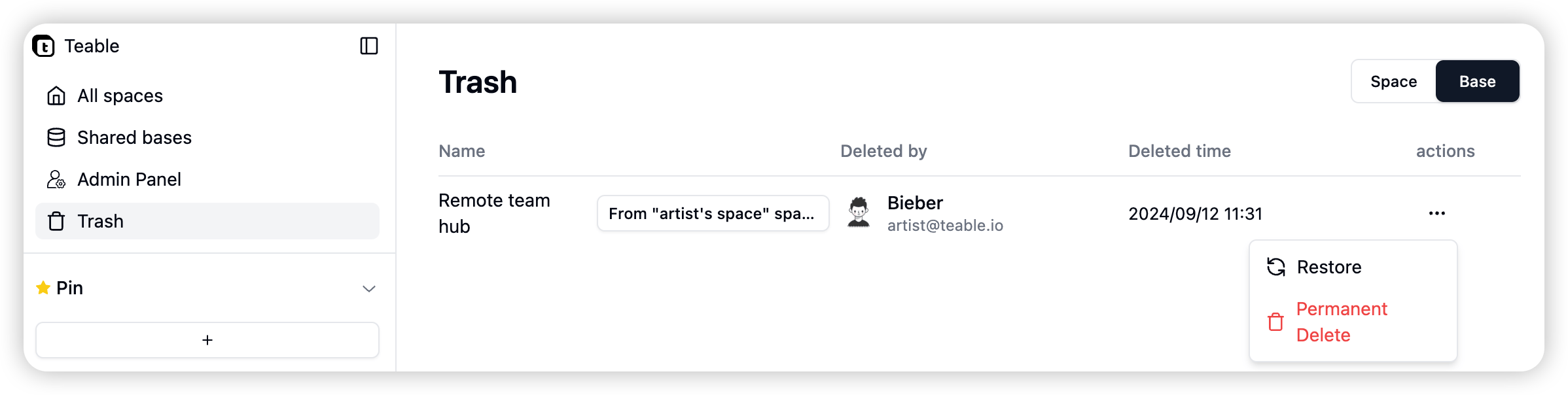
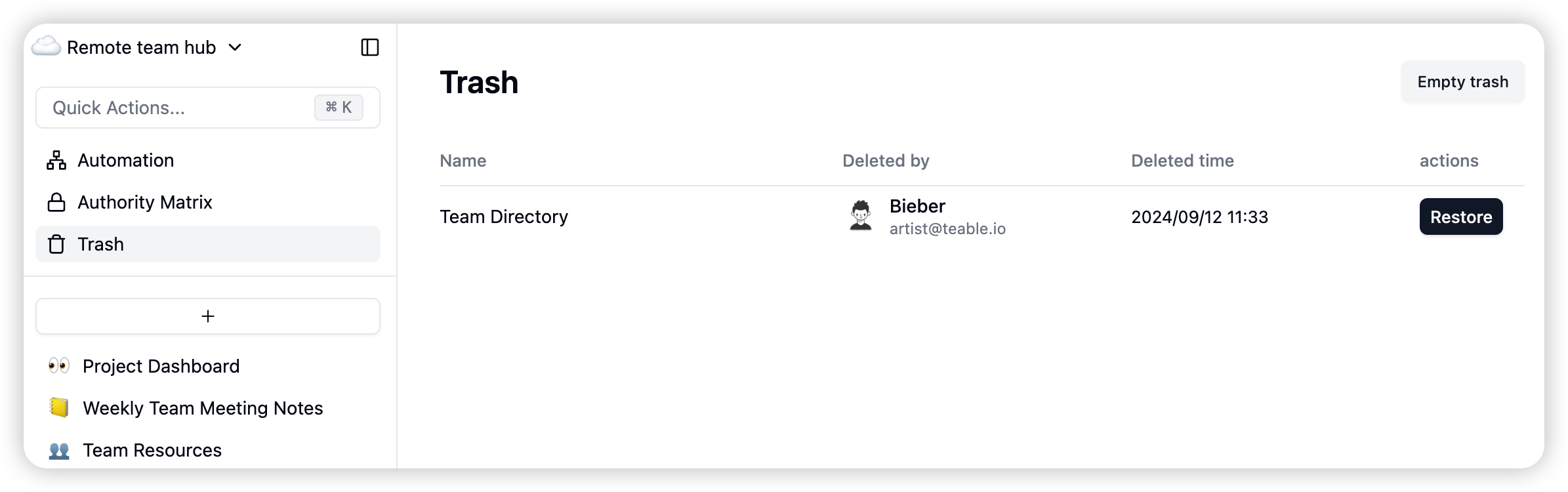
## 1. Trash
You can now restore deleted spaces, bases, and tables from the trash!
## 8. Experience Improvements
* Attachment field image preview speed greatly improved
* Formula date time result now matches timezone
* Formula can correctly handle escape characters, such as "\n"
* Directly paste attachments in cells with selected attachment column
## 1. Trash
You can now restore deleted spaces, bases, and tables from the trash!
 ## 2. Drag and Drop Attachment Order to Reorder
You can now change the order of attachments by dragging them! Click and hold on an attachment, then drag it to a new position, and release it to reorder.
## 1. Undo and Redo
All operations in the table can be undone and redone.
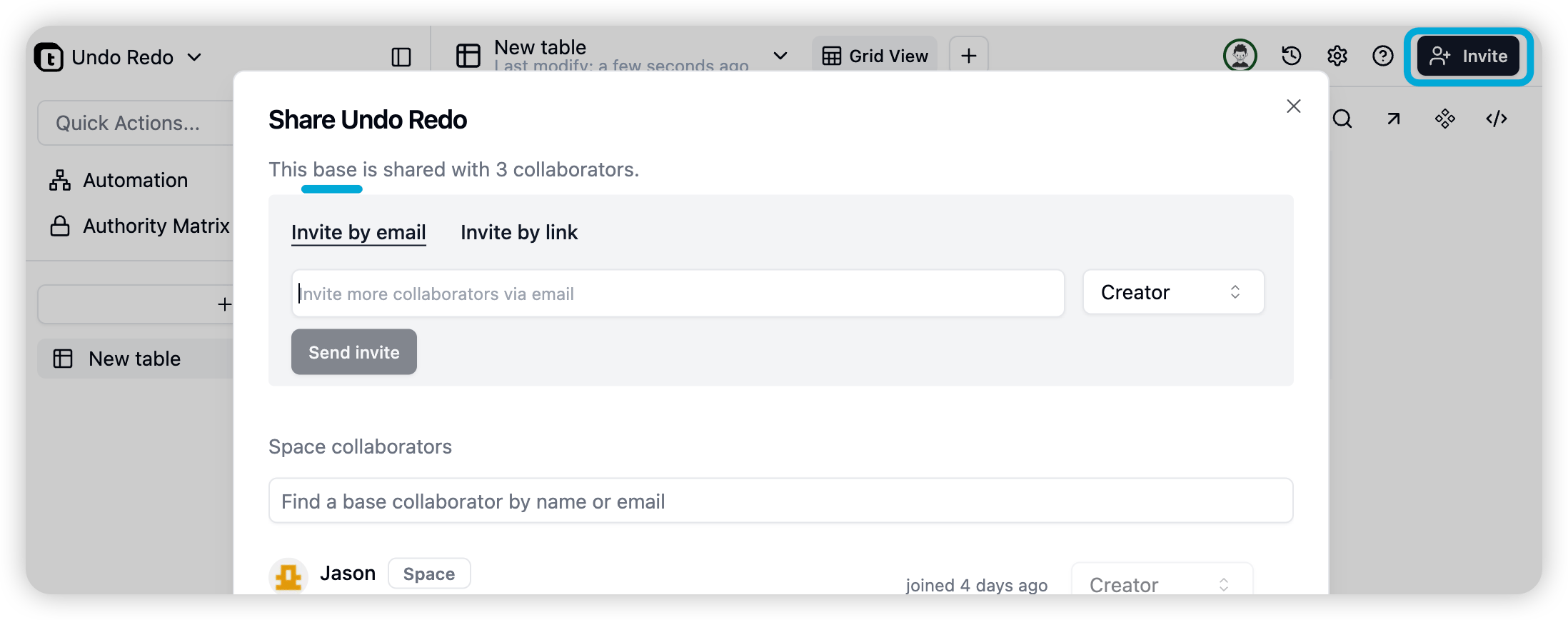
## 2. Base collaborator
You can now invite collaborators to enter the base for collaboration without entering the space.
## 2. Drag and Drop Attachment Order to Reorder
You can now change the order of attachments by dragging them! Click and hold on an attachment, then drag it to a new position, and release it to reorder.
## 1. Undo and Redo
All operations in the table can be undone and redone.
## 2. Base collaborator
You can now invite collaborators to enter the base for collaboration without entering the space.
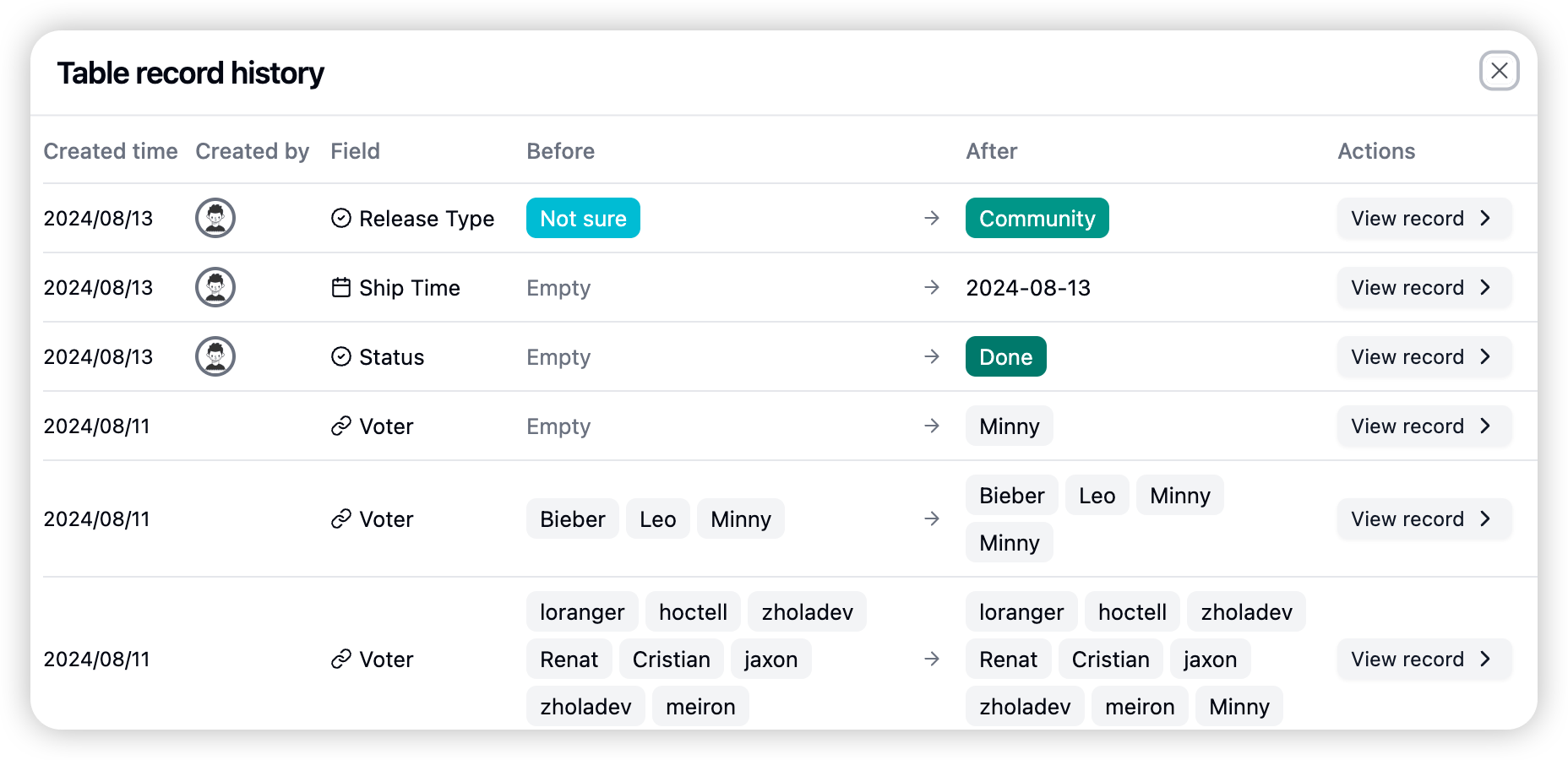
 ## 1. Record Modification History
View the record modification history of the entire table in the upper right corner of the table.
## 1. Record Modification History
View the record modification history of the entire table in the upper right corner of the table.
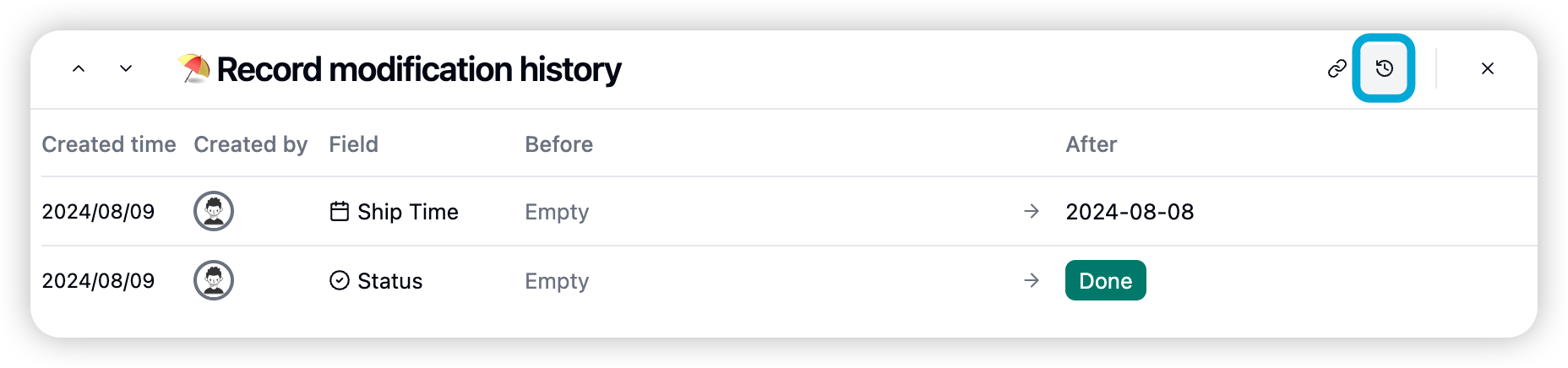
 View the edit history of the current record in the upper right corner of the record edit interface.
 ## 2. Creator and Last Modified User Fields
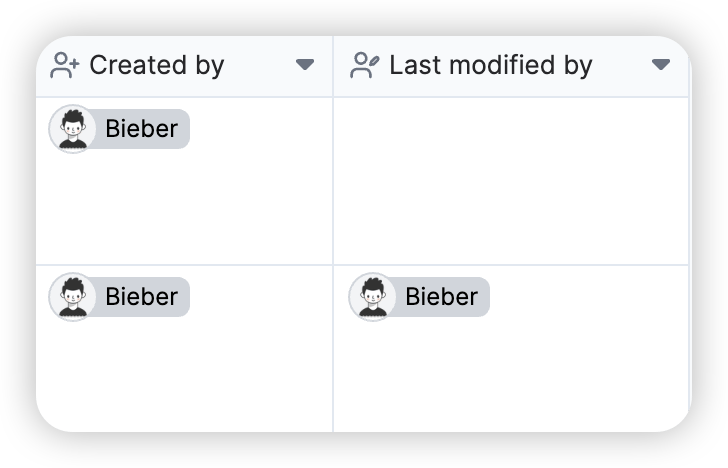
Added two fields. Creator and last modified user fields are used to track data changes.
## 2. Creator and Last Modified User Fields
Added two fields. Creator and last modified user fields are used to track data changes.
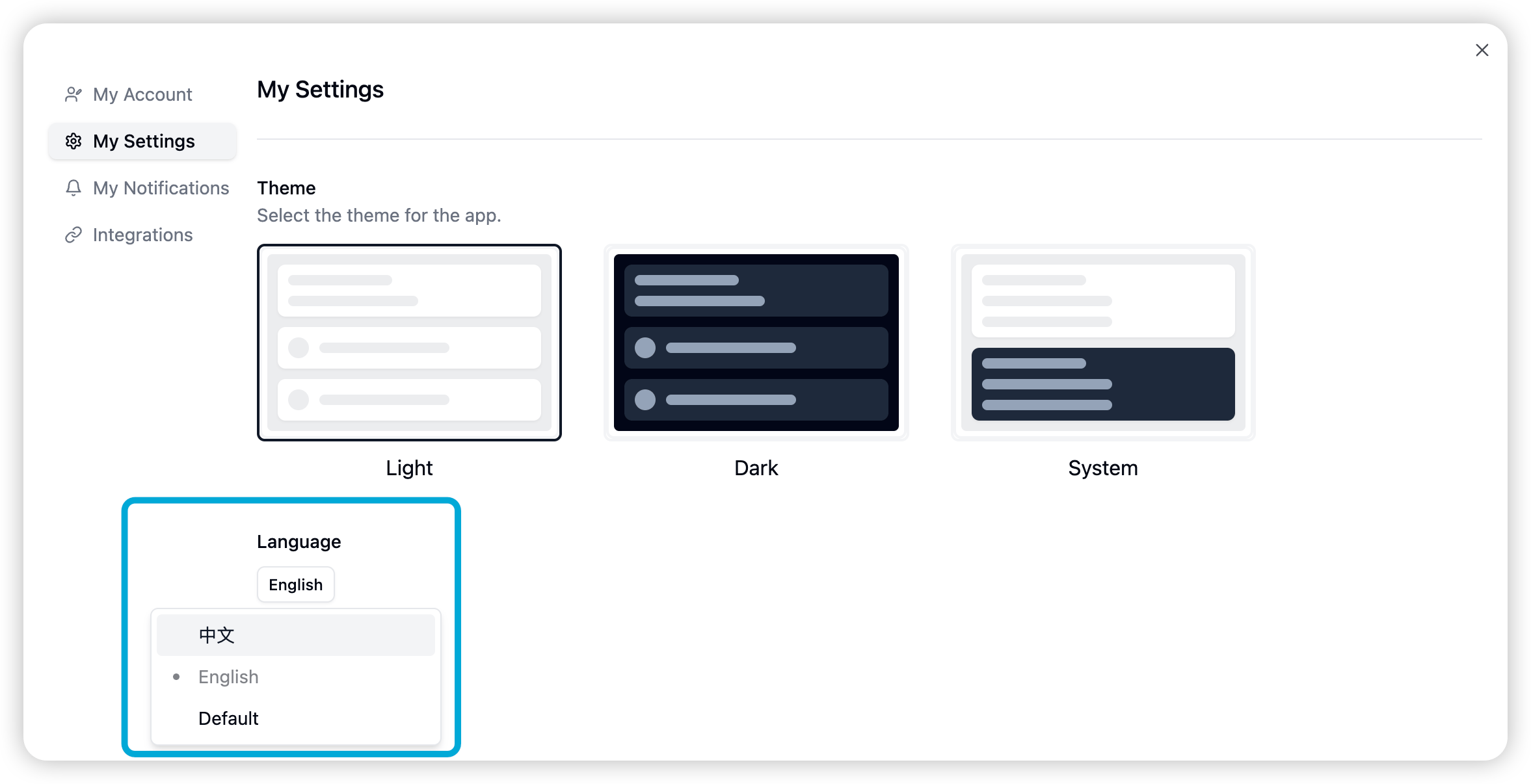
 ## 3. Language/Internationalization Switch
* Switch system language
1. My settings
2. Language
3. Please select the language you want to use.
## 3. Language/Internationalization Switch
* Switch system language
1. My settings
2. Language
3. Please select the language you want to use.
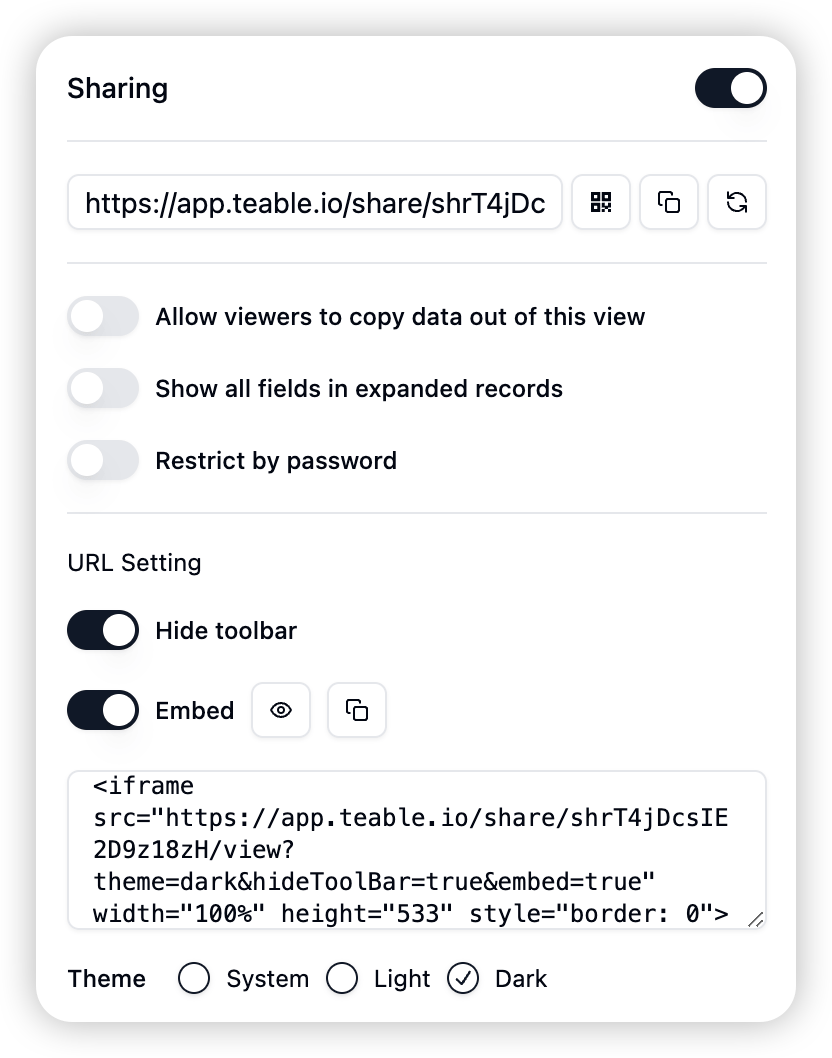
 ## 1. Share View Embedding and Custom Sharing
Teable has added view embedding functionality and optimized sharing settings:
1. View embedding: Now you can embed views into other webpages.
2. Enhanced sharing settings
1. Theme display control
2. Toolbar hiding control
Operation steps:
1. Open the target table, click the "Share" button in the upper right corner
2. Confirm the sharing settings in the pop-up window
3. Adjust the following parameters according to your needs:
1. Theme selection
2. Toolbar display
3. Embedding code
## 1. Share View Embedding and Custom Sharing
Teable has added view embedding functionality and optimized sharing settings:
1. View embedding: Now you can embed views into other webpages.
2. Enhanced sharing settings
1. Theme display control
2. Toolbar hiding control
Operation steps:
1. Open the target table, click the "Share" button in the upper right corner
2. Confirm the sharing settings in the pop-up window
3. Adjust the following parameters according to your needs:
1. Theme selection
2. Toolbar display
3. Embedding code
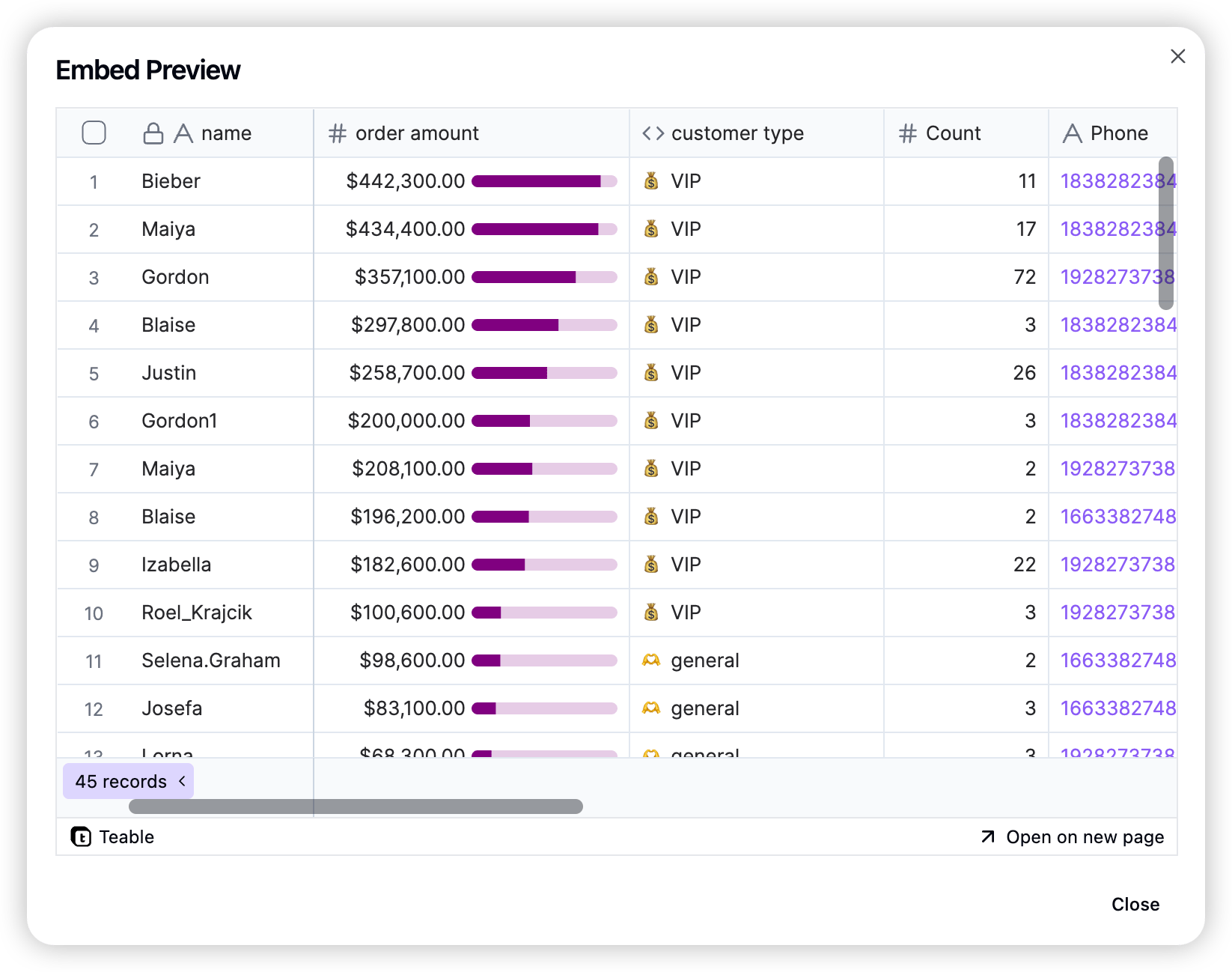 Through the new feature, you can more flexibly control the display of shared content, improving collaboration efficiency
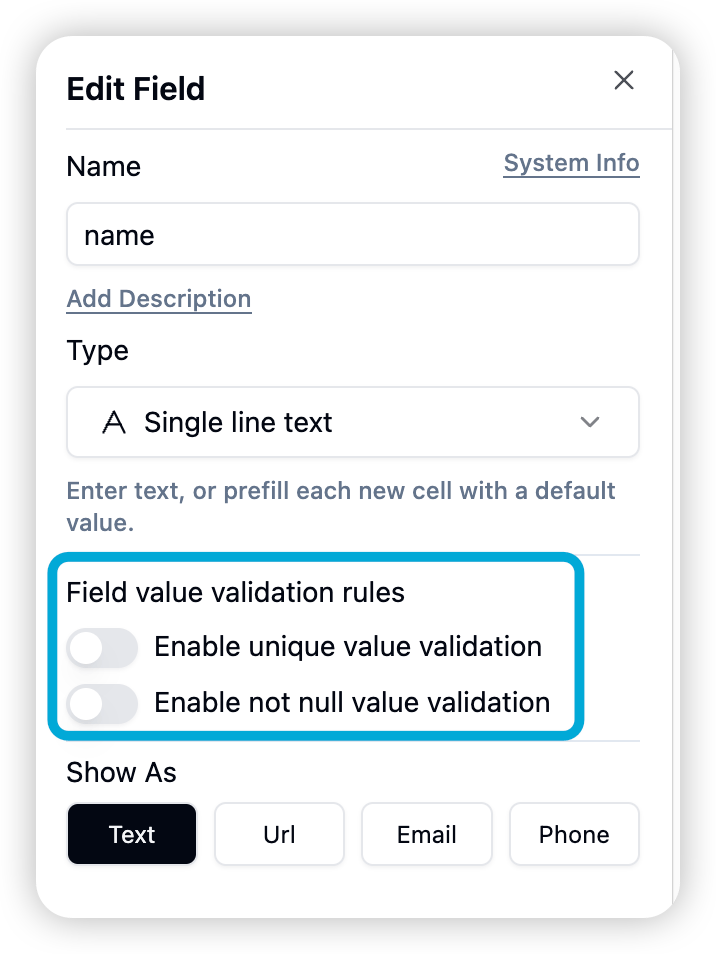
## 1. Field Value Verification Rule Enhancement
* **Unique Value Verification Constraint:** Added field unique value verification function to ensure that the field value is unique in the entire table.
* **Non-empty Verification:** Added field non-empty verification function to prevent missing key information.
Through the new feature, you can more flexibly control the display of shared content, improving collaboration efficiency
## 1. Field Value Verification Rule Enhancement
* **Unique Value Verification Constraint:** Added field unique value verification function to ensure that the field value is unique in the entire table.
* **Non-empty Verification:** Added field non-empty verification function to prevent missing key information.
 ## 2. API Query Builder
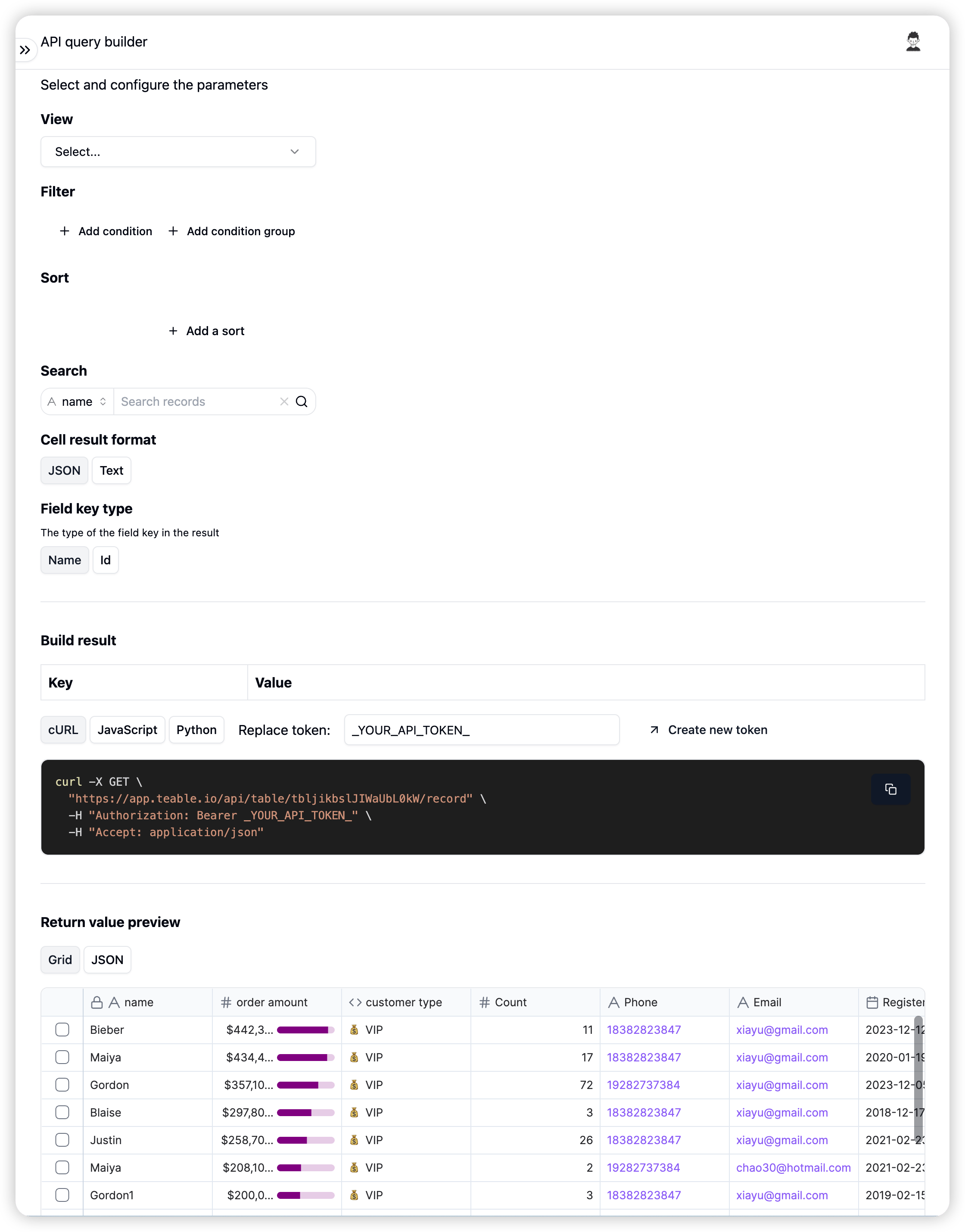
Introduced visual API query builder to greatly simplify API request building process:
1. Click the "API - RestfulAPI" button in the upper right corner of the table to enter the builder interface
2. Build query requests through intuitive user interface
3. Copy directly runnable code generated by one click
## 2. API Query Builder
Introduced visual API query builder to greatly simplify API request building process:
1. Click the "API - RestfulAPI" button in the upper right corner of the table to enter the builder interface
2. Build query requests through intuitive user interface
3. Copy directly runnable code generated by one click
 ## 3. User Experience Optimization
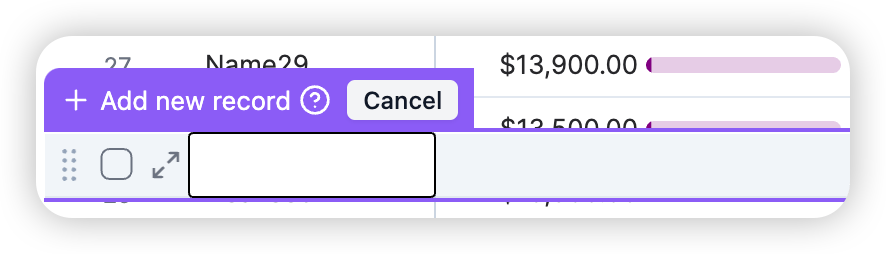
3.1 Record Creation Process Optimization
* Allow users to fill in complete row information before creating records to improve data completeness
## 3. User Experience Optimization
3.1 Record Creation Process Optimization
* Allow users to fill in complete row information before creating records to improve data completeness
 ### 3.2 Date Picker Upgrade
* Date picker now supports direct selection of year and month to improve selection efficiency
### 3.2 Date Picker Upgrade
* Date picker now supports direct selection of year and month to improve selection efficiency
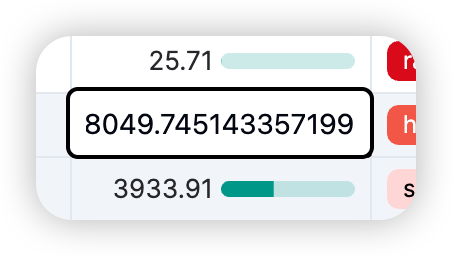
 ### 3.3 Number Field Editing Optimization
* Display unformatted original values of number fields for precise modification during editing
### 3.3 Number Field Editing Optimization
* Display unformatted original values of number fields for precise modification during editing
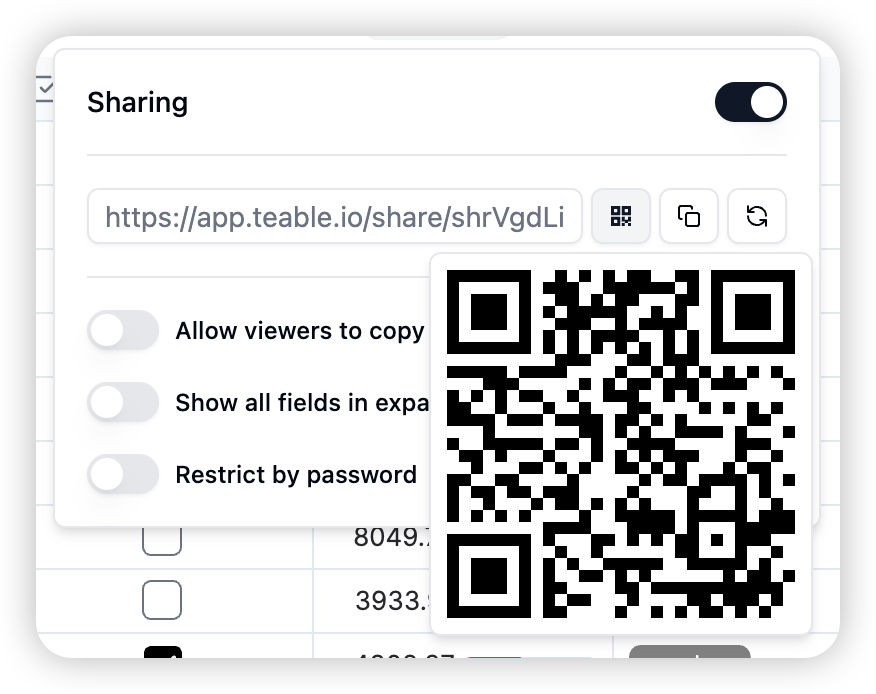
 ### 3.4 Sharing Function Enhancement
* Added QR code sharing option when sharing view link, convenient for mobile users to quickly access
### 3.4 Sharing Function Enhancement
* Added QR code sharing option when sharing view link, convenient for mobile users to quickly access
 ## 4. Data Import Function Enhancement
### 4.1 Import Notification
* System will send email notification to user after successful data import
### 4.2 Performance Optimization
* CSV import speed increased by 100%, significantly shortening data import time
### 4.3 API Import Enhancement
* Enabled API type conversion, user field supports filling in user name, ID, or email for writing
## 5. System Integration
* Attachment function added S3 integration support to provide more reliable file storage solution
## 6. Problem Fix
Fixed the following issues:
1. Unable to filter when searching for users
2. File name lost when downloading attachments
3. New row unable to copy and paste
4. Attachments unable to display normally in some cases
## 4. Data Import Function Enhancement
### 4.1 Import Notification
* System will send email notification to user after successful data import
### 4.2 Performance Optimization
* CSV import speed increased by 100%, significantly shortening data import time
### 4.3 API Import Enhancement
* Enabled API type conversion, user field supports filling in user name, ID, or email for writing
## 5. System Integration
* Attachment function added S3 integration support to provide more reliable file storage solution
## 6. Problem Fix
Fixed the following issues:
1. Unable to filter when searching for users
2. File name lost when downloading attachments
3. New row unable to copy and paste
4. Attachments unable to display normally in some cases