> ## Documentation Index
> Fetch the complete documentation index at: https://help.teable.ai/llms.txt
> Use this file to discover all available pages before exploring further.
# Changelog 2026-01
> Teable releases, improvements, and fixes for 2026-01.
**Jan 23, 2026**
## Automation Webhook Triggers Are Live
> Introduced When Webhook Received — a new incoming webhook trigger that lets you connect more data to Teable.
### Highlight 1: Setup in seconds
### Highlight 2: Test fast. See everything
### Highlight 3: One prompt. Data written
Now you can connect more data sources to Teable, like:
* **Form submissions (Typeform, Tally)** → create a new record per submission, then auto-assign + notify
* **Payments (Stripe)** → log payment/subscription events, update status, trigger follow-ups
* **Ecommerce events (Shopify)** → capture order/customer events into Teable and kick off ops workflows
* **Affiliate tracking (Rewardful)** → sync affiliates/referrals/commissions into tables and automate payouts/reviews
* **CI/CD (GitHub Actions, GitLab CI, Jenkins)** → POST build/deploy results to Teable and trigger post-release workflows
* **Zapier / Make / n8n** → connect almost any app to Teable by sending an HTTP request to this webhook URL
> **Automation UI & Reliability (3)**
>
> * Standardized the styling of the Automation step selector for a more consistent UI.
> * Added consistent Action descriptions within the selector to improve clarity and guidance.
> * Fixed an issue where deleting a view used by one automation could cause all automations listening to the same table’s recordUpdated trigger to fail; now only the misconfigured automation is skipped and the others run normally.
> **Agent Bug Fix (2)**
>
> * Fixed an issue where the AI could incorrectly populate all example values into the first single-select field during table updates, causing repeated failures.
> * Fixed an issue where text in the AI field custom prompt box could be hidden or cut off after resizing.
> **Permissions & Admin (2)**
>
> * Redesigned the Permission Matrix for better readability and scalability with large user lists.
> * Fixed an issue where sections in authorization groups didn’t expand when adding many users, causing content to be clipped; sections now auto-expand based on user count.
> **UI & Self-hosted Improvements (2)**
>
> * Fixed a reversed credit progress bar in the space dropdown.
> * Consolidated Self-hosted License into Avatar menu → Settings:
> * The original menu entry remains, but now redirects to the license section within Settings.
> * Renamed “Purchase License” to “Buy Self-hosted License.”
**Jan 13, 2026**
## Free AI & Unlimited Free Invites
> We've removed the two biggest blockers to adoption: AI is unlocked on the Free plan, and you can invite unlimited Viewers & Commenters at no extra cost.
### AI for Everyone. Free.
Industrial-grade AI is now unlocked on the Free Plan. Previous Business-tier restrictions have been removed—making "AI for Everyone" real.
* App Builder: Business → Free
* AI Chat: Pro → Free
* AI Fields: Pro → Free
### Viewers & Commenters Are Now Free
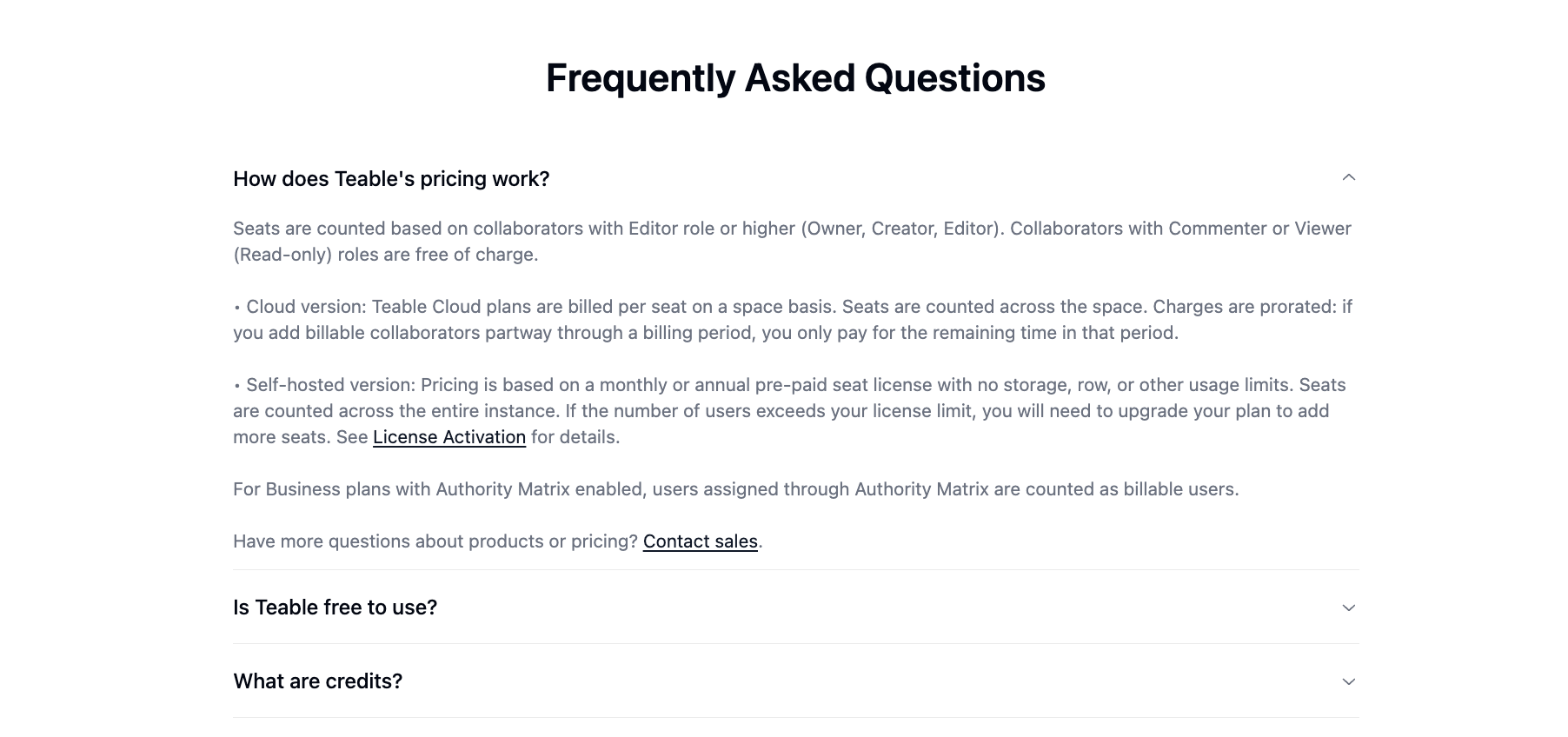
Paid seats now apply only to Editor-level and above (Owner / Creator / Editor).
Viewers and Commenters are completely free, so you can invite unlimited collaborators at no extra cost. (See the FAQ at the bottom of the pricing page: [teable.ai/pricing](https://teable.ai/pricing))
### AI Credits Now Scale with Seats
AI credits are now allocated per paid seat, so your monthly credits grow proportionally as your team scales. **So feel free to use it more. More use, more power.**

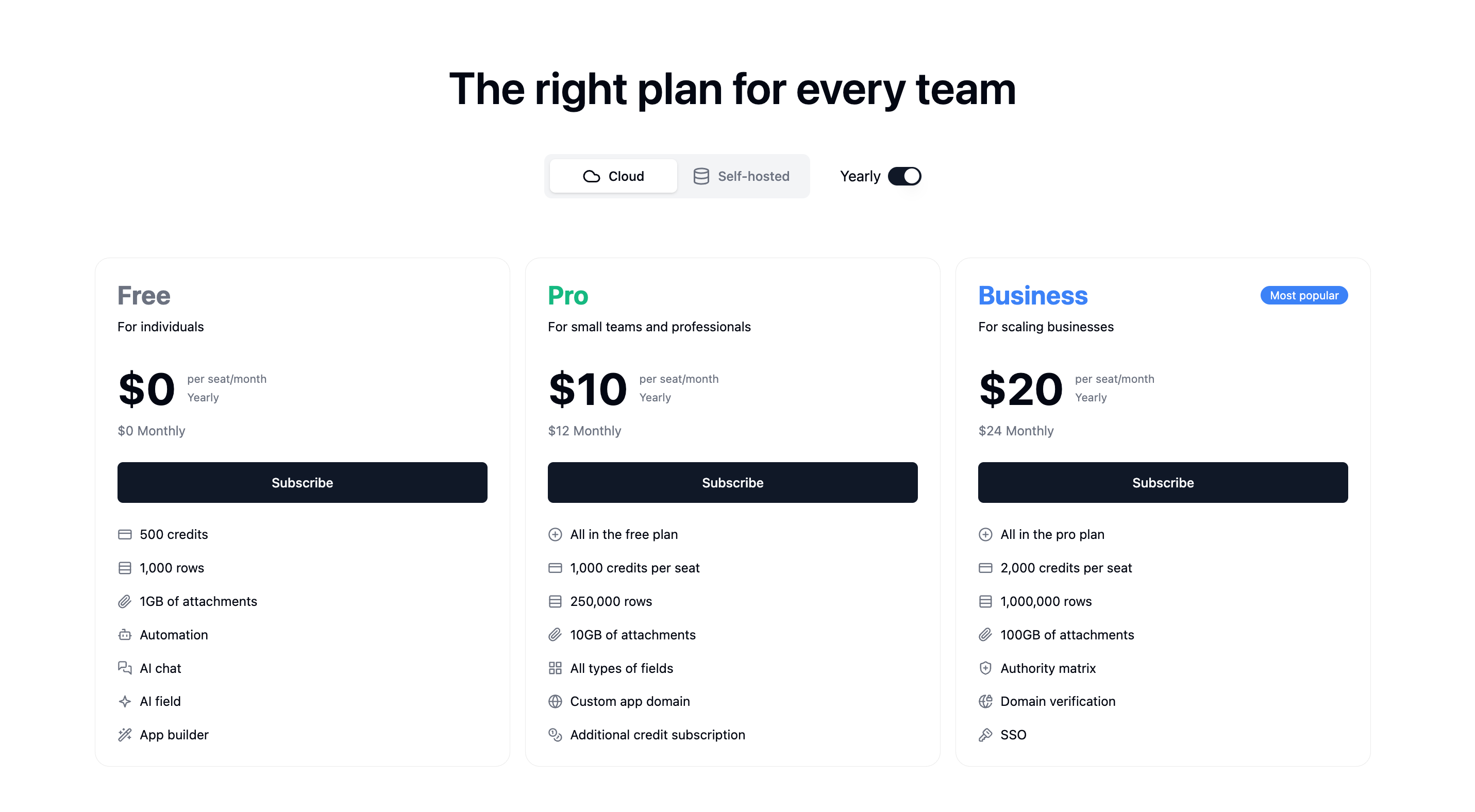
> **Pricing & Plans Updated**
>
> Plans have been simplified and renamed for clearer tier selection:
>
> * Plus → Pro
> * Pro → Business
> * Business now includes SSO (previously Enterprise-only)
>
> This helps professionals, small teams, and scaling businesses quickly choose the right plan.
>
> 
> **Clearer Credit Usage Tracking**
>
> The ring-style usage view has been replaced with progress bars, making usage easier to understand at a glance. For deeper insights, click Credit Details to see a breakdown of your credit consumption.
>
>
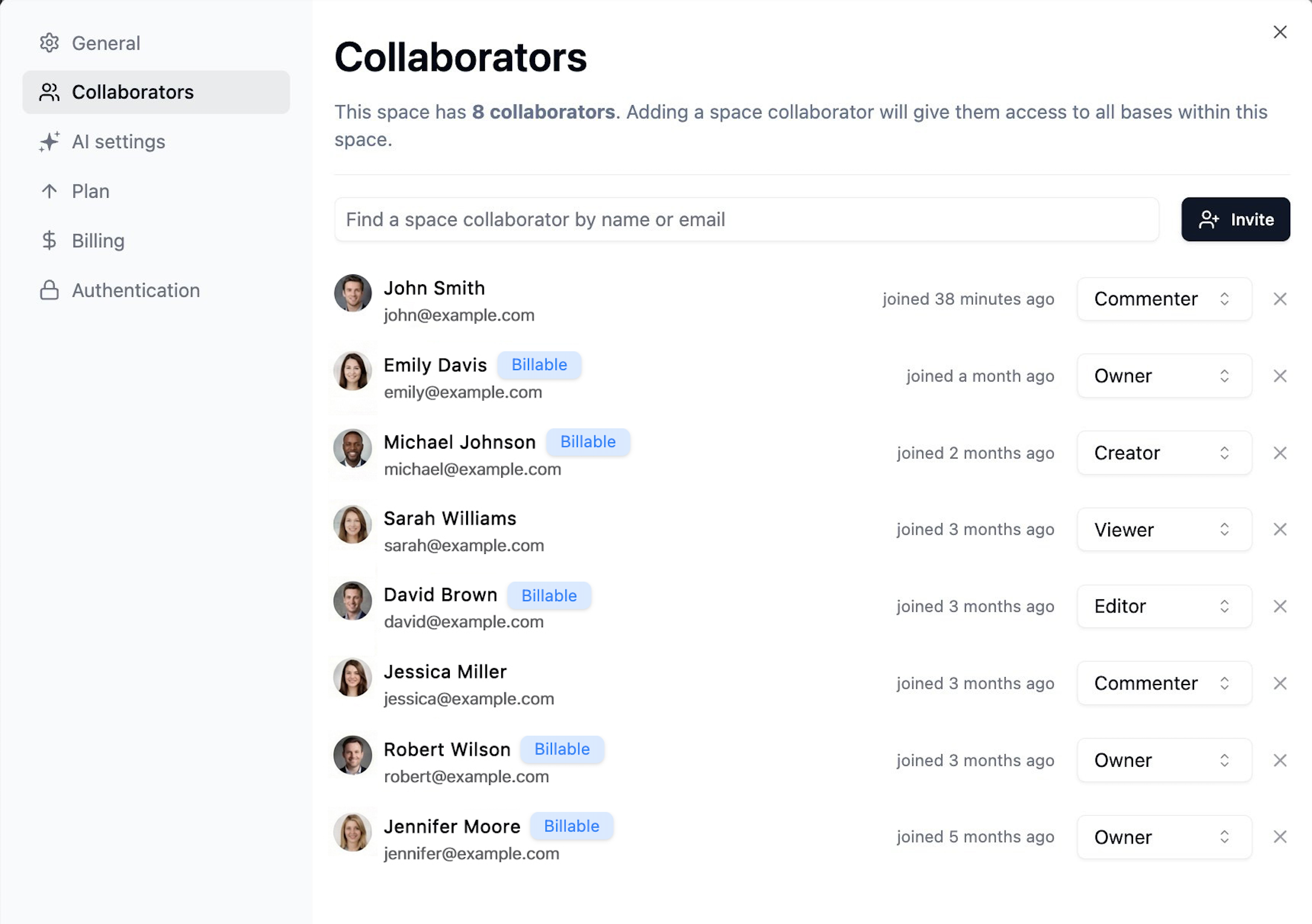
> **Billable Users, Clearly Labeled**
>
> Billing visibility is now crystal clear: it's easy to see exactly who counts as a billable user and which members occupy paid seats—so costs stay fully under control.
>
> 
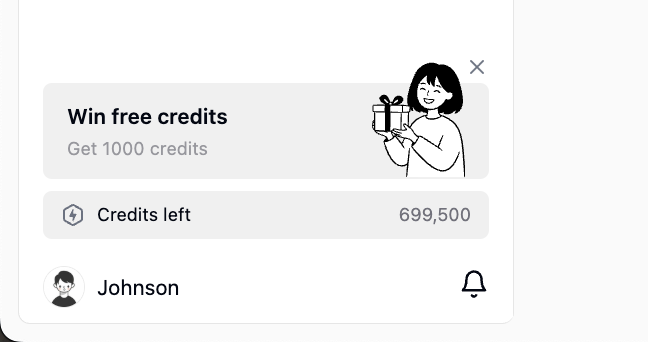
> **Earn 1,000 Free Credits Weekly**
>
> Low on credits? Share on X or LinkedIn and get 1,000 free credits instantly — every week. Join from the bottom-left in Teable.
>
> 
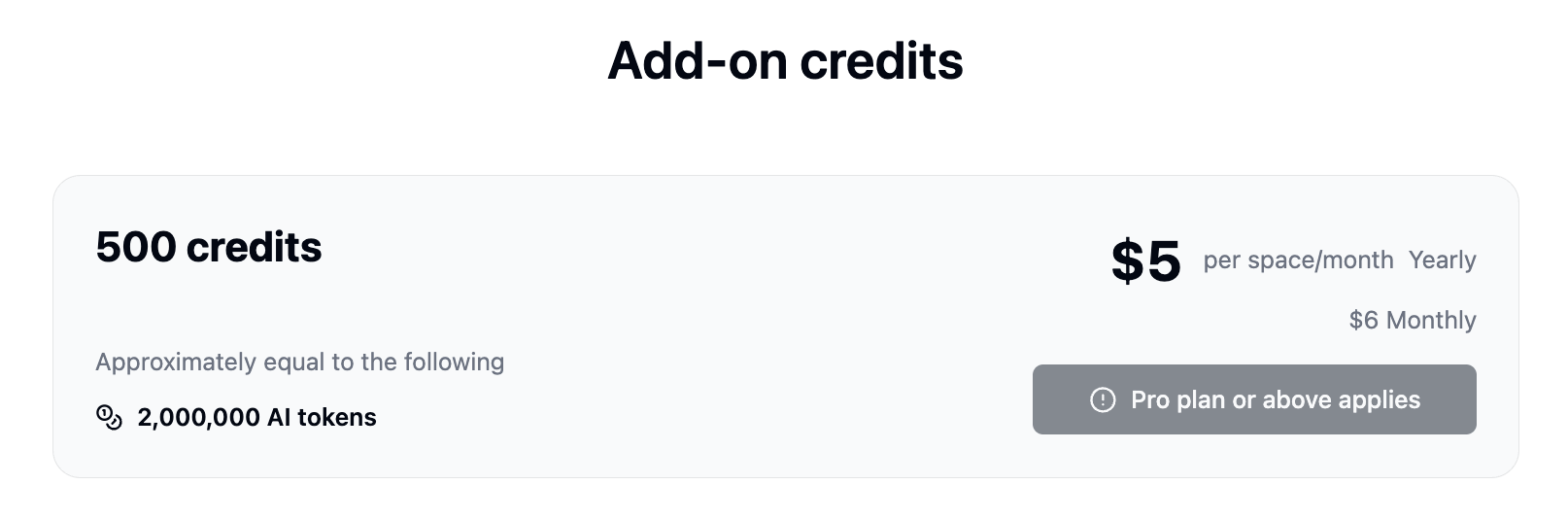
> **Simpler AI Credit Math**
>
> Conversion is now 1:100 (was 1:2000), making costs easier to predict. Example: \$5 = 500 add-on credits.
>
> 
**Jan 07, 2026**
## Introducing Teable App Builder 2.0
We’ve rebuilt the App Builder engine to significantly improve stability, accuracy, and build performance. Here’s what’s new:
> **Note:** This update applies only to apps created after December 17, 2025. Older apps should be recreated to benefit from the improvements.
> **Migration:** The standalone Dashboard feature has been replaced by App Builder. You can now build more powerful, customizable dashboards directly within App Builder.
### Auto Fix Button
When your app encounters a runtime error during preview, click the **Auto Fix** button to let AI automatically diagnose and fix the issue.
### Live Code Editing
Gain full control with **live code editing capabilities**. Watch the code generate in real-time and intervene instantly to fine-tune the logic.
### App Builder Vision
Image recognition is now precise and production-ready. You can now confidently upload screenshots for accurate UI editing or design mockups for 1:1 pixel-perfect replication. *(File limits: images ≤50MB, other files ≤3MB)*
### Stability & Reliability
* **Generation Stability**: Optimized the core code generation engine to **drastically reduce the probability of producing unusable code**, ensuring higher-quality outputs every time.
* **Preview Stability**: Fixed a critical bug where **preview would fail when switching between apps**. Multi-tasking across projects is now seamless.
* **Chat Stability**: Resolved **rendering crash issues** within the App Builder's chat interface for a smoother, uninterrupted experience.
* **State Isolation**: Each app's workspace is now **fully isolated by appId**, preventing data conflicts when managing multiple projects simultaneously.
* **Error Self-Repair**: Built-in error self-repair mechanisms that automatically detect and resolve generation issues, drastically reducing build failures.
### Building Experience
* **Real-Time Previews**: New streaming generation engine provides **instant previews** as the app is being built, eliminating wait time and giving you immediate feedback.
* **Rollback Optimizations**: Safely experiment and instantly revert changes without losing your progress.
### Performance
* Various under-the-hood performance optimizations to make the entire App Builder experience faster and more responsive.
### Template Center
Explore the all-new [Template Center](https://teable.ai/templates) — a curated collection of ready-to-use templates. Install any template instantly to experience the power of App Builder, AI Agents, and Automation firsthand.
[Latest releases](/en/changelog)
This documentation is built and hosted on [Mintlify](https://mintlify.com), a developer documentation platform.