

Automation Webhook Triggers Are Live
Introduced When Webhook Received — a new incoming webhook trigger that lets you connect more data to Teable.
Highlight 1: Setup in seconds
Highlight 2: Test fast. See everything
Highlight 3: One prompt. Data written
Now you can connect more data sources to Teable, like:- Form submissions (Typeform, Tally) → create a new record per submission, then auto-assign + notify
- Payments (Stripe) → log payment/subscription events, update status, trigger follow-ups
- Ecommerce events (Shopify) → capture order/customer events into Teable and kick off ops workflows
- Affiliate tracking (Rewardful) → sync affiliates/referrals/commissions into tables and automate payouts/reviews
- CI/CD (GitHub Actions, GitLab CI, Jenkins) → POST build/deploy results to Teable and trigger post-release workflows
- Zapier / Make / n8n → connect almost any app to Teable by sending an HTTP request to this webhook URL
Automation UI & Reliability (3)
Automation UI & Reliability (3)
- Standardized the styling of the Automation step selector for a more consistent UI.
- Added consistent Action descriptions within the selector to improve clarity and guidance.
- Fixed an issue where deleting a view used by one automation could cause all automations listening to the same table’s recordUpdated trigger to fail; now only the misconfigured automation is skipped and the others run normally.
Agent Bug Fix (2)
Agent Bug Fix (2)
- Fixed an issue where the AI could incorrectly populate all example values into the first single-select field during table updates, causing repeated failures.
- Fixed an issue where text in the AI field custom prompt box could be hidden or cut off after resizing.
Permissions & Admin (2)
Permissions & Admin (2)
- Redesigned the Permission Matrix for better readability and scalability with large user lists.
- Fixed an issue where sections in authorization groups didn’t expand when adding many users, causing content to be clipped; sections now auto-expand based on user count.
UI & Self-hosted Improvements (2)
UI & Self-hosted Improvements (2)
- Fixed a reversed credit progress bar in the space dropdown.
- Consolidated Self-hosted License into Avatar menu → Settings:
- The original menu entry remains, but now redirects to the license section within Settings.
- Renamed “Purchase License” to “Buy Self-hosted License.”
Free AI & Unlimited Free Invites
We’ve removed the two biggest blockers to adoption: AI is unlocked on the Free plan, and you can invite unlimited Viewers & Commenters at no extra cost.
AI for Everyone. Free.
Industrial-grade AI is now unlocked on the Free Plan. Previous Business-tier restrictions have been removed—making “AI for Everyone” real.- App Builder: Business → Free
- AI Chat: Pro → Free
- AI Fields: Pro → Free

Viewers & Commenters Are Now Free
Paid seats now apply only to Editor-level and above (Owner / Creator / Editor). Viewers and Commenters are completely free, so you can invite unlimited collaborators at no extra cost. (See the FAQ at the bottom of the pricing page: teable.ai/pricing)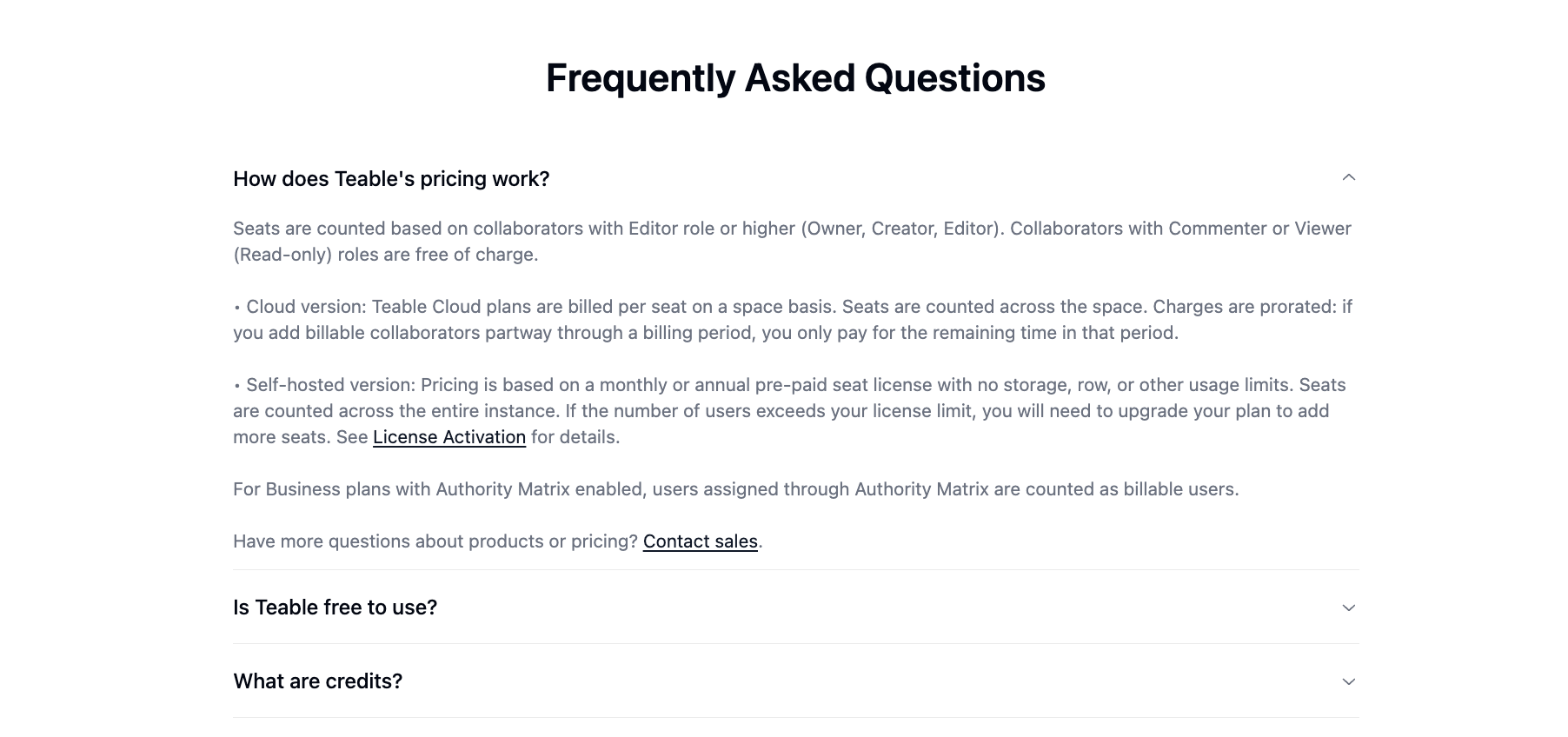
AI Credits Now Scale with Seats
AI credits are now allocated per paid seat, so your monthly credits grow proportionally as your team scales. So feel free to use it more. More use, more power.
Pricing & Plans Updated
Pricing & Plans Updated
Plans have been simplified and renamed for clearer tier selection: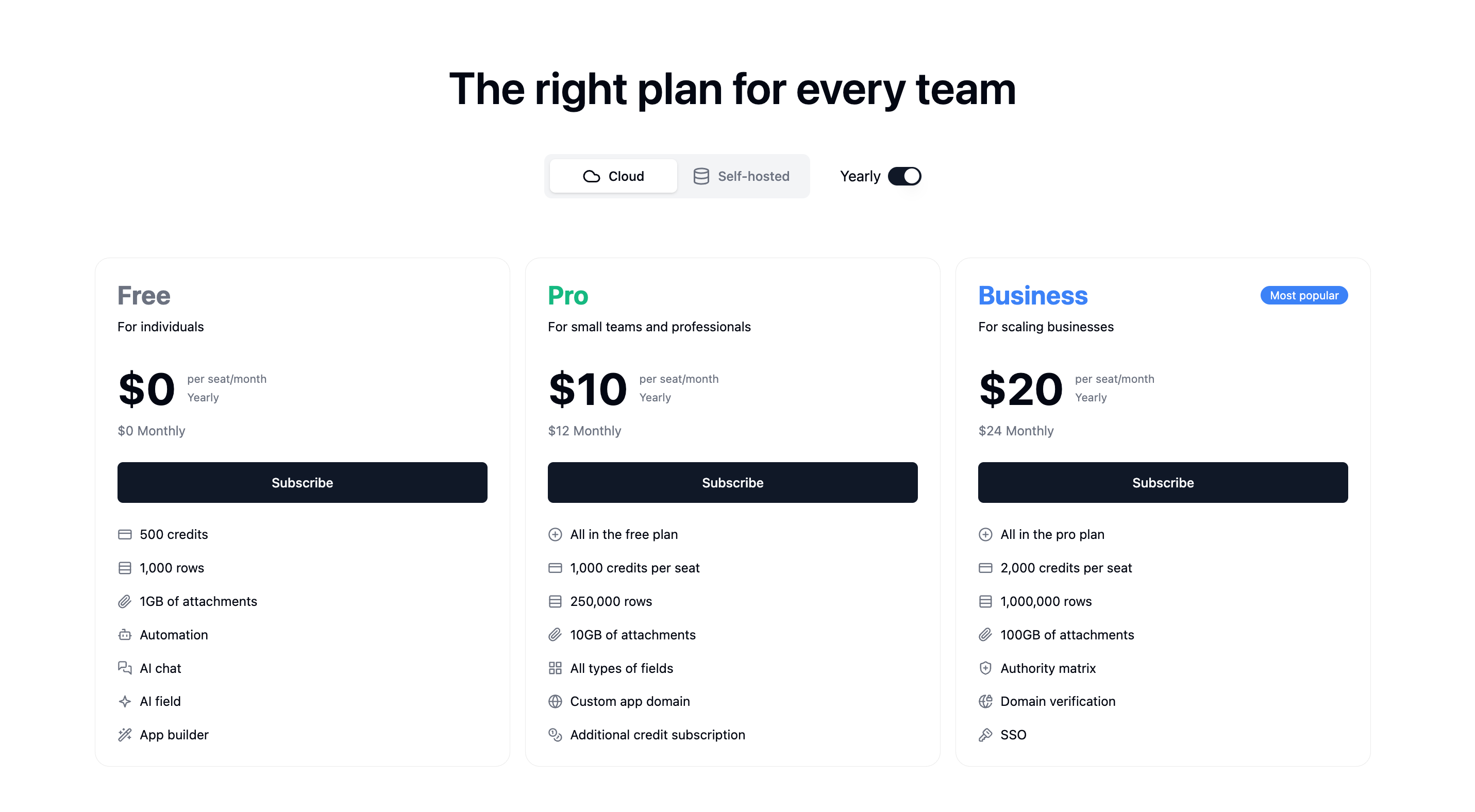
- Plus → Pro
- Pro → Business
- Business now includes SSO (previously Enterprise-only)
Clearer Credit Usage Tracking
Clearer Credit Usage Tracking
The ring-style usage view has been replaced with progress bars, making usage easier to understand at a glance. For deeper insights, click Credit Details to see a breakdown of your credit consumption.
Billable Users, Clearly Labeled
Billable Users, Clearly Labeled
Billing visibility is now crystal clear: it’s easy to see exactly who counts as a billable user and which members occupy paid seats—so costs stay fully under control.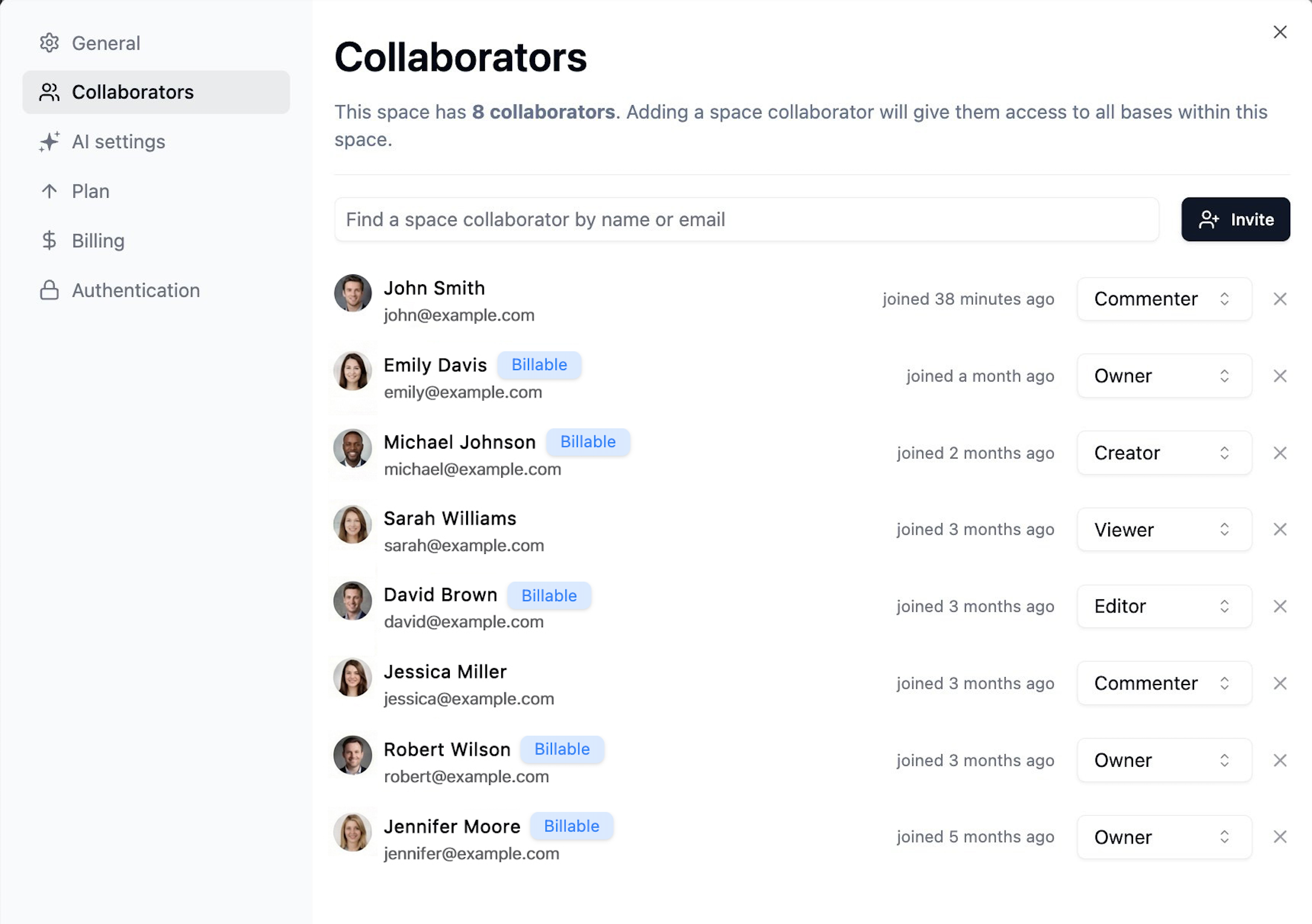
Earn 1,000 Free Credits Weekly
Earn 1,000 Free Credits Weekly
Low on credits? Share on X or LinkedIn and get 1,000 free credits instantly — every week. Join from the bottom-left in Teable.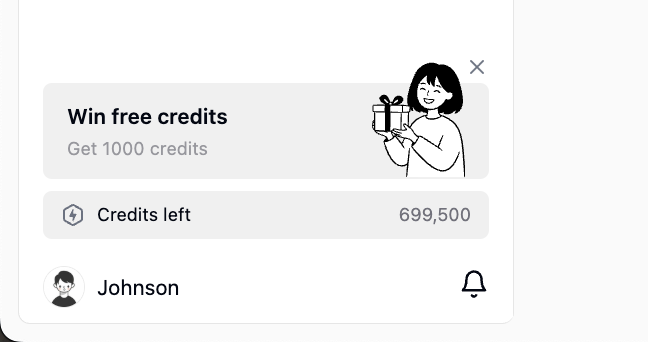
Simpler AI Credit Math
Simpler AI Credit Math
Conversion is now 1:100 (was 1:2000), making costs easier to predict. Example: $5 = 500 add-on credits.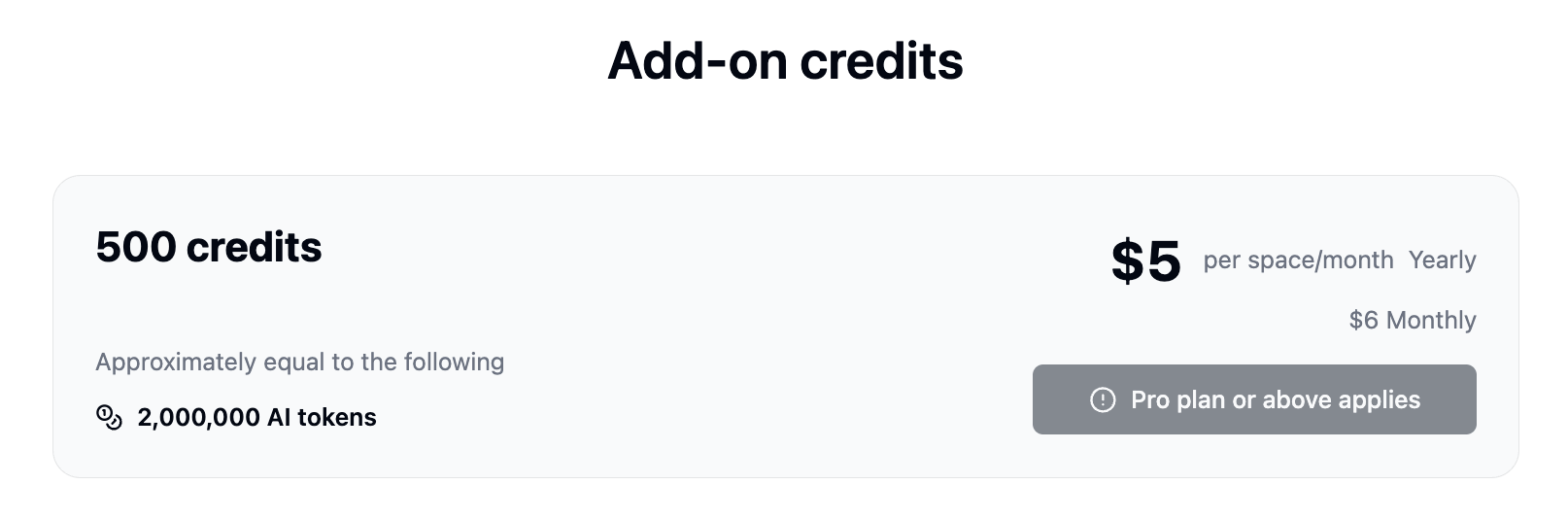
Introducing Teable App Builder 2.0
We’ve rebuilt the App Builder engine to significantly improve stability, accuracy, and build performance. Here’s what’s new:Note: This update applies only to apps created after December 17, 2025. Older apps should be recreated to benefit from the improvements.
Migration: The standalone Dashboard feature has been replaced by App Builder. You can now build more powerful, customizable dashboards directly within App Builder.
- Auto Fix Button
When your app encounters a runtime error during preview, click the Auto Fix button to let AI automatically diagnose and fix the issue.
- Live Code Editing
Gain full control with live code editing capabilities. Watch the code generate in real-time and intervene instantly to fine-tune the logic.
- App Builder Vision
Image recognition is now precise and production-ready. You can now confidently upload screenshots for accurate UI editing or design mockups for 1:1 pixel-perfect replication. (File limits: images ≤50MB, other files ≤3MB)
- Stability & Reliability
- Generation Stability: Optimized the core code generation engine to drastically reduce the probability of producing unusable code, ensuring higher-quality outputs every time.
- Preview Stability: Fixed a critical bug where preview would fail when switching between apps. Multi-tasking across projects is now seamless.
- Chat Stability: Resolved rendering crash issues within the App Builder’s chat interface for a smoother, uninterrupted experience.
- State Isolation: Each app’s workspace is now fully isolated by appId, preventing data conflicts when managing multiple projects simultaneously.
- Error Self-Repair: Built-in error self-repair mechanisms that automatically detect and resolve generation issues, drastically reducing build failures.
- Building Experience
- Real-Time Previews: New streaming generation engine provides instant previews as the app is being built, eliminating wait time and giving you immediate feedback.
- Rollback Optimizations: Safely experiment and instantly revert changes without losing your progress.
- Performance
- Various under-the-hood performance optimizations to make the entire App Builder experience faster and more responsive.