Available for Business plan and above
When sales, finance, operations, and leadership share the same base, permissions decide who can enter the base, which data they can see or edit, and whether they can import or export data. The Authority Matrix helps teams keep data in one place while separating access by responsibility. You can assign custom roles to members or departments, then let each role access only the tables, apps, and workflows it needs. For tables, you can also limit visible views, visible records, editable fields, and import or export permissions. For example, sales can maintain their own customers, finance can view billing fields, and leadership can view the full dataset.

When to Use It

ScenarioGood for
Department-level accessSales can maintain customer records, while finance only sees billing fields.
Assignee-based recordsSales reps can view and update only records assigned to them.
Restricted data entryMembers can create new records without editing or deleting existing records.
Sensitive fields in a shared baseMembers can view order records without seeing payment or cost fields.
Controlled apps and workflowsRoles can open selected apps or workflows, while unauthorized nodes stay hidden.

How Permissions Work

The Authority Matrix assigns access by role. Users can receive permissions from roles assigned directly to them or from department roles. When multiple roles apply, Teable combines the permissions allowed by those roles.
Space users with the Manager permission and Authority Matrix administrators can manage the Authority Matrix and are not restricted by it.
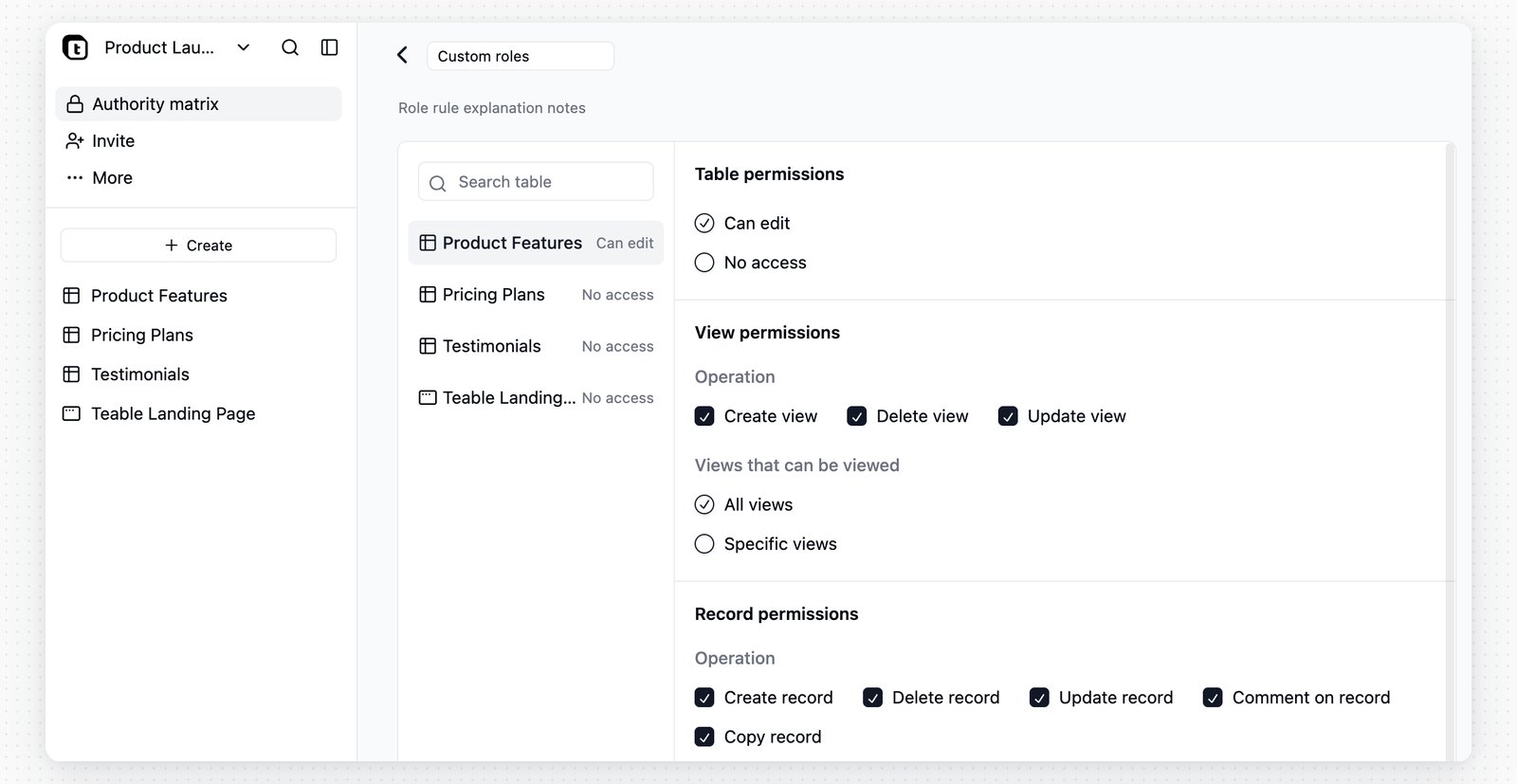
The role list includes an Administrators section and a Custom roles section: Authority Matrix role list Use Add role to create a custom role. In the role detail page, assign collaborators, write a short description, and configure access for each node in the base: Authority Matrix role detail page

Configure Role Access

Each table, app, and workflow has its own access setting.
Node typeAvailable setting
TableChoose Can edit or No access. After a table is set to Can edit, configure its detailed permissions.
AppChoose Can access or No access. This controls whether the role can open the app.
WorkflowChoose Can access or No access. This controls whether the role can open the workflow.
FolderFolders are shown for navigation. If none of the child nodes are accessible, the folder is hidden for the role.
To configure view, record, field, and other detailed table permissions, set the table to Can edit first. A table with No access is hidden from members in that role.

Table Permissions

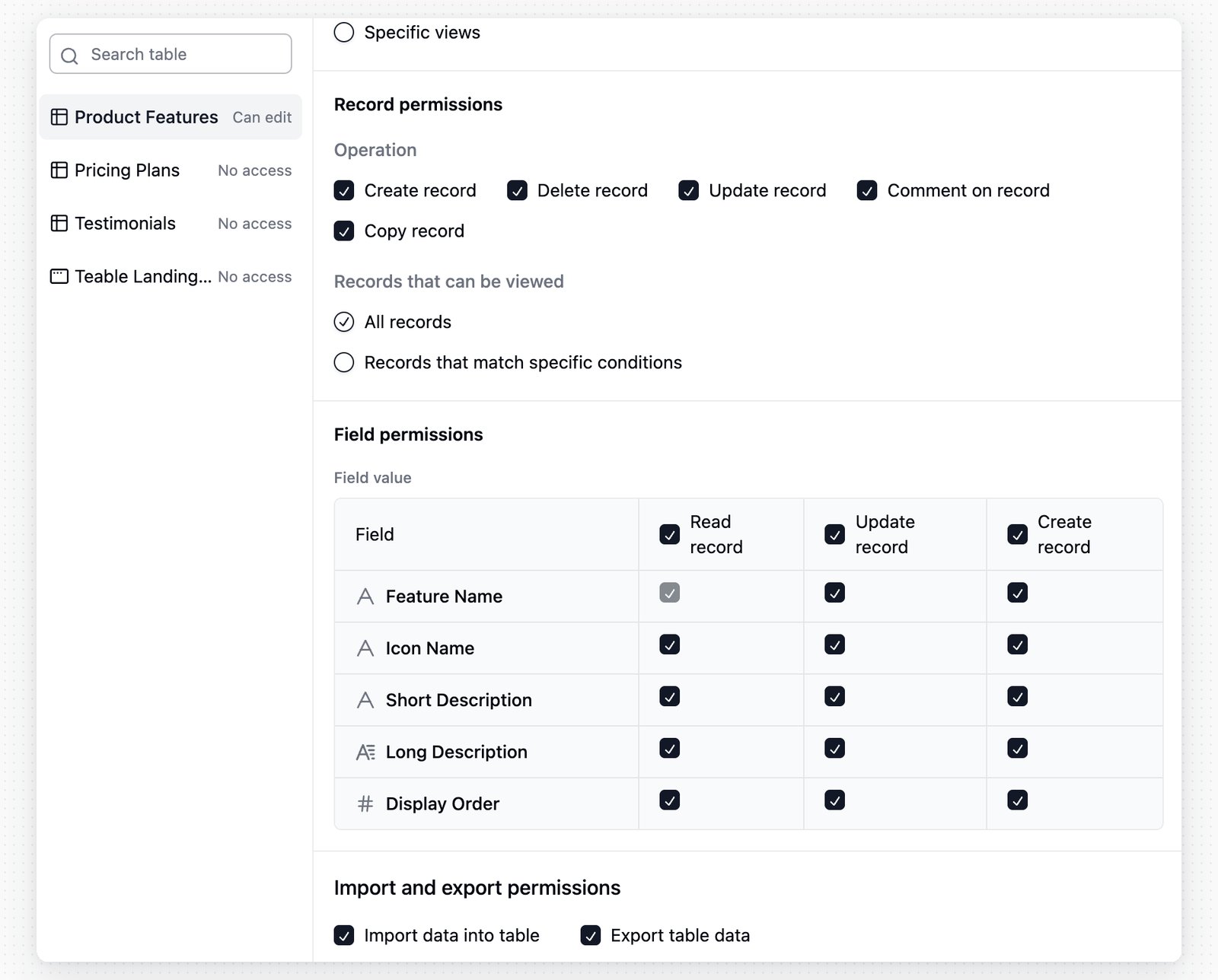
When a table is set to Can edit, configure these permission areas:
Permission areaWhat it controls
View permissionsWhether the role can create, update, or delete views, and whether it can view All views or only Specific views.
Record permissionsWhether the role can create, update, delete, comment on, or copy records. Visible records can be All records or records that match filter conditions.
Field permissionsWhether the role can view, update, or create values in specific fields. The primary field must remain visible.
Import and export permissionsWhether the role can import data into the table or export table data.
Authority Matrix table permissions Record filters work well for access scopes that change by owner, department, or similar fields. For example, a condition such as Sales owner is current user lets each salesperson see only their own records. Field permissions can further hide or lock sensitive field values in records the role can access.

Default Role
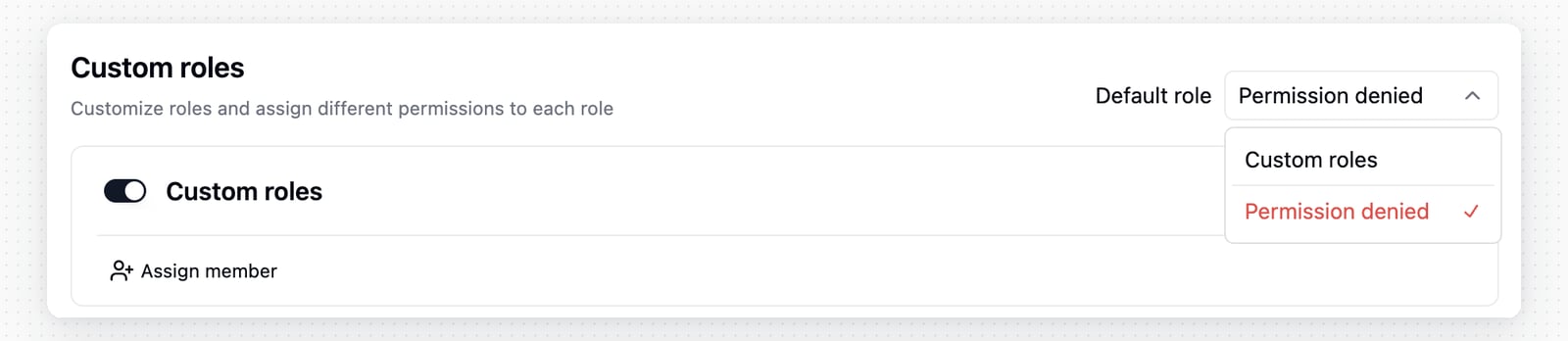
Authority Matrix default role setting Use Default role for members who have not been assigned any custom role. You can select an enabled custom role, or choose Permission denied so these members cannot access content controlled by the Authority Matrix.

Notes

  • After the Authority Matrix is enabled, users whose Space permission is below Manager are restricted by it unless they are added as Authority Matrix administrators.
  • The user who enables the Authority Matrix is automatically added to Administrators.
  • New custom roles are enabled when they are created from Add role, but each table, app, and workflow still needs its own access setting.
  • A table set to No access for a role is hidden from that role, even if its detailed permission options were edited earlier.
  • Assigning a role from Add user or Add from organization can add selected members or departments as base collaborators. The Authority Matrix then narrows what they can access inside the base.
To learn about basic Space and base permission levels, see Collaboration Permissions.
Last modified on May 28, 2026