

User Information
- User name: The user’s display name
- Last login: The most recent time the user logged into the system
- Signed up: The time when the user first registered their account
- Status: The current status of the user account (Activated, Deactivated, or Deleted)
User Operations
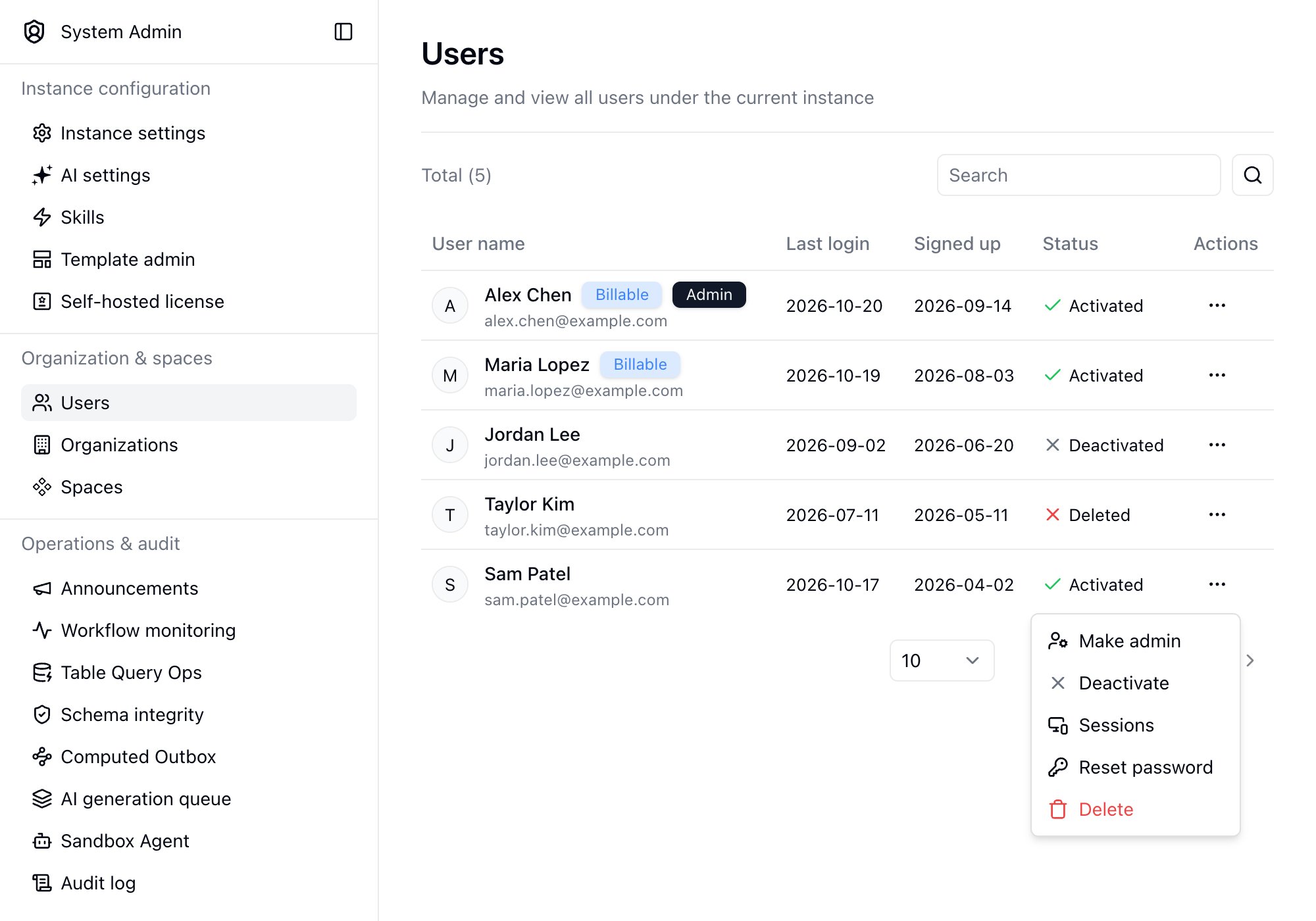
Permissions
- Make admin: Grants full instance administration rights
- Remove admin: Revokes administrator rights
Account Status
- Deactivate: User cannot log in but data is retained
- Activate: Restore access for a deactivated user
Sessions
Open a user’s action menu and select Sessions to see the devices where the user is currently signed in, along with their login history. Click Sign out on a single device, or click Sign out all devices, to force the user to sign in again. Unless the account is deactivated, the user can still sign back in.Password Reset
Open a user’s action menu and select Reset password. After you confirm, Teable generates a one-time link that you can copy and send to the user. If notification email is configured, Teable also sends the link by email. The user’s current password remains valid until they set a new one through the link. Teable shows the expiration time when it generates the link, and each link can be used only once.Reset password is not available when password login is disabled for the instance.
Deletion
- Delete: Soft-delete user (marked as deleted)
- Restore: Recover a soft-deleted user
- Permanent delete: Completely remove user data (irreversible)