

1
Choose an export scope
Export the entire table when you need the full raw data. Export a specific view when you only need the data currently shown in that view.
2
Open the export entry
To export an entire table, open the target table menu in the left directory. To export a view, switch to the target view and open the view menu.
3
Download CSV
Select Download CSV. Teable generates the file according to the selected export scope.
Export Flow
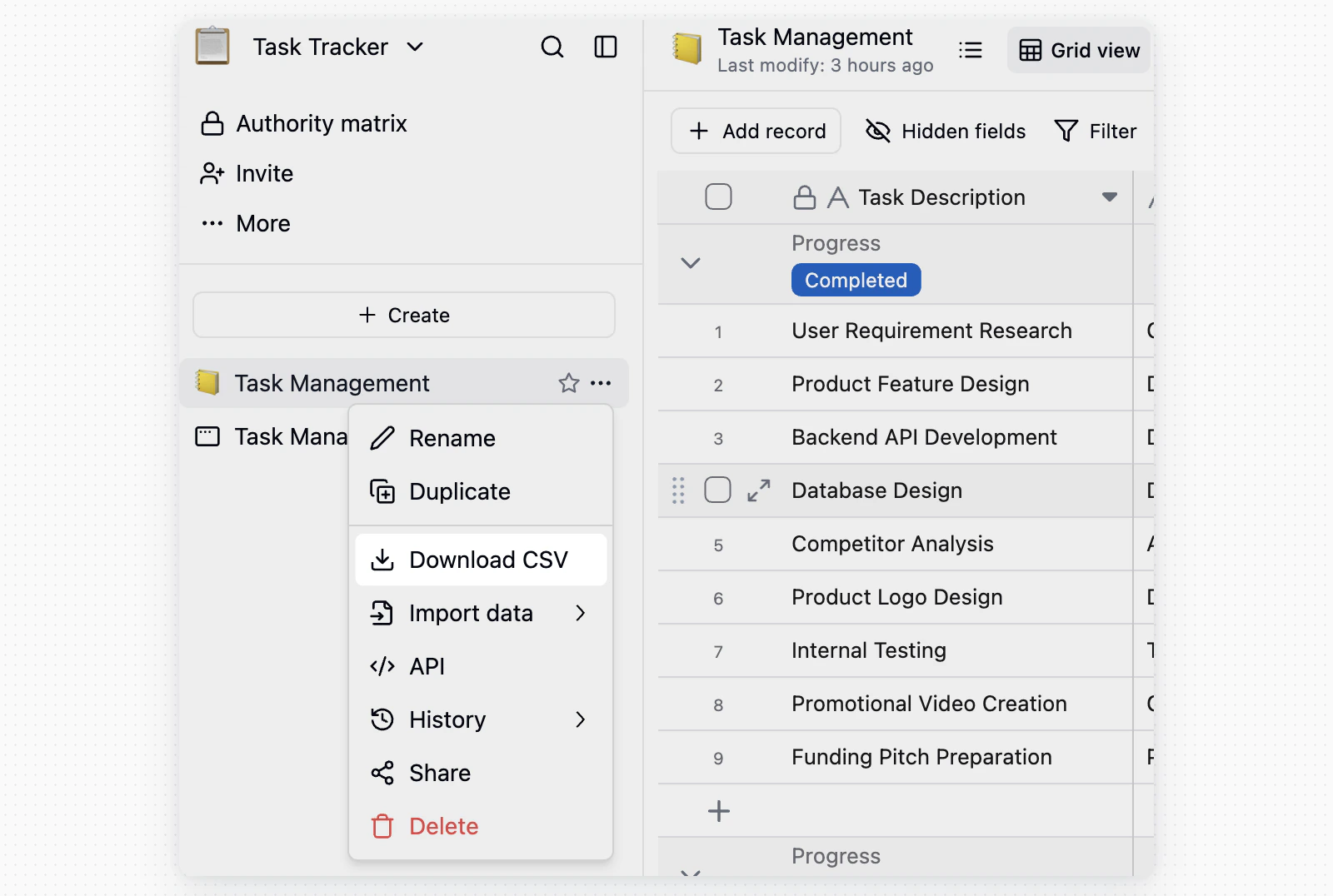
To export an entire table, hover over the target table name in the left directory, click the... button on the right, then select Download CSV.
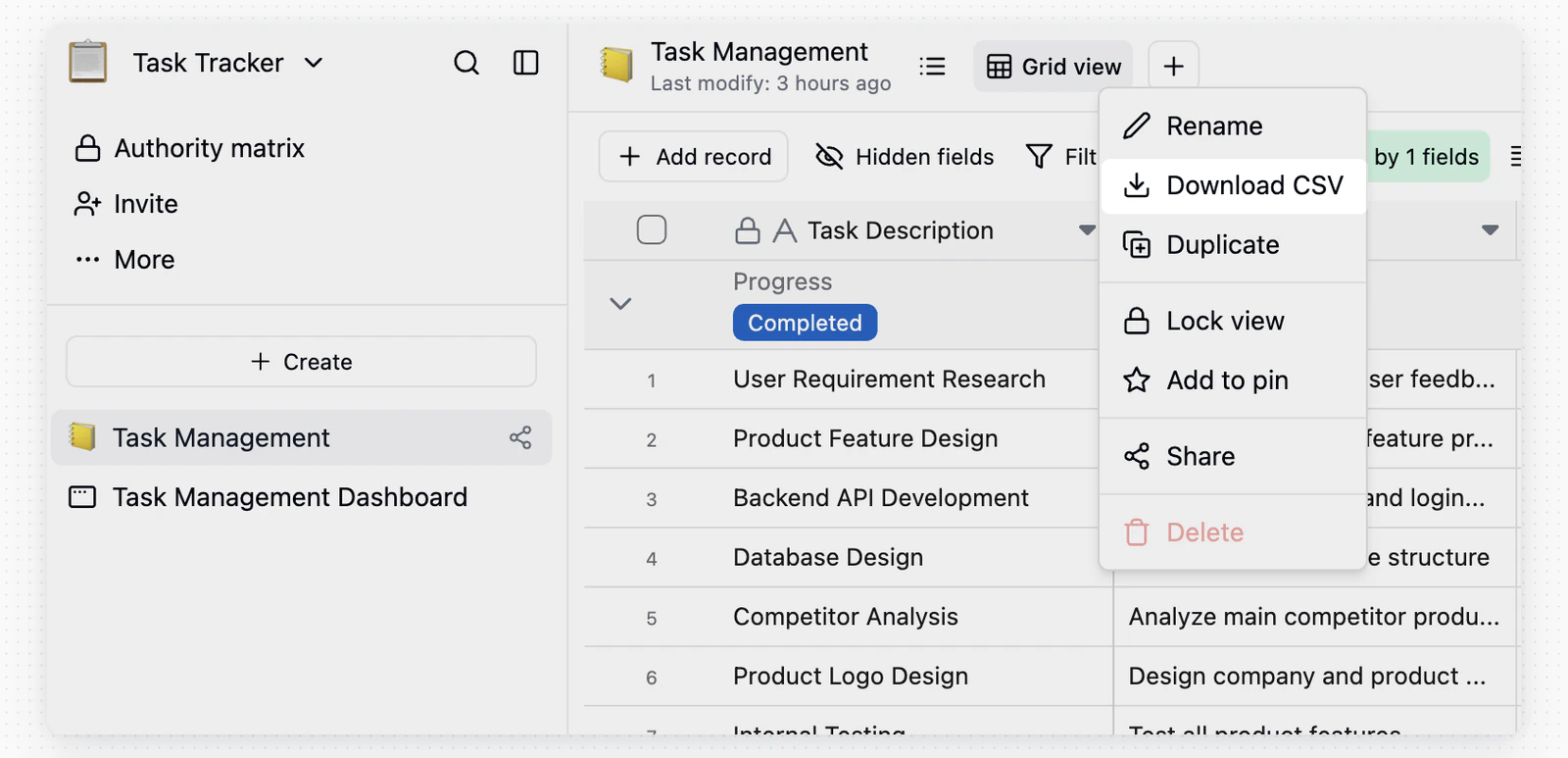
... menu next to the view name and select Download CSV.
Notes
- Entire table export: Includes the raw table data, including hidden fields and records.
- View export: Exports only the data currently shown in the view. Use it for filtered, sorted, or hidden-field results.