

Table Record History
Table record history shows changes across records in the current table. It is useful for checking which records were modified from a global table perspective, and it can also help find accidentally deleted records.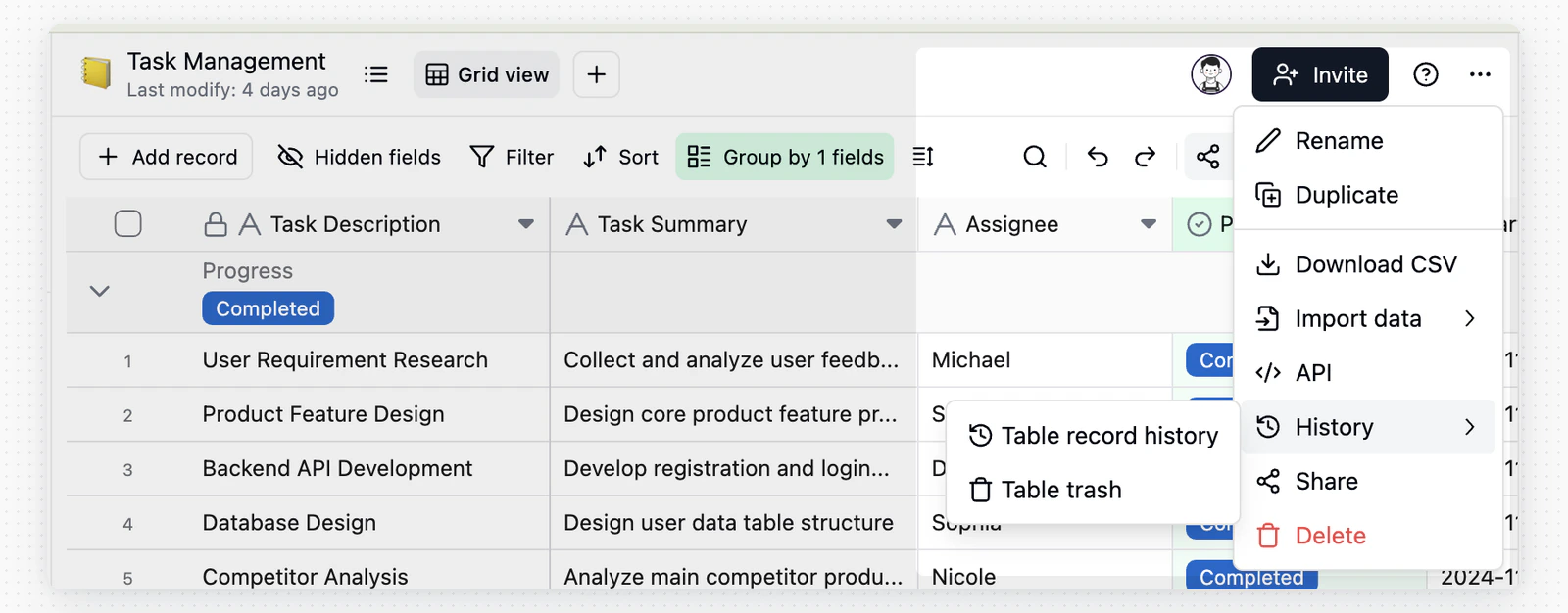
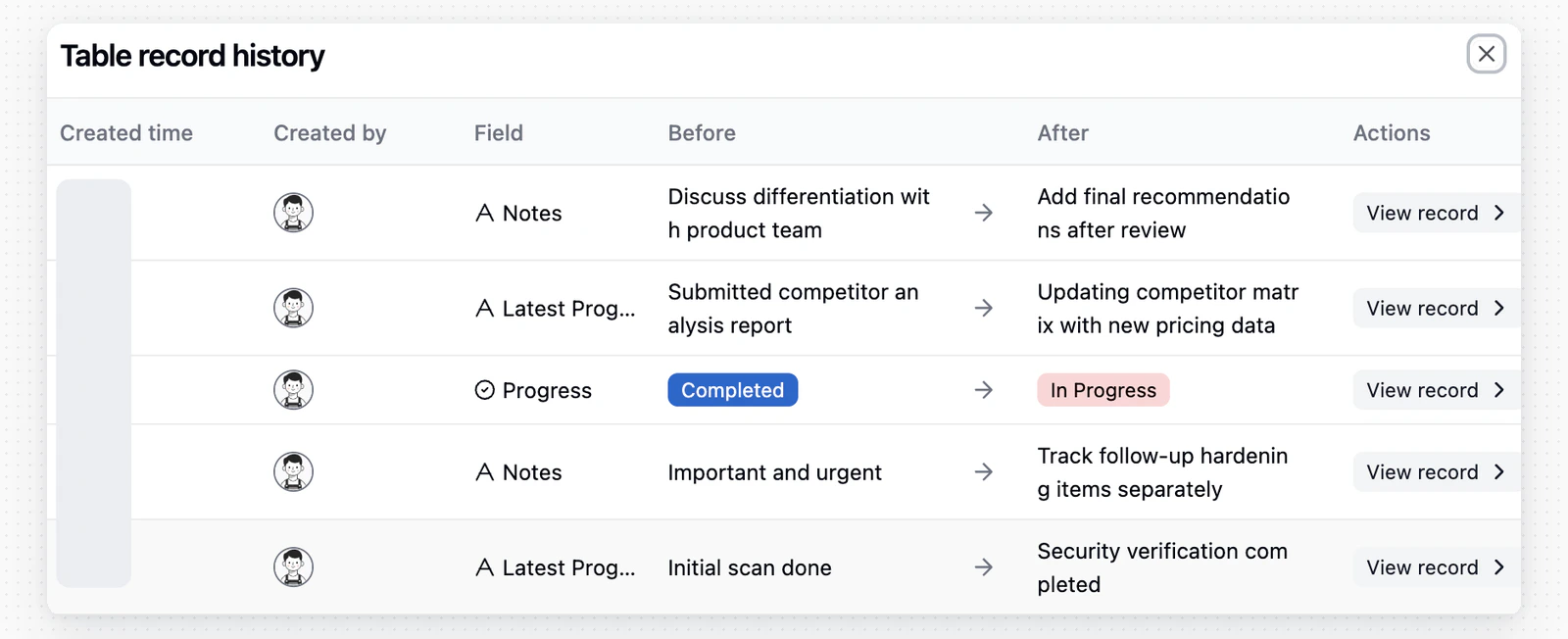
When the Authority Matrix is not enabled, users with table editing permission can view table record history. When it is enabled, only administrators can view it.
Individual Record History
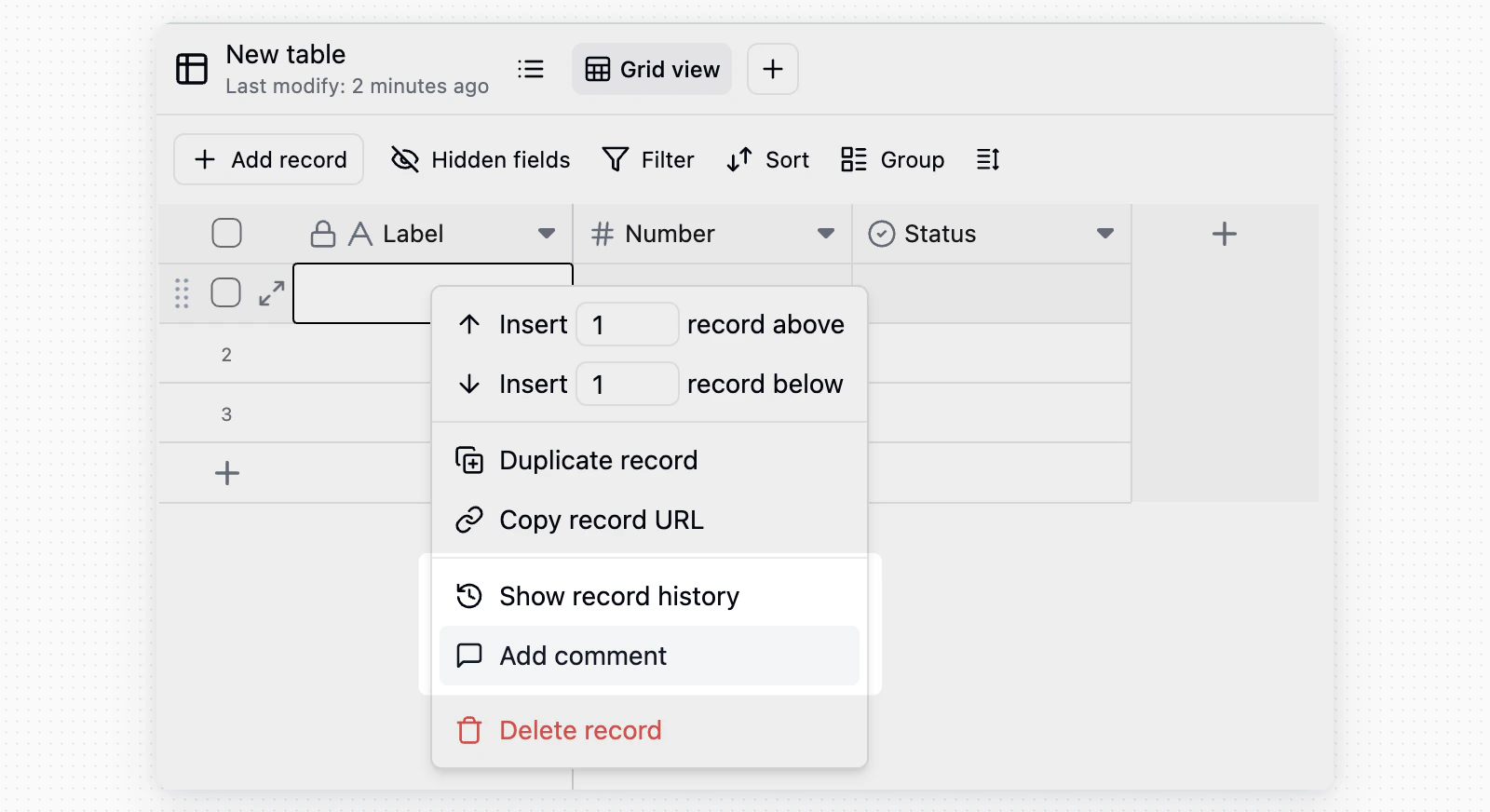
Individual record history only shows changes for the current record. It is useful for checking when a field in one record was changed and what changed before and after the update.
Notes
- Record history stores changes at the cell level.
- Bulk paste and bulk update operations can generate many history entries.
- Records added by an import or by duplicating a table do not create history entries. Later changes to those records are recorded as usual.
- Button field actions appear as Clicked button entries.
- If you cannot see the history entry point, first confirm whether you have editing permission for the corresponding record or table.