

Archive Records
Archiving takes records out of the table view and out of your space’s record count, while keeping their field values, attachments, and creator information. Use it for finished projects, closed deals, or past seasons that you want out of the way but not deleted. To archive records, select one or more rows in the grid, right-click, and choose Archive record or Archive all selected records. The confirmation dialog shows how many records will be archived. If you archive the wrong rows,Ctrl/Cmd + Z undoes the action and puts them back.
Review the Archive
The archive opens as a read-only grid with two extra columns, Archived time and Archived by, in front of the table’s own fields. Click the expand icon on a row to open Record detail and read the full record.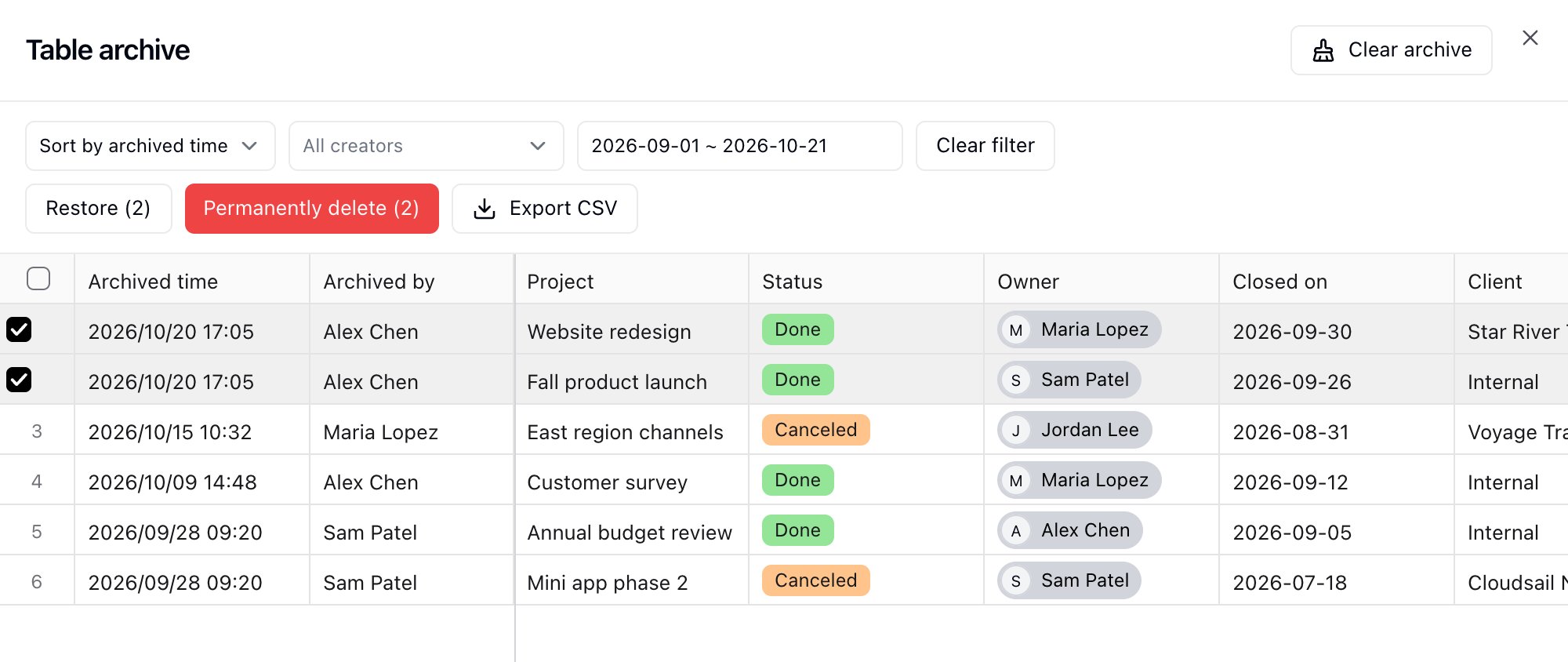
Restore or Permanently Delete
Select rows in the archive, then use Restore or Permanently delete in the toolbar. Both buttons show the number of selected records. Restoring puts the records back into the table with their original values, and they count toward your space record limit again. If the space is already at its record limit, restore fails until you free up rows or raise the limit. Permanently delete removes the archived records for good. This cannot be undone. To remove every archived record in the table at once, use Clear archive at the top of the archive. This cannot be undone either.Owners and creators can archive, restore, and permanently delete. Editors can archive records and open the archive, but cannot restore or delete from it. Commenters and viewers have no access.
Table Trash
The trash lists records, fields, and views that were deleted from the table, along with who deleted them and when. Filter the list by type, by the user who deleted the item, or by deletion time, and use Clear filter to go back to the full list.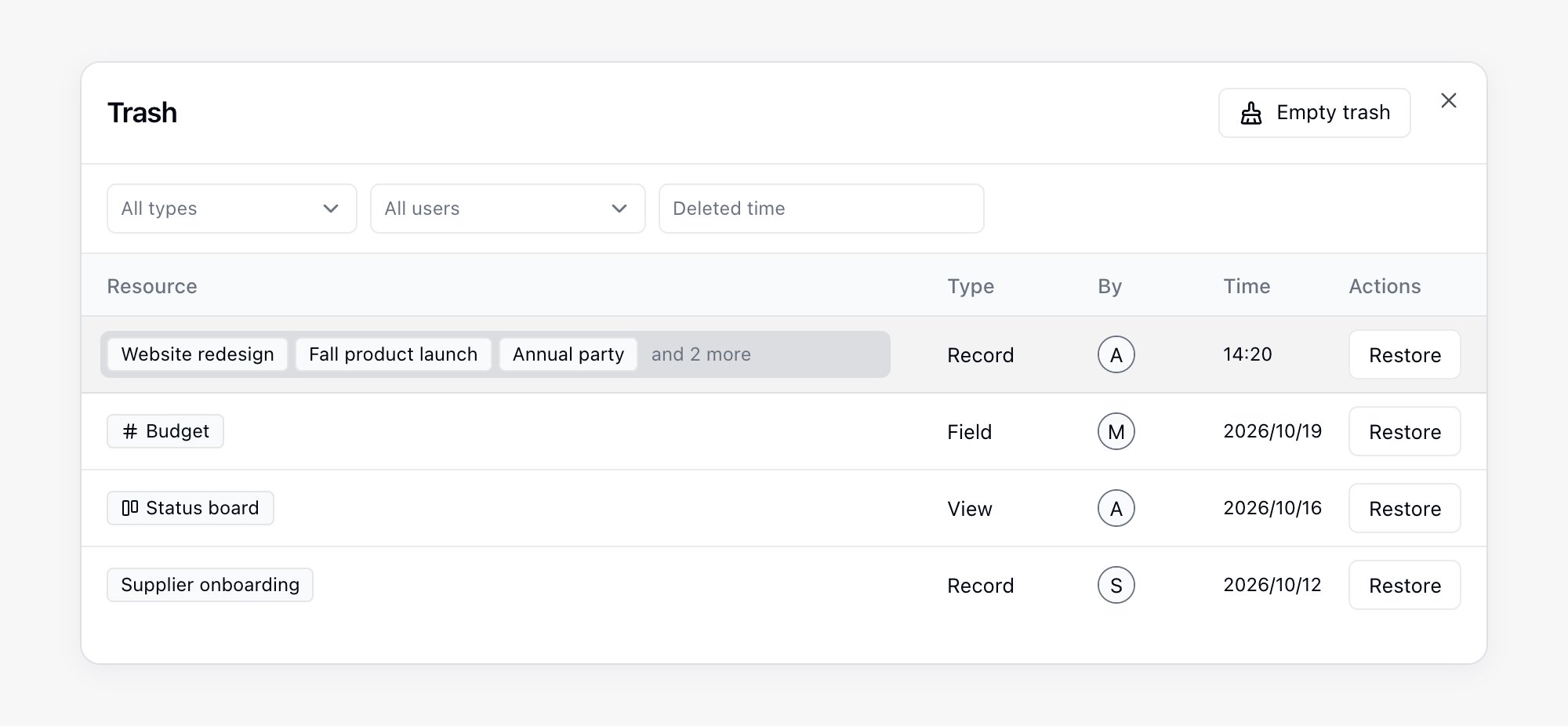
How Long Deleted Records Stay Visible
How far back the trash lists deletions depends on your plan:Related
- Record History: trace who changed a value and when
- Records Overview: create, edit, and delete records
- Billing and Plans: compare plan limits and change your subscription